Implement instant products and filter suggestions (CSR)
Implement instant products and filter suggestions (CSR)

This is for:
DeveloperThe Coveo search box is a powerful tool to allow your users to discover your catalog, it’s often the first interaction point end-users have on commerce websites. You can be enhanced its functionality by adding instant products and filter suggestions.
These features help users find relevant products faster.
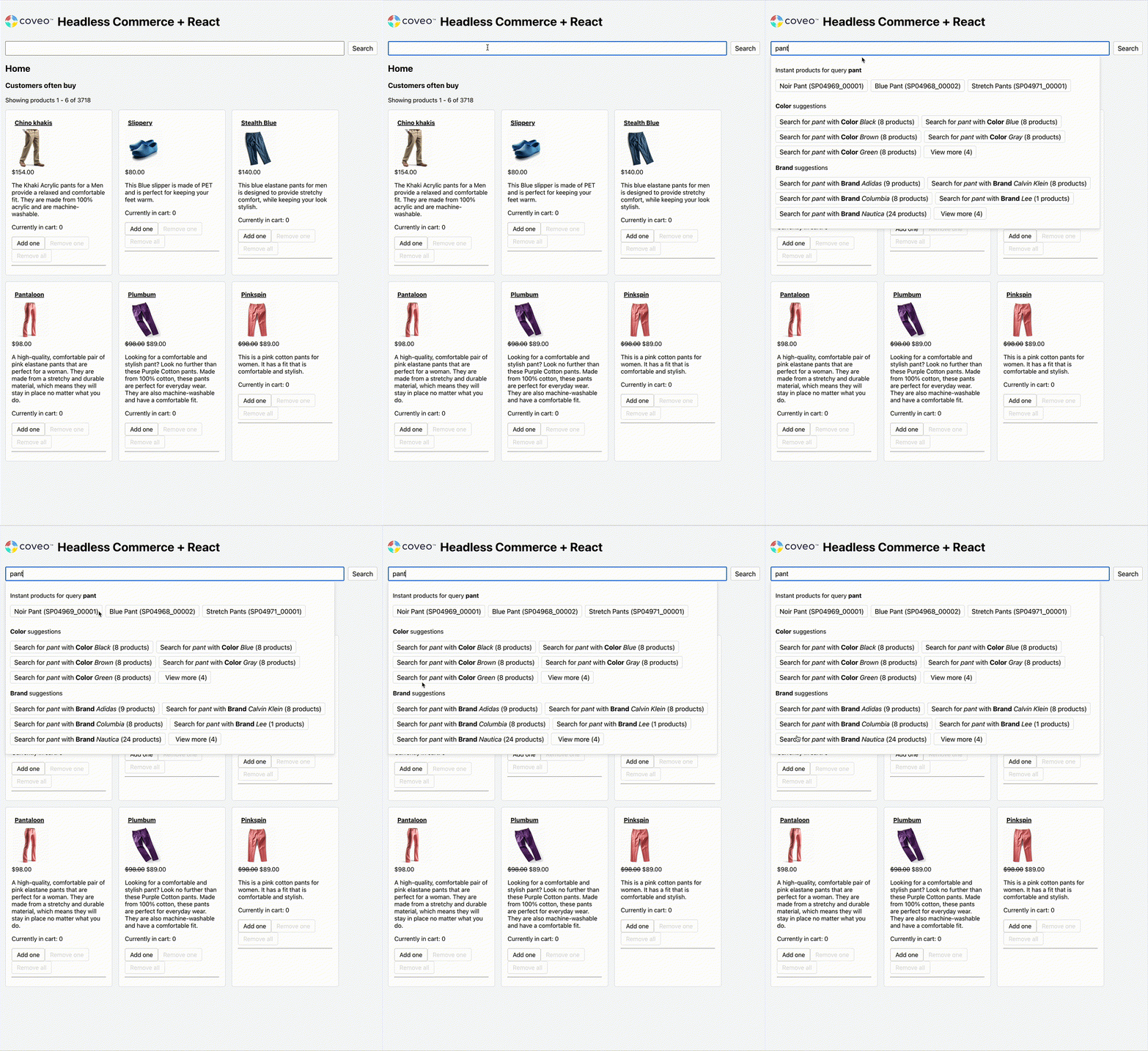
Instant products
Instant products are a method to enhance the search experience by displaying relevant products in real time as users type in the search box. The end-user can then select a product straight from the search box.
Filter suggestions
Filter suggestions are a content discovery feature connected to search boxes and facets. When end-users start typing in a search box, Coveo for Commerce suggests relevant fields and field values to use as filters. The end-user can select one of these filter suggestions to filter the results with a facet on the selected field value.
Guides
The following guides explain how to use the Coveo Headless library to implement instant products and filter suggestions in Coveo for Commerce. They use examples from the Coveo Headless repository to explain in detail how to build the interfaces that implement instant products and filter suggestions.
The guides focus on a client-side rendering scenario, if you’re looking for information on building server-side rendering interfaces refer to this guide.

|
Prerequisites
To implement instant products and filter suggestions, you must:
|
-
Implement instant products: Build the
InstantProductsReact component using the HeadlessInstantProductscontroller, and log click events through theInteractiveProductsub-controller. -
Implement filter suggestions: Build the
FilterSuggestionsGeneratorandFilterSuggestionsReact components using the HeadlessFilterSuggestionsGeneratorcontroller, which provides facet-based suggestions that update as the user types. -
Integrate with a search box: Wire both components into your
StandaloneSearchBox, coordinating state updates so that query suggestions, instant products, and filter suggestions all appear together in a dropdown.