Build commerce product listing pages
Build commerce product listing pages

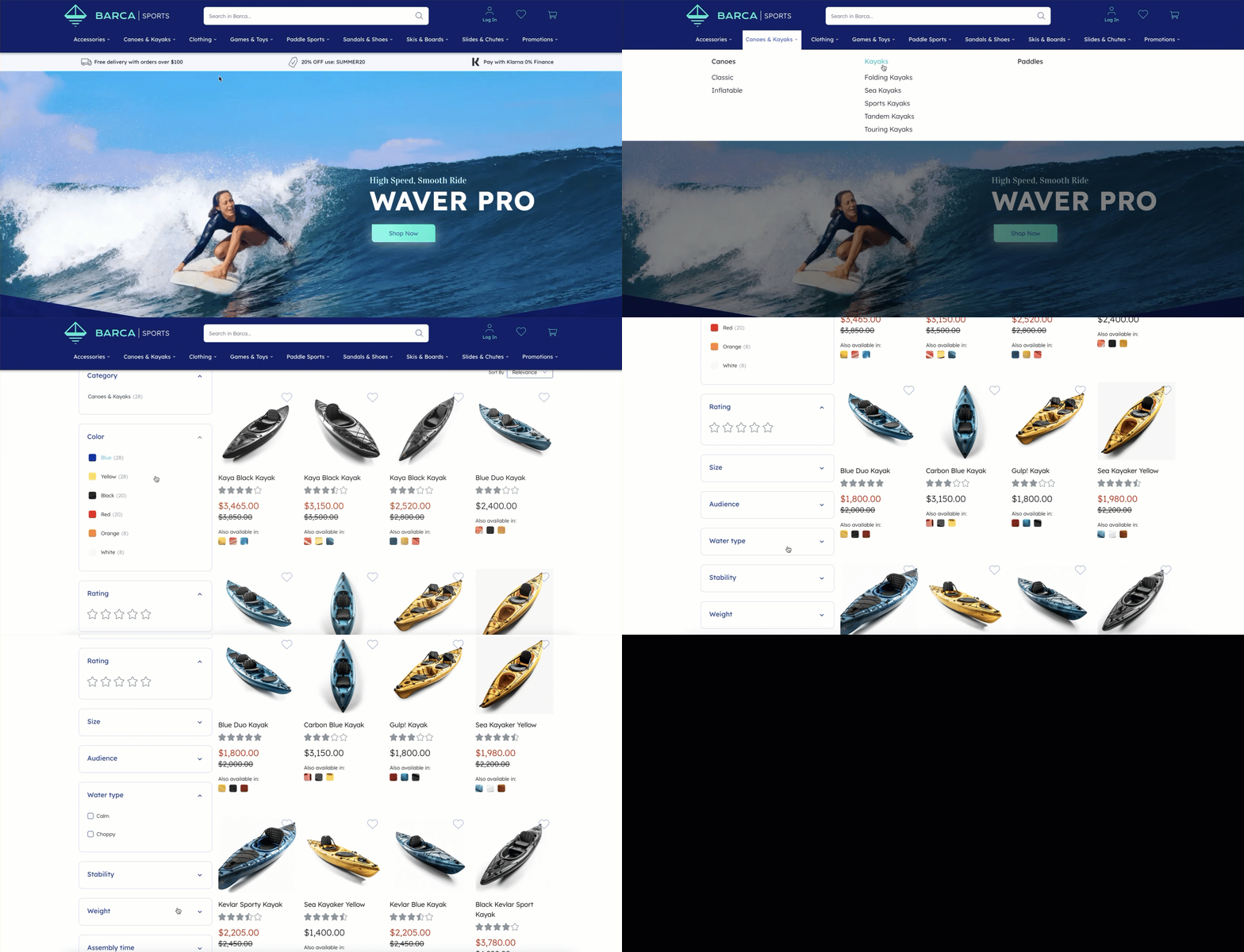
product listing pages (PLPs) are user interfaces that allow visitors to browse products of a specific category. In Coveo for Commerce, PLPs power the Product listings product discovery solution.
Building PLPs is a key step in creating a successful product discovery experience for your visitors. Whether you’re building a category or a campaign page, Coveo for Commerce provides the tools to create a powerful and engaging PLP.
You can use Coveo-powered PLPs to:
-
Show products that share a specific attribute, such as a category or a brand.
-
Rank products to optimize for conversion and revenue per visit (RPV) by considering past user behavior, product attributes, and business objectives.
-
Display relevant filters to help visitors find the products they need.
-
Manually curate the products on the page based on your business needs, such as applying boosts or pinning certain products.
How to build product listing pages
To implement a Coveo-powered product listing page (PLP):
-
Create the PLP using the Product listings manager in the Coveo Merchandising Hub (CMH).

You can also create PLPs in a batch using the Public Listing Page API.
-
Set up facets for the PLP using the Facet manager in the Coveo Merchandising Hub (CMH).
 Note
NoteIf the Facet manager isn’t enabled for your organization, you’ll have to set up your facets in the next step using the Query Configurations API.
-
Create query configurations using the Query Configurations API. These configurations set certain parameters for your PLPs, such as sort criteria and additional fields.
-
(Optional) Create or modify rules for the PLP using the Product listings manager in the Coveo Merchandising Hub (CMH).
Machine learning and personalization
To fully leverage Coveo-powered listing pages, configure Coveo Machine Learning (Coveo ML) Automatic Relevance Tuning (ART). You can use ART to rank products intelligently based on visitor behavior and preferences, thereby providing an engaging and personalized product discovery experience on listing pages.
For more information about ART and specific configurations for listing pages, see About Automatic Relevance Tuning (ART) for Coveo for Commerce.