Set an ID mapping advanced configuration for CR using the API
Set an ID mapping advanced configuration for CR using the API

The Machine Learning Advanced Model Configurations API lets you set an advanced ID mapping configuration for your CR model:
To set an advanced configuration using the API

|
You can also get a list of advanced configuration files currently used by the model, or delete a configuration file from the model. |
Prerequisites
-
A CR model in your Coveo organization.
-
You have the required privileges to edit a model.
Create or update an advanced configuration file
Setting an advanced configuration using the API requires an advanced configuration file.
You can create a new configuration file from scratch, or download an existing file that you previously uploaded to a model to edit its configuration.
-
If required, to edit an advanced configuration file that’s currently used by a model, first download the file using the Swagger UI as follows:
-
Access the Advanced Model Configurations section of the Swagger UI that’s associated with your Coveo organization region (US | CA | EU | AU).
-
Click Authorize and authenticate using your Coveo organization account credentials.
 Note
NoteThe Coveo organization account you use for authentication must have the Machine learning - Models - Edit privilege.
-
Use the
configs/{configurationType}GET operation to download an existing configuration file that you want to edit: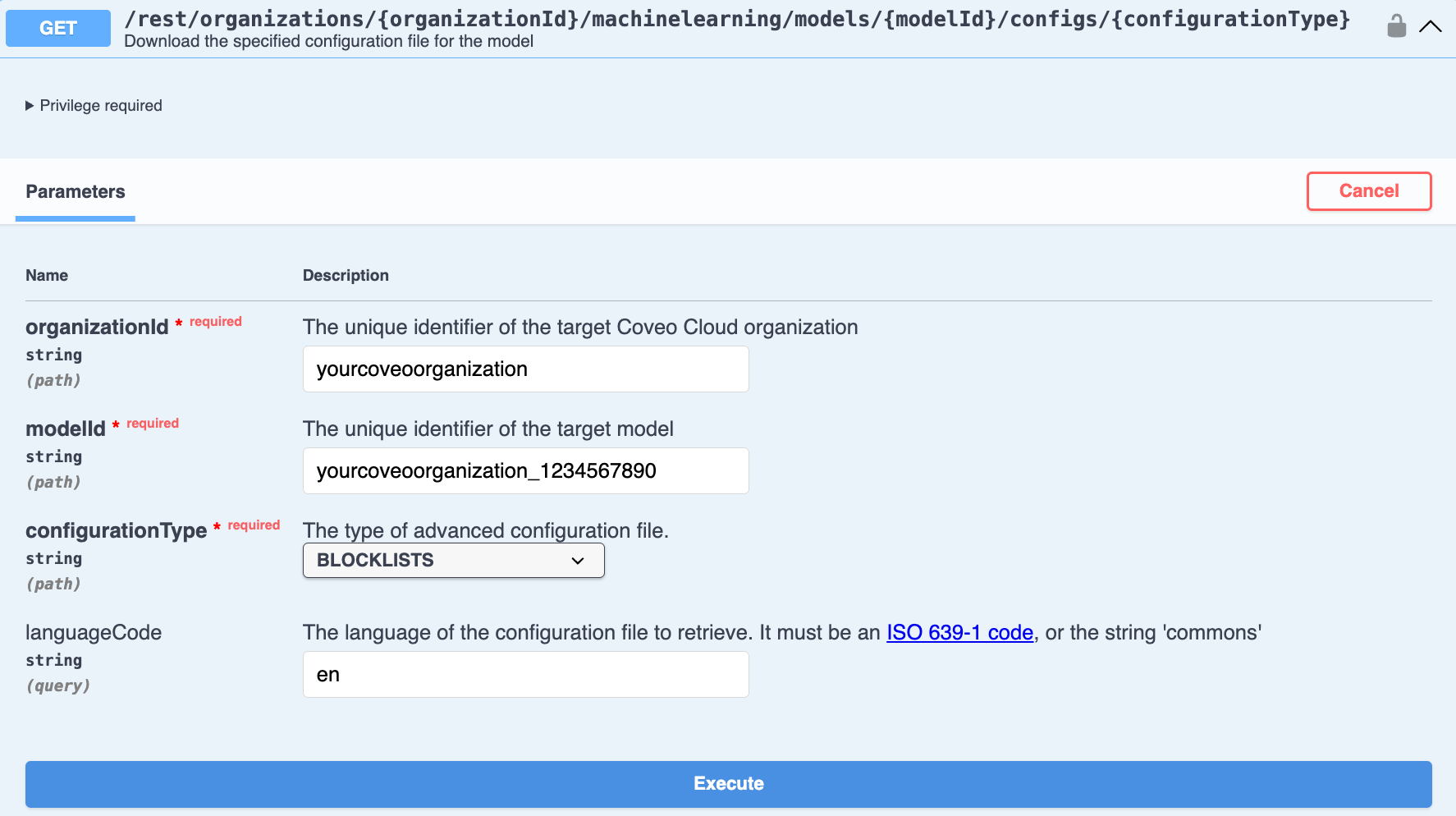
-
Enter the required parameters for the model and configuration type that you want to download.
-
Once you’ve entered the parameters, click Execute.
-
Click Download file in the response body to download the file.
-
-
-
Use your preferred text editor to either modify the downloaded advanced configuration file or create a new file from scratch. The advanced configuration file must not exceed 10 MB. The configuration file requirements and formatting depends on the configuration type:
-
Upload the advanced configuration file to the model.
Upload an advanced configuration file
Once you’ve created the configuration file, use the Swagger UI to upload it to a model to apply the advanced configuration to that model.
The advanced configuration file must not exceed 10 MB.
-
Access the Advanced Model Configurations section of the Swagger UI that’s associated with your Coveo organization region (US | CA | EU | AU).
-
Click Authorize and authenticate using your Coveo organization account credentials.
NoteThe Coveo organization account you use for authentication must have the Machine learning - Models - Edit privilege.
-
Use the
configs/{configurationType}PUT operation to upload a configuration file to the model that you want to configure: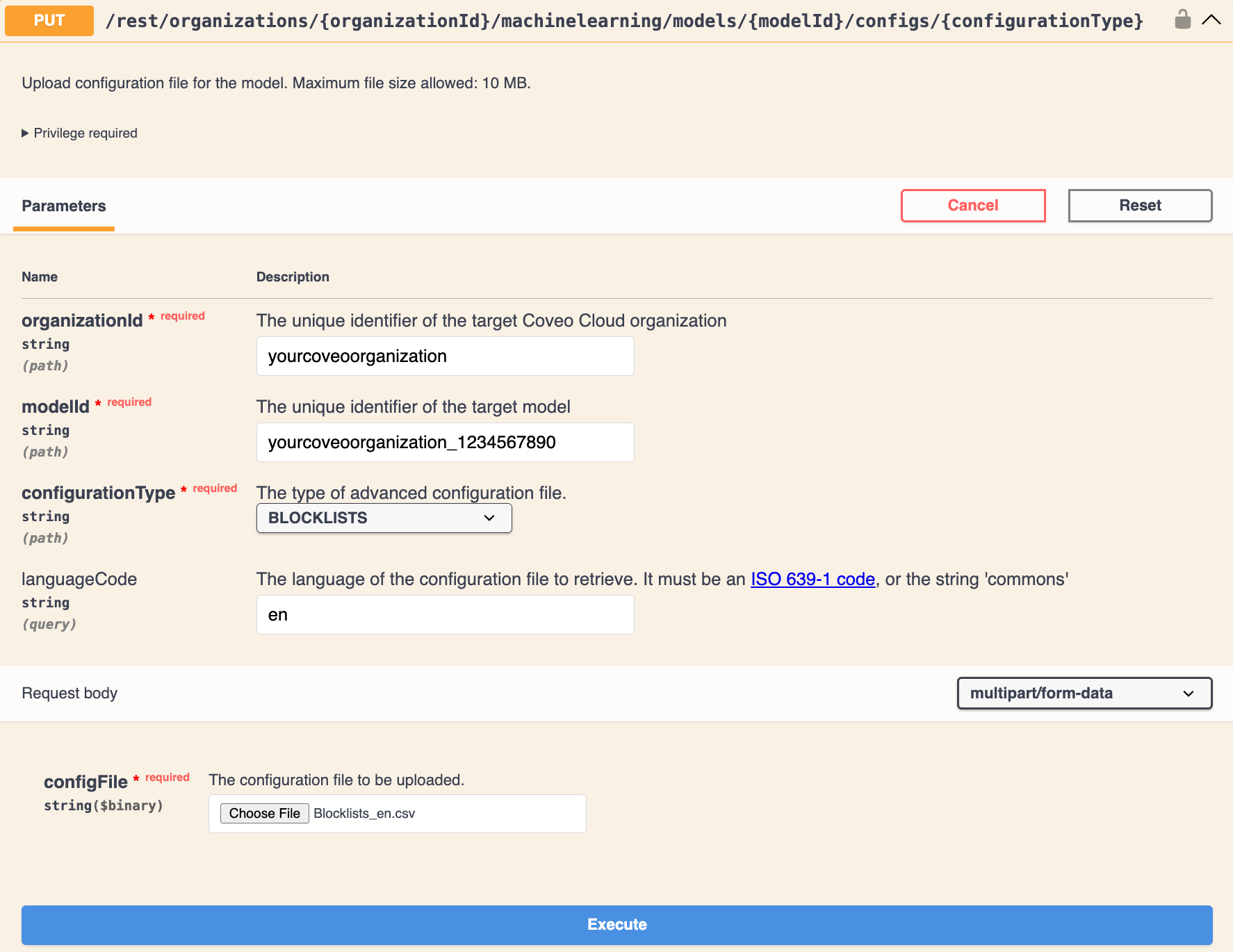
-
Enter the required parameters for the model to which you want to upload the file, as well as the configuration type.
-
For configFile, click Choose File to select the configuration file.
-
Click Execute.
-
Reference
ID mappings
Each indexed item is assigned a permanentid that shouldn’t change in time.
However, in some situations, most commonly when the source is changed, a document may be assigned a new permanentid.
In this situation, the model would require an ID Mappings file linking the old IDs to the new ones.
This ensures that the model can use the Coveo Analytics events that were recorded using the old IDs.
You can configure an ID mapping file for any type of model.
ID mapping file configuration
The ID mapping file must be a UTF-8 encoded CSV file.
The mappings must be listed in a two-column table, where the columns are separated by a comma (,).
The first row of the table consists of a header for which the first entry must contain the old field name (urihash in the example below).
The second header entry must contain the new field name (permanentid in the example below).
For the other rows, the first column must contain the older item ID whereas the second column must contain the one that should now be used by the model.
Once the ID mapping file is ready, you can upload it to your model.
|
|
Note
The first row of the CSV file for ID mapping must be a header row. |
urihash,permanentid
waF9ZfCfOtNtLBrw,4897a0839e4f5fdb757050bb9c7e9128d3b30a6064656001c5e1dceb922a
naQndYJbCSR0iXAk,d2cd76589dd14f0cd6b430cb241af55010737023ddb7eb68796759d7edeb
Retrieve a list of advanced configuration files used by the model
Get a list of advanced configuration files currently used by a model.
-
Access the Advanced Model Configurations section of the Swagger UI that’s associated with your Coveo organization region (US | CA | EU | AU).
-
Click Authorize and authenticate using your Coveo organization account credentials.
NoteThe Coveo organization account you use for authentication must have the Machine learning - Models - View privilege.
-
Use the
configs/statusGET operation to get a list of advanced configuration files currently used by a model: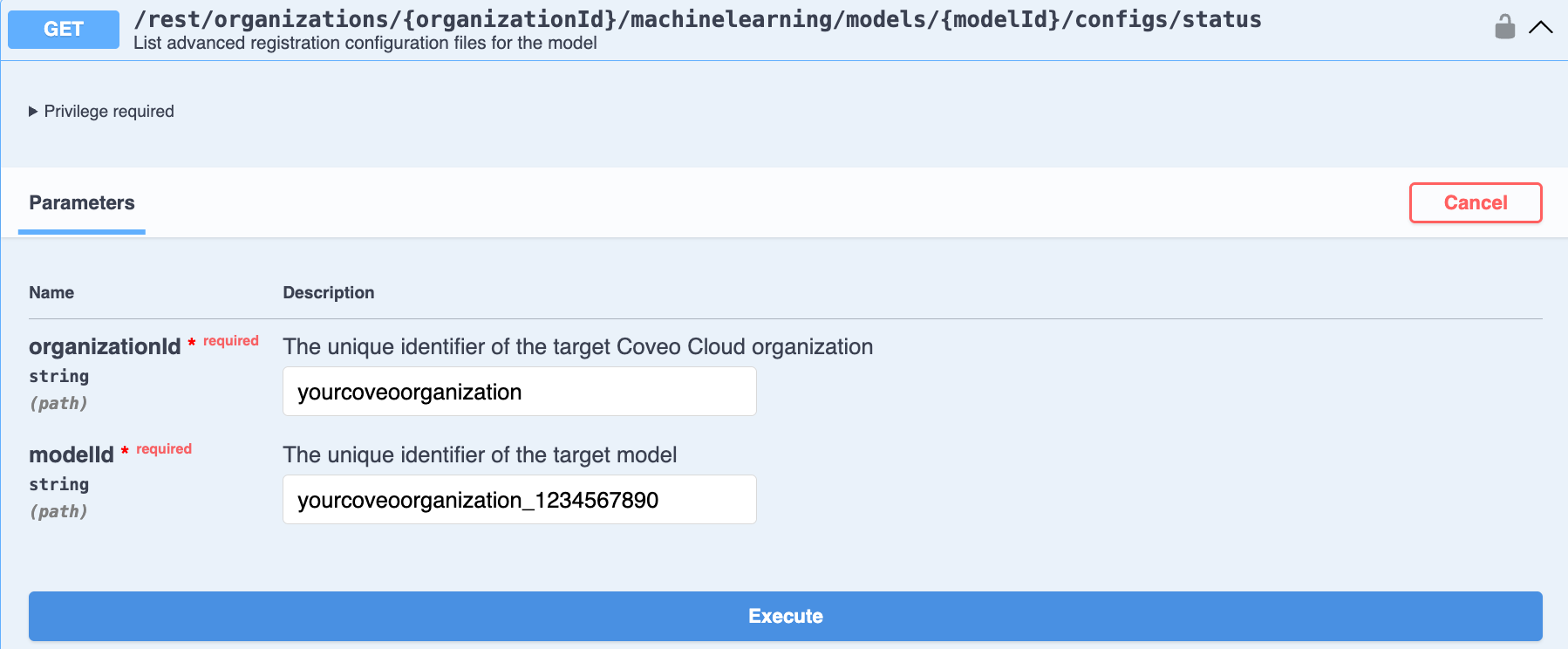
-
Enter the required parameters for the model.
-
Click Execute. The response body shows a list of the advanced configuration files currently used by the model.
-
Delete an advanced configuration file from a model
Delete an advanced configuration file attached to a model.
-
Access the Advanced Model Configurations section of the Swagger UI that’s associated with your Coveo organization region (US | CA | EU | AU).
-
Click Authorize and authenticate using your Coveo organization account credentials.
NoteThe Coveo organization account you use for authentication must have the Machine learning - Models - Edit privilege.
-
Use the
configs/{configurationType}DELETE operation to delete an advanced configuration file attached to a model: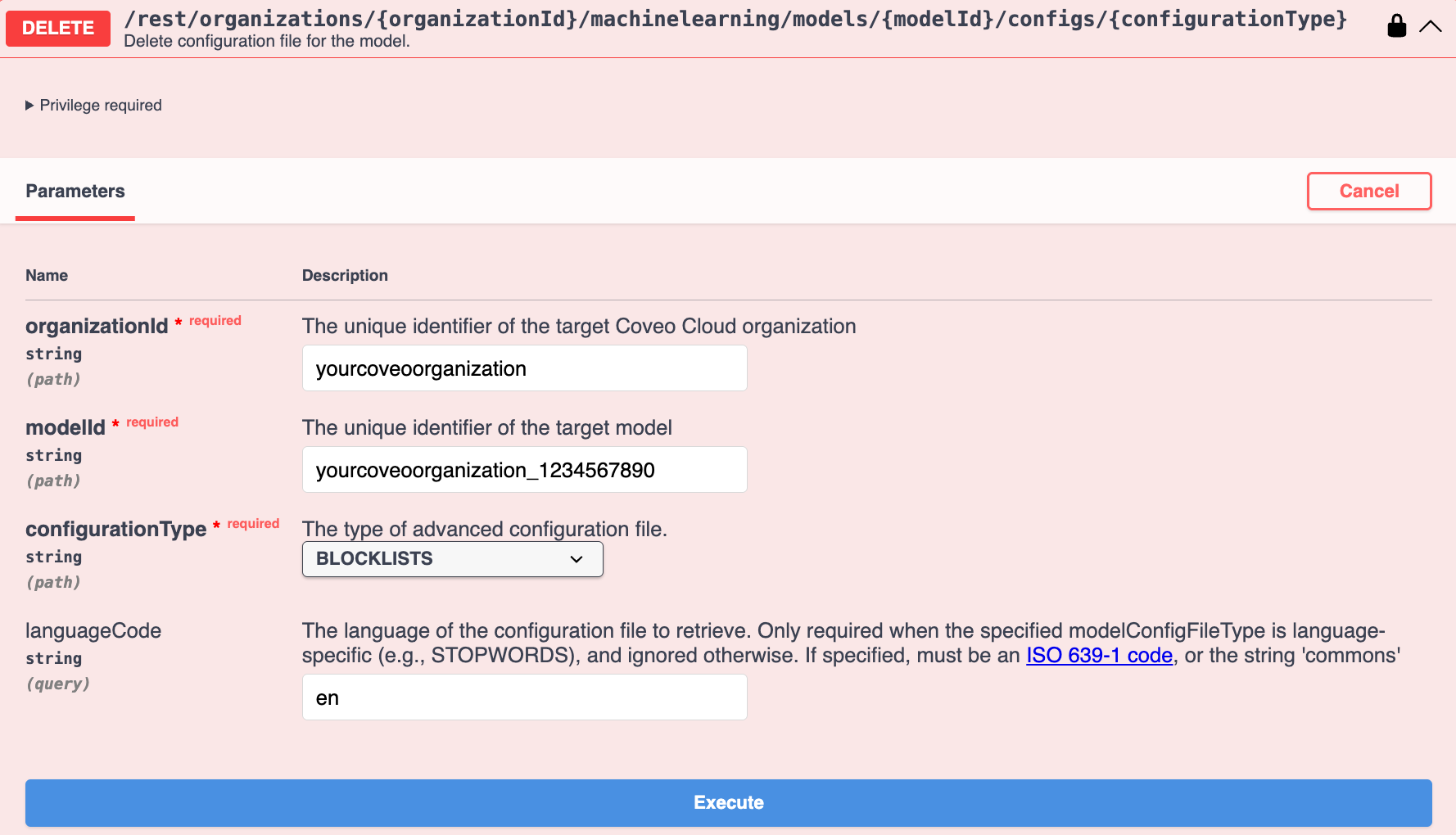
-
Enter the required parameters for the model and configuration type.
-
Click Execute. The response body shows a list of the advanced configuration files currently used by the model.
-
Advanced model configuration API parameters
The following parameters are used in the advanced model configuration API. Not all parameters are required for every request. The parameters to use depend on the specific operation being performed.
configurationType (string) - required
Parameter type: query
The type of advanced configuration file. Available values are:
-
BLOCKLISTS -
STOPWORDS -
DEFAULT_QUERIES -
ID_MAPPING
languageCode (string) - optional
Parameter type: query
The language of the configuration file.
It must be an ISO 639-1 code, or the string commons.

|
For a configuration file that uses the For example, your model processes queries in English ( |
modelId (string) - required
Parameter type: path
The unique identifier of the target model (see Review model information).
myOrganization_topclicks_22ec9966_0f8b_4adc_967d_65219552192a
organizationId (string) - required
Parameter type: path
The unique identifier of the target Coveo organization (see Retrieve the organization ID).
myorg6j53h4
configFile (file) - required
|
|
Note
This applies only when uploading a model’s advanced configuration file. |
Parameter type: formData
The configuration file to be uploaded.
Required privileges
The following table indicates the privileges required to manage models (see Manage privileges and Privilege reference).
| Action | Service | Domain | Required access level |
|---|---|---|---|
View models |
Machine Learning |
Models |
View |
Organization |
Organization |
View |
|
Search |
Query pipelines |
View |
|
Edit models |
Machine Learning |
Models |
Edit |
Organization |
Organization |
View |
|
Search |
Query pipelines |
View |