Troubleshoot search terms
Troubleshoot search terms

This article helps you troubleshoot unexpected empty result sets when using thesaurus rules with partial match parameters in your query pipeline.
Keep the following in mind:
-
A given set of behaviors, such as unexpected search results, can be caused by different underlying issues.
-
If query pipeline rules aren’t behaving as you expect, you can find useful troubleshooting information in the execution report, that contains detailed information about the rules that were applied to a query.
Use the following guidelines to troubleshoot your issue before you contact Coveo Support for help.
No results returned when using thesaurus rules with partial match
Symptoms
You’re using a query pipeline configured with both thesaurus rules and partial match parameters. When you search, you get no results even though matching content exists in your index.
Cause
thesaurus rules can affect the way partial match interacts with a query.
The partialMatchKeywords and partialMatchThreshold parameters determine the results from keywords found in the query.
A thesaurus rule that alters the number of keywords in the basic query expression (q) can affect the partial match parameters.
For example, suppose your query pipeline contains the following query parameter rules:
-
partialMatch: true -
partialMatchKeywords: 3 -
partialMatchThreshold: 66%
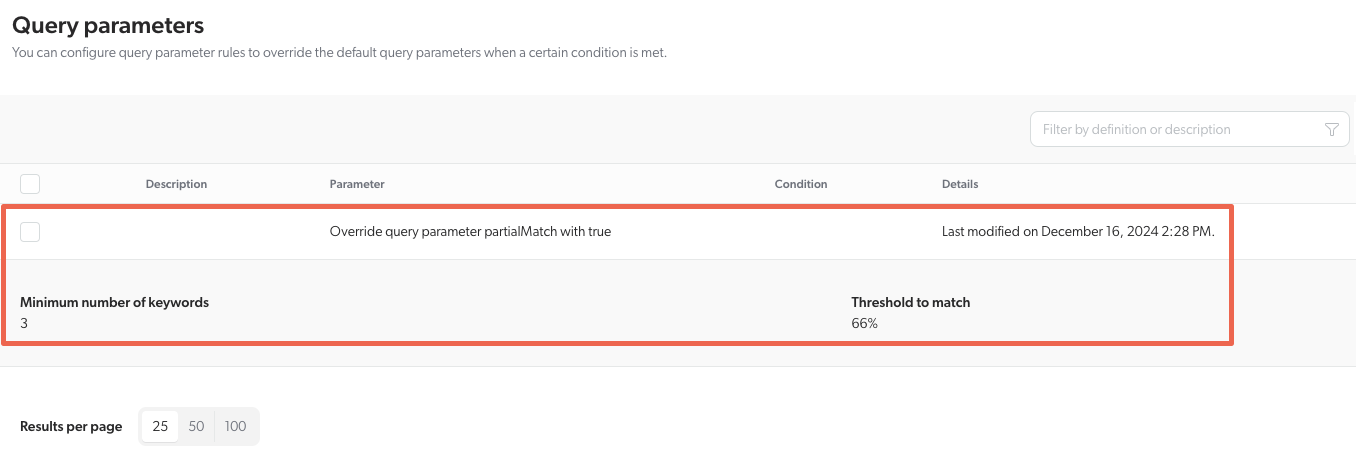
This means that the partial match would activate if there are a minimum of three keywords in basic query expression (q) and two-thirds of the words in the query are keywords.
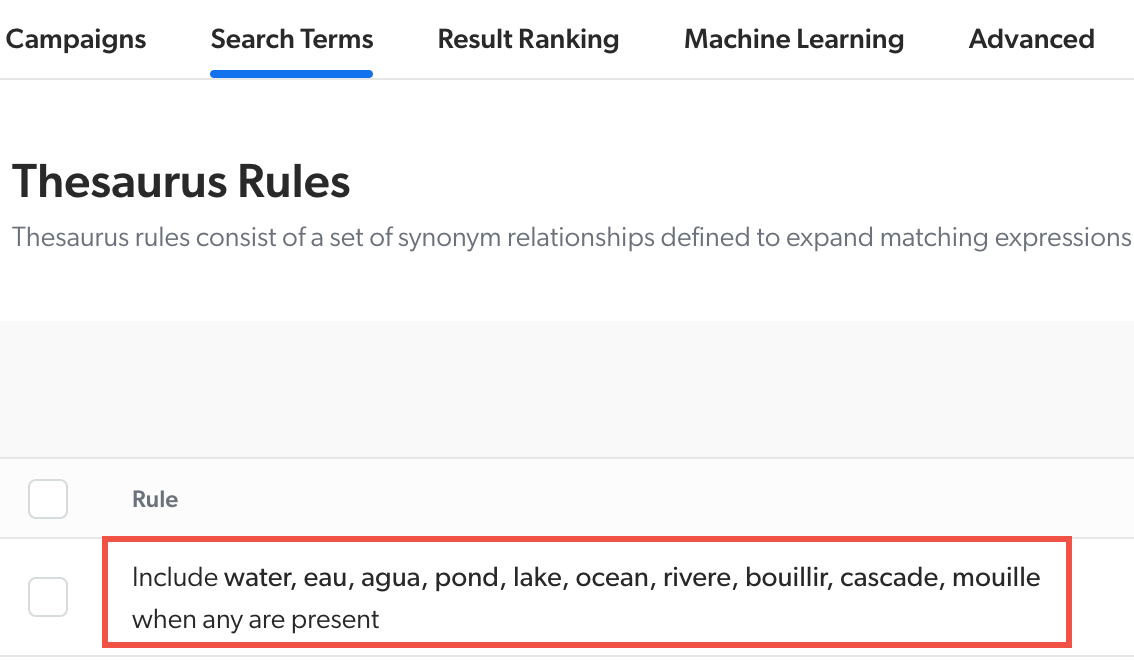
However, a Synonym thesaurus rule like include water, eau, agua, pond, lake… when any are present can transform the q to a version that doesn’t meet the 66% threshold, returning no results.
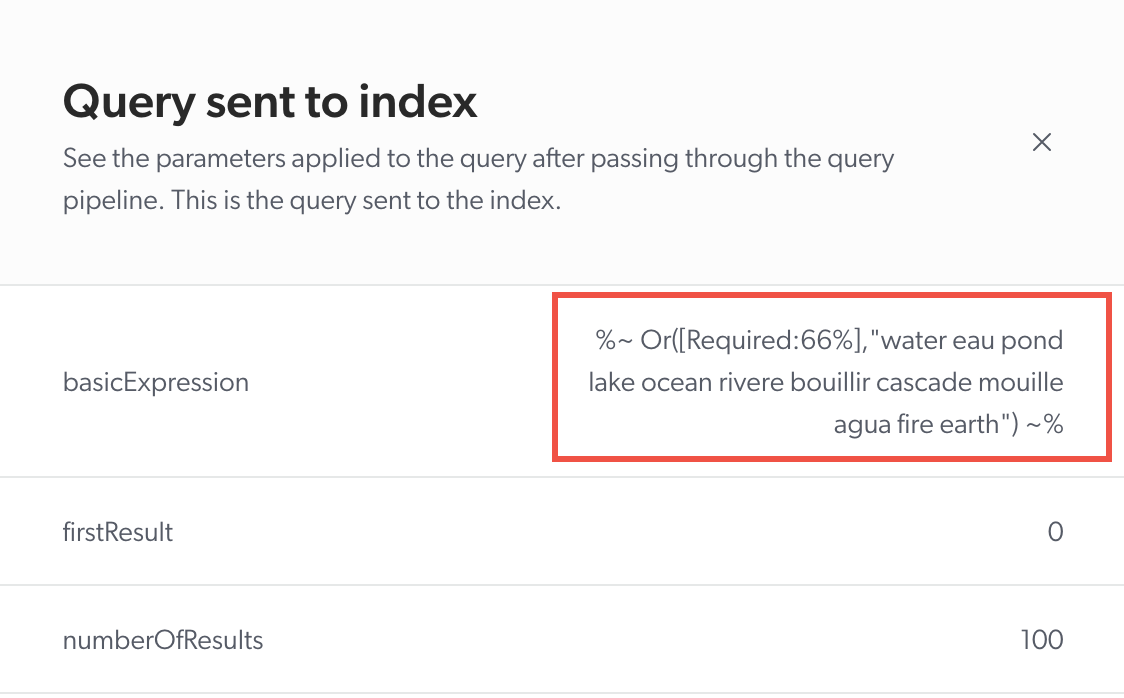
The Relevance Inspector (platform-ca | platform-eu | platform-au) shows the basicExpression has been transformed per the thesaurus rule, thus not respecting the partial match parameters anymore and giving no results.
Solution
Change the thesaurus rule from Synonym to Replace. By using the same words in the thesaurus rule, it’s possible to change the interaction of these two rules by changing the type of rule from Synonym to Replace.
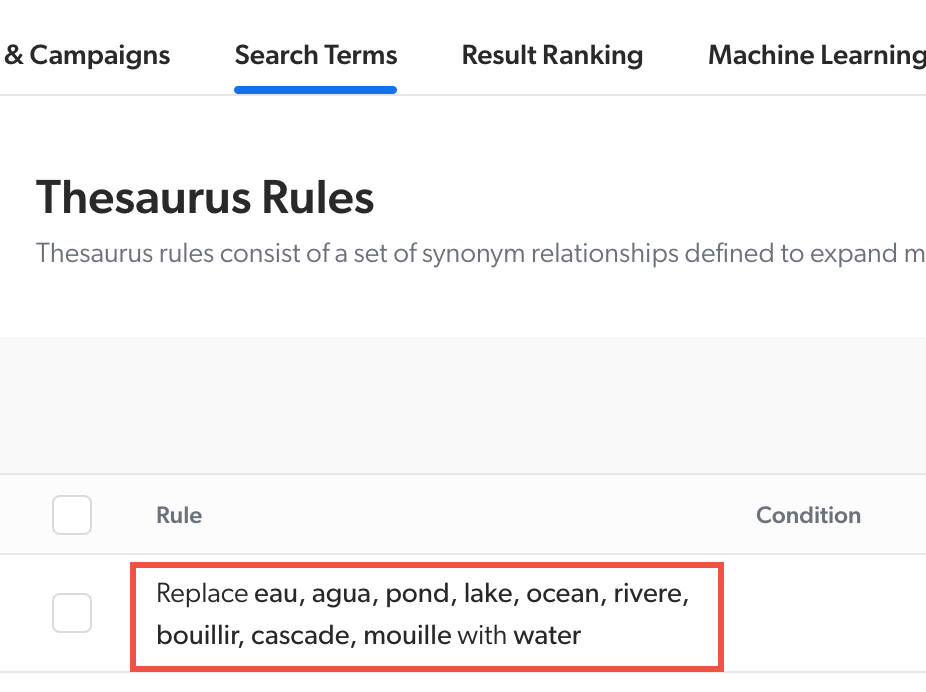
When the query agua fire earth is searched this time, it will be transformed by the thesaurus rule into water fire earth.
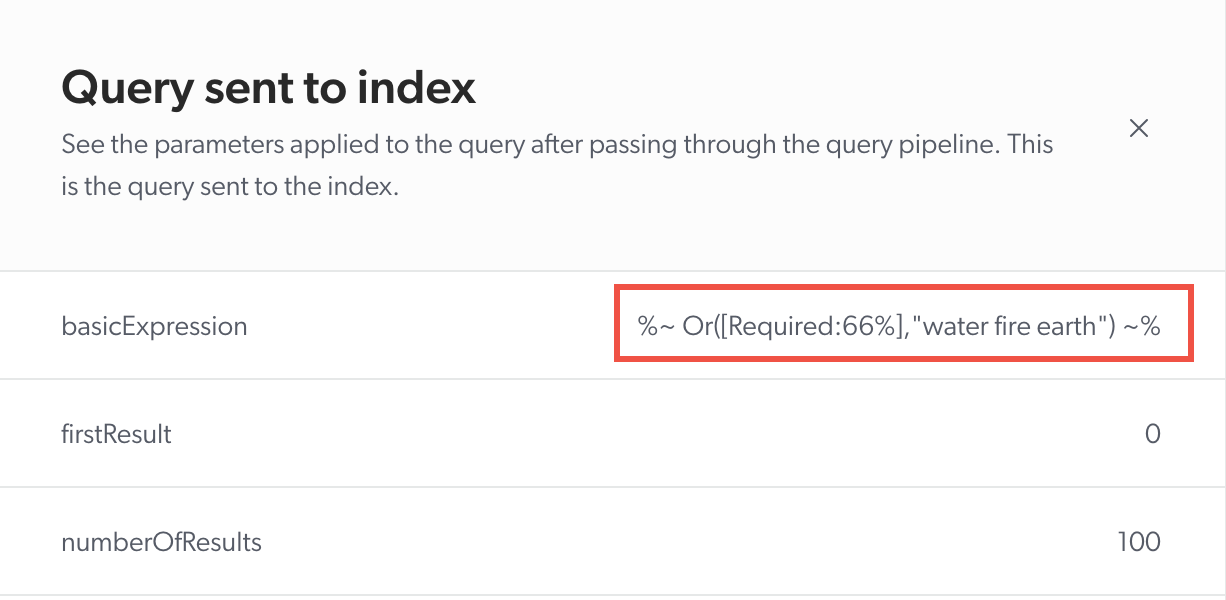
The basicExpression will be the same even if the user enters any of the other words mentioned in the thesaurus rule.
Therefore, the version of the query per the thesaurus rule will respect the partial match parameters.