Upgrading from March 2018 to April 2018
Upgrading from March 2018 to April 2018

|
For the best Coveo for Sitecore experience, always follow the Leading Practices When Upgrading Coveo for Sitecore. |
This section describes how to upgrade Coveo for Sitecore 4.1 from the March 2018 to the April 2018 release.
Step 1: Upgrade Coveo for Sitecore
|
|
Ensure that the Microsoft MVC security update MS14-059 is installed on every Sitecore host in your environment. |
-
Log into the Sitecore Desktop.
-
Access the Installation Wizard (Sitecore Start Menu > Development Tools > Installation Wizard).
-
Install the Coveo for Sitecore .zip package.
-
When prompted to overwrite files, click Yes to all.
-
When prompted to overwrite items, select Overwrite, then click Apply to all.
 Note
NoteYou might be prompted twice with this question. Select the Overwrite option and click Apply to all both times.
-
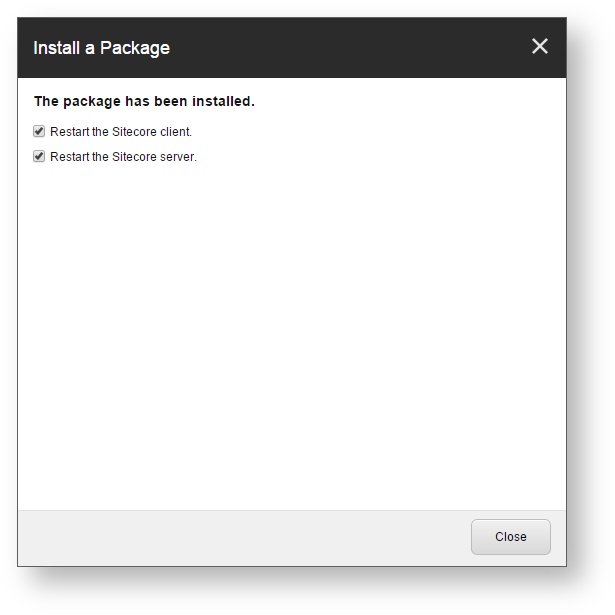
Once the installation is completed, make sure that you restart both the Sitecore client and server.
Step 2: Manually Update the Coveo Search Provider Configuration File
Merging Your Modifications into the Configuration Files
Since upgrading Coveo for Sitecore modifies the Coveo Search Provider configuration files (Coveo.SearchProvider.config.example and Coveo.SearchProvider.Custom.config.example) with the latest fixes and enhancements, you need to manually merge these modifications into your current configuration files (Coveo.SearchProvider.config and Coveo.SearchProvider.Custom.config).
This method allows you to keep your own customization intact, while still benefiting from the latest enhancements brought in the product.
You can use a merge tool such as WinMerge to do that.
Coveo.SearchProvider.config
In the events node, remove the following event:
<event name="user:created">
  <handler type="Coveo.SearchProvider.Events.ExpandedPermissionsEventHandler, Coveo.SearchProviderBase" method="OnUserCreated" />
  <handler type="Coveo.SearchProvider.Events.EntityEventHandler, Coveo.SearchProviderBase" method="OnUserCreated"/>
</event>
Coveo.Service.Api.ConfigService.config
This file was added in the April 2018 release.