About the Merchandising Copilot
About the Merchandising Copilot


|
Contact your Coveo representative to enable the Merchandising Copilot in your Coveo organization. |
The Merchandising Copilot is a conversational assistant built into the Coveo Merchandising Hub (CMH) that improves efficiency across the merchandising workflow. You can ask questions in natural language to gain insights into your current merchandising setup and metrics. When you’re ready to act, it prepares suggested configuration changes within CMH’s product discovery solutions. Nothing is applied until you review and approve.
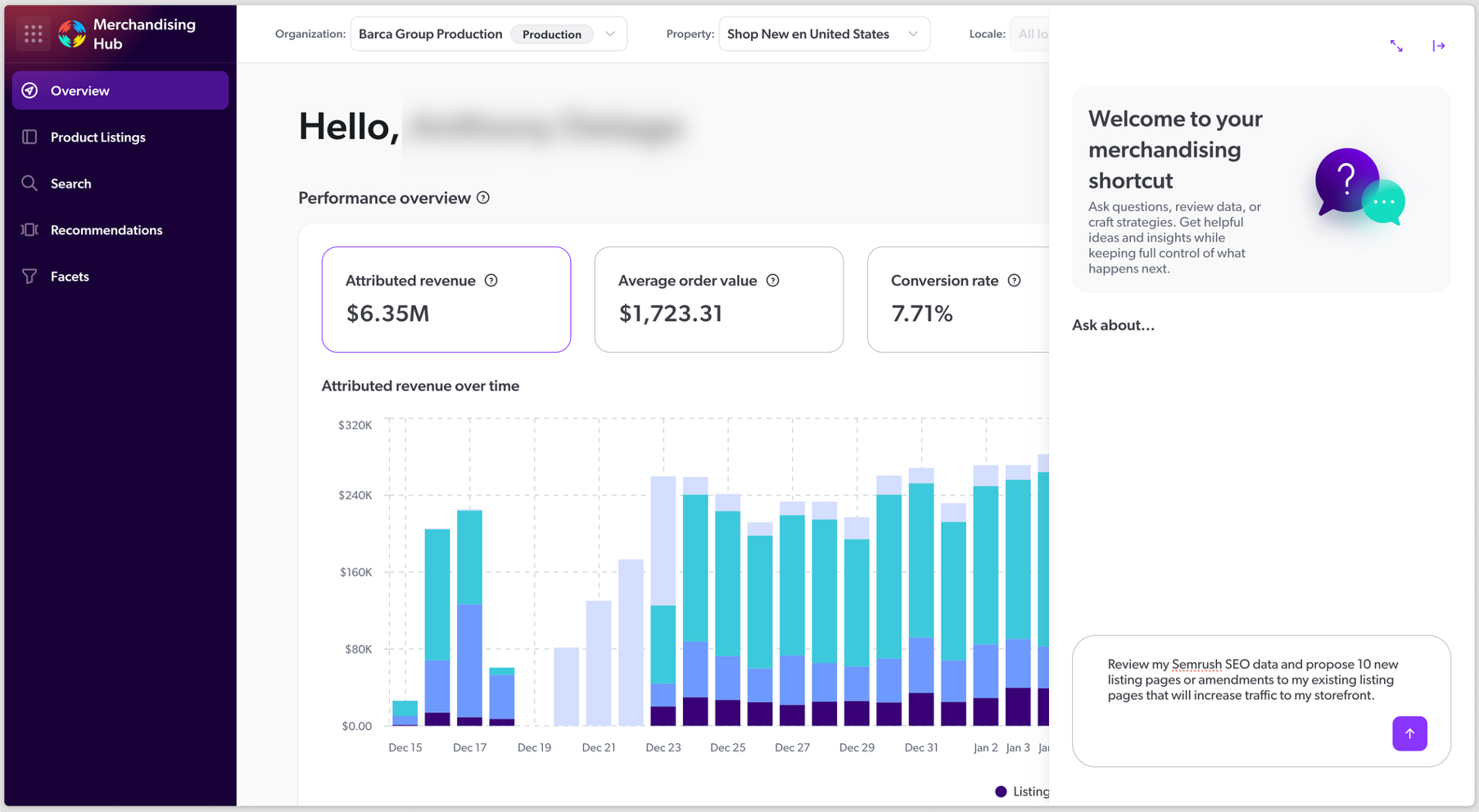

|
Note
The Merchandising Copilot can make mistakes. Always review and verify any suggestion before you apply it or use it to make decisions. |
How does Merchandising Copilot help merchandisers?
The Merchandising Copilot is designed to assist you in various ways, including:
-
Reduce time and effort for repetitive or complex merchandising changes.
-
Support storefront and locale configuration work from a single conversational entry point.
-
Provide structured proposals that you can review before applying changes.
-
Analyze CMH metrics in ways that are difficult or impossible with today’s reporting UI.
-
Improve confidence and traceability when making updates that influence product discovery experiences.
What you can do with the Merchandising Copilot
Use the Merchandising Copilot to draft and refine configuration updates for your product discovery solutions. The Copilot proposes changes, but you remain the gatekeeper: nothing is applied until you review and confirm the proposed updates in the CMH.
Depending on what’s enabled for your Coveo organization, the Merchandising Copilot can help you:
-
Access and analyze metrics shown in the CMH.
-
Find and summarize existing configurations to help you understand what’s currently in place.
-
Create or update merchandising rules for search, product listing pages, and product recommendations.
-
Create or update facet configurations (for example, facet collections and facet fields).
-
Create or update recommendation strategy settings.
If a request falls outside the supported action set, the Merchandising Copilot won’t apply it.
Prerequisites
To use the Merchandising Copilot, you’ll need:
-
Access to the Coveo Merchandising Hub (CMH).
-
A Commerce API implementation that supports the configurations you manage in the CMH.
-
Appropriate permissions to view and edit the relevant configurations.
 Very useful
 Not really
 Very useful
 Not really