New Coveo for Salesforce features
New Coveo for Salesforce features

Coveo for Salesforce updates are regularly made available to offer new and improved features. This page presents the main new features of 2025. For the complete list of features, see the product release notes.

|
Note
Coveo for Salesforce application updates are made available from the AppExchange. |
October 2025 updates - v6.6
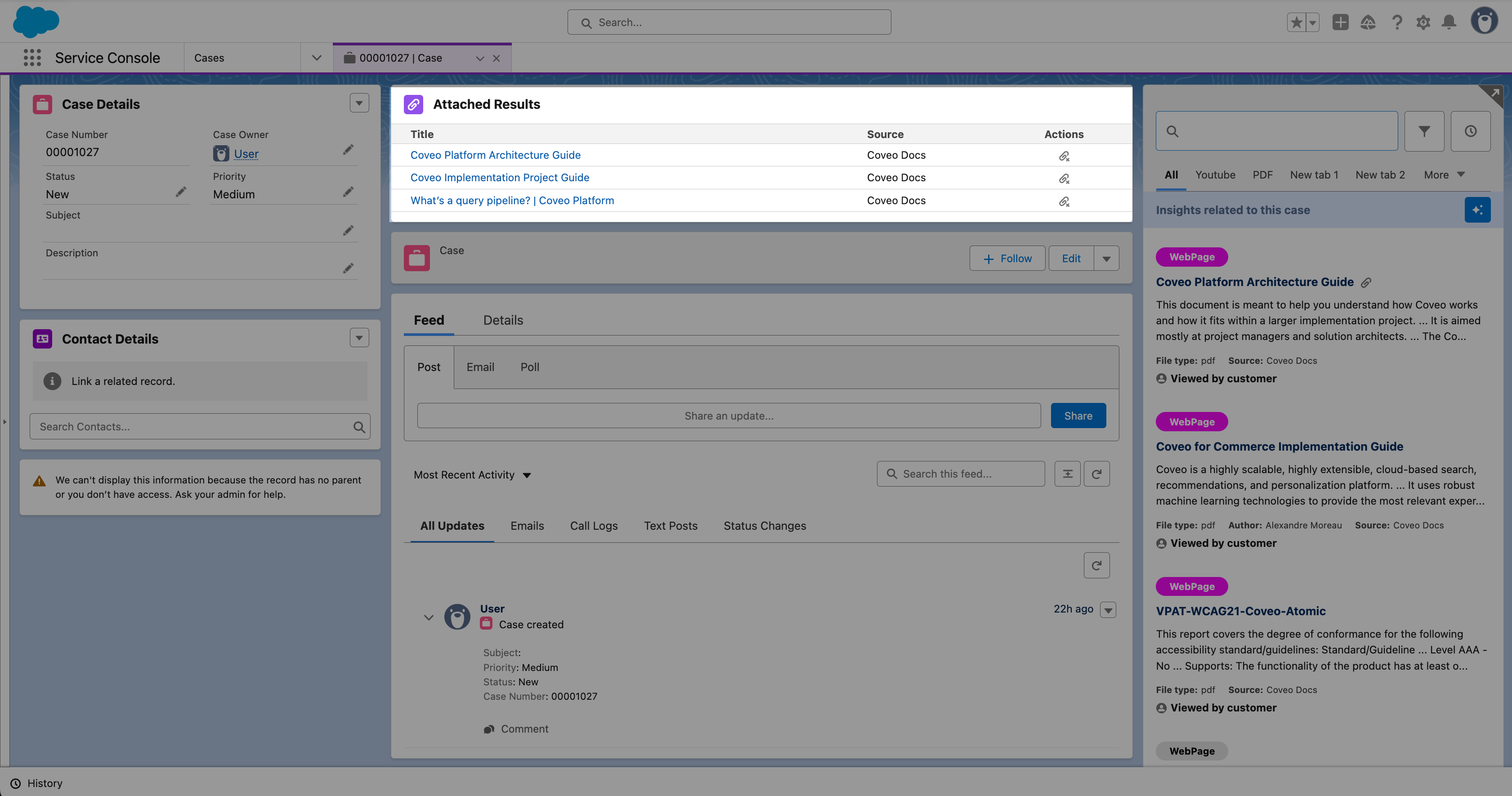
Coveo Insight Attached Results component
The new Coveo Insight Attached Results component provides service agents with a centralized view of the Coveo results attached to a case, as well as the ability to detach results when necessary.
Contextual Relevance Generative Answering (RGA)
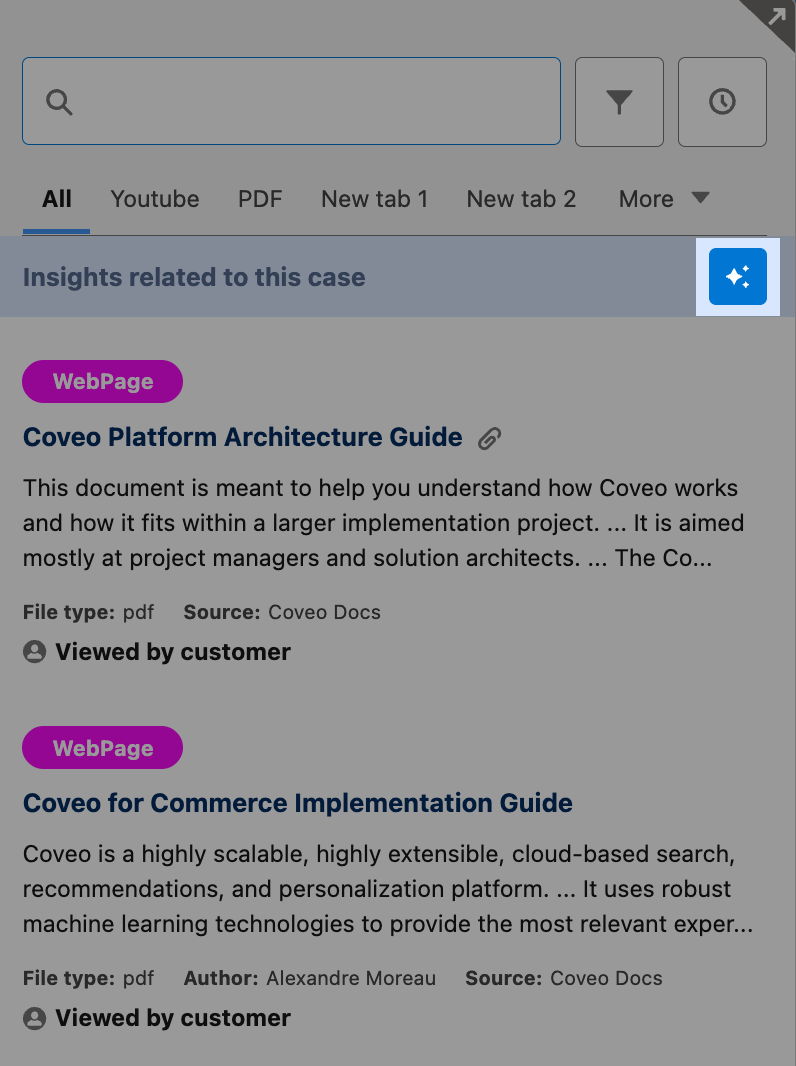
RGA-enabled Hosted Insight Panels with an associated answer configuration now benefit from the Contextual RGA feature, which adds a Generate Answer button to the Coveo Hosted Insight Panel. When a query is empty, this button allows service agents to generate answers on demand based on the context of the case they’re working on.
"Reset your configuration" button improvements
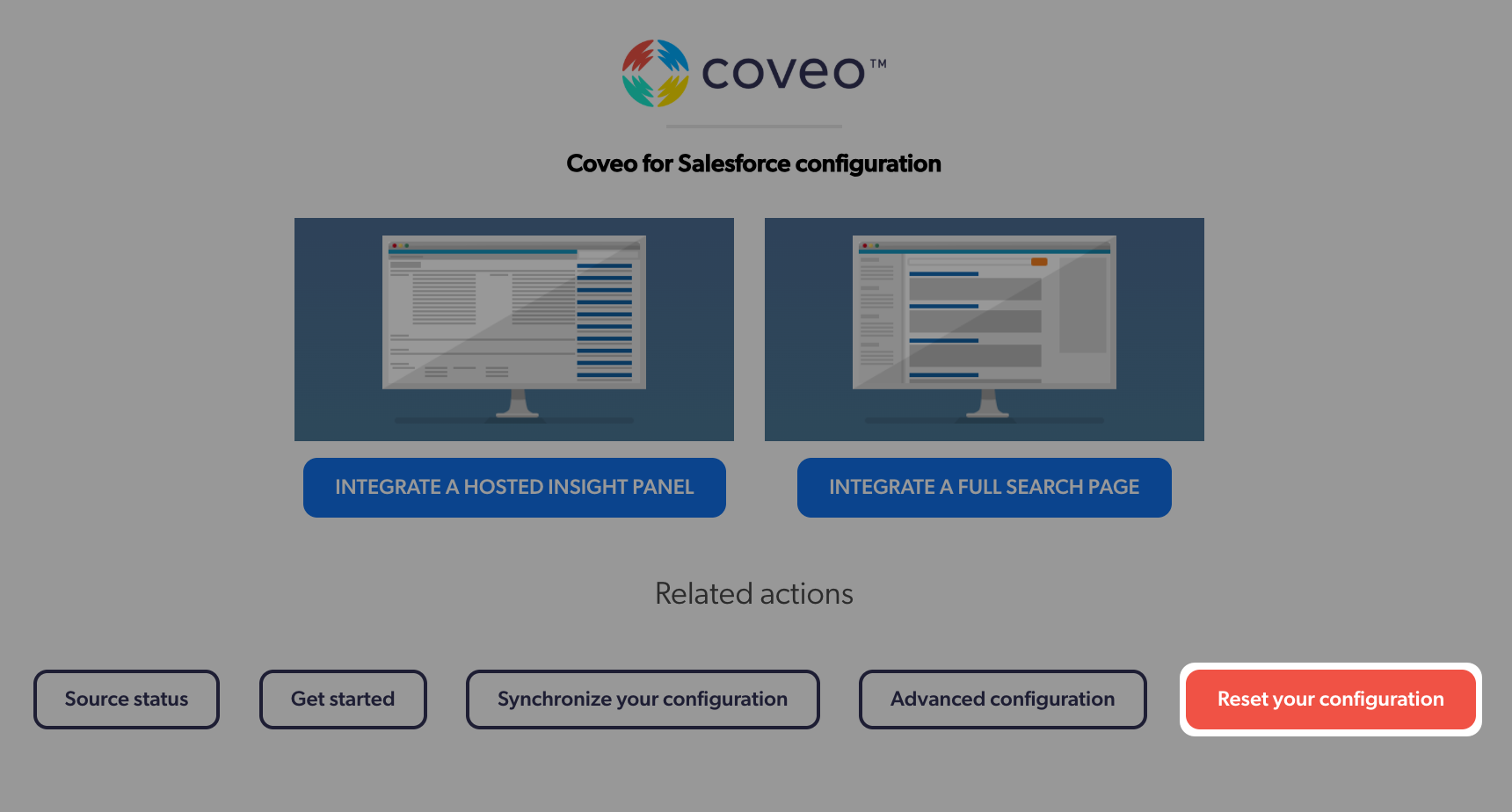
The Reset your configuration button on the Coveo for Salesforce configuration page has been visually improved to prevent accidental resets. The button is now colored red and a new confirmation dialog appears after clicking it.
Citation anchoring
Citation anchoring for HTML items is now available by default in RGA-enabled hosted search interfaces.
July 2025 update - v6.5
All Apex classes now support API version 45.0+
To avoid any issues related to the JDK Locale Format Retirement and the Enable ICU Locale Formats Release Update, all Apex classes in the Coveo for Salesforce package now support Salesforce API version 45.0+.
February 2025 updates - v6.3
Custom Context Provider picklist now available in the hosted search page components
The Custom Context Provider picklist, now part of the Coveo Console Hosted Search Page and the Coveo Community Hosted Search Page components, makes it easy to augment queries with additional context from a custom Apex class.
Collapsible option for generated answers now available in the builders
Use the Show more/Show less option, now available in the Insight Panel and search page builders, to control whether expanding and collapsing generated answers is allowed in your hosted experience.
January 2025 updates - v6.2
Custom token generation is now available for the Community Hosted Search Page component
You can now generate a custom search token to authenticate queries on the Coveo Community Hosted Search Page component by creating an Apex class that implements CoveoV2.SearchTokenGeneratorInterface.
You can then use the component’s Token Generator picklist to select the name of the Apex class you created to override the default search token used in your Community Hosted Search Page configuration.
Custom token generation is now available for the Console Hosted Search Page component
You can now generate a custom search token to authenticate queries on the Coveo Console Hosted Search Page component by creating an Apex class that implements CoveoV2.SearchTokenGeneratorInterface.
You can then use the component’s Token Generator picklist to select the name of the Apex class you created to override the default search token used in your Console Hosted Search Page configuration.