Retrieve a list of advanced configuration files used by a model
Retrieve a list of advanced configuration files used by a model

The Coveo Machine Learning (Coveo ML) Advanced Model Configurations API lets you get a list of advanced configuration files currently used by a model.
-
Access the Advanced Model Configurations section of the Swagger UI that’s associated with your Coveo organization region (US | CA | EU | AU).
-
Click Authorize and authenticate using your Coveo organization account credentials.
 Note
NoteThe Coveo organization account you use for authentication must have the Machine learning - Models - View privilege.
-
Use the
configs/statusGET operation to get a list of advanced configuration files currently used by a model: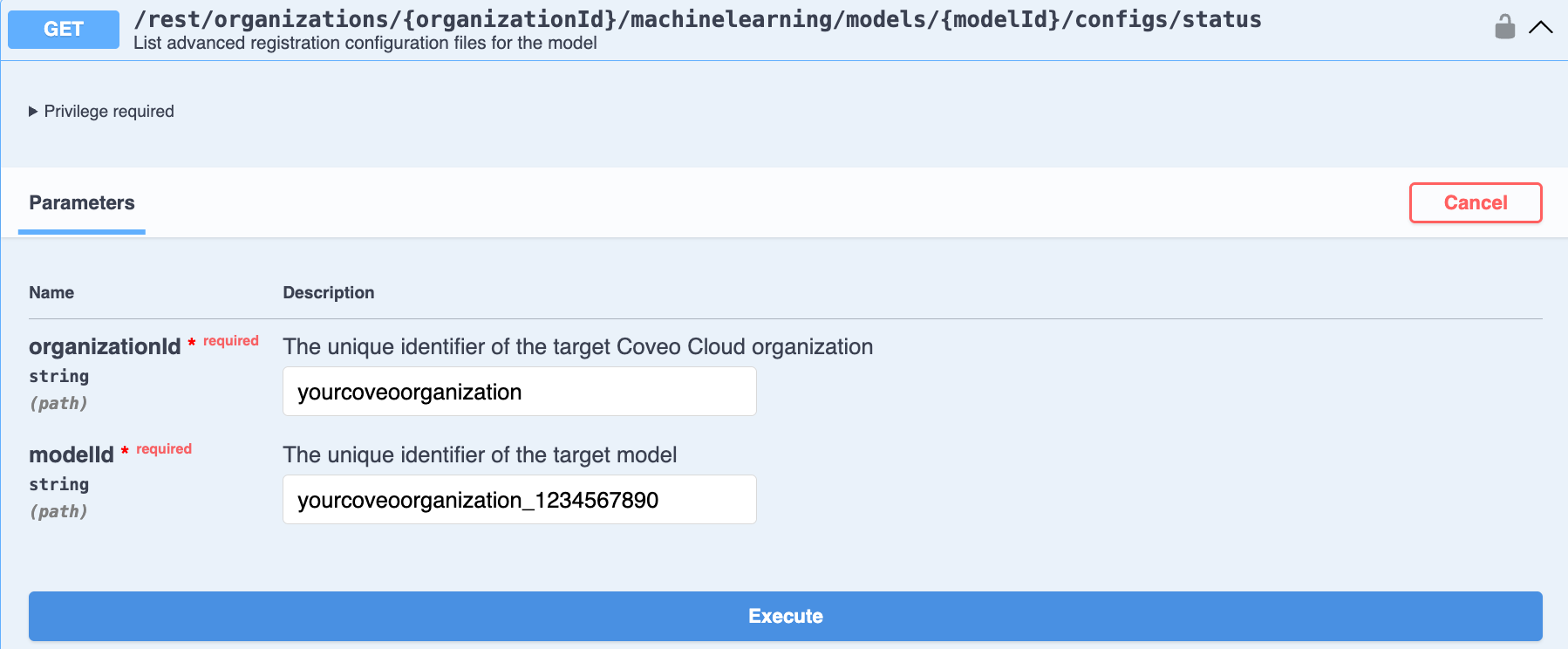
-
Enter the required parameters for the model.
-
Click Execute. The response body shows a list of the advanced configuration files currently used by the model.
-
Advanced model configuration API parameters
modelId (string) - required
Parameter type: path
The unique identifier of the target model (see Review model information).
myOrganization_topclicks_22ec9966_0f8b_4adc_967d_65219552192a
organizationId (string) - required
Parameter type: path
The unique identifier of the target Coveo organization (see Retrieve the organization ID).
myorg6j53h4