---
title: Content recommendations
slug: latest-recommendations-usage
canonical_url: https://docs.coveo.com/en/quantic/latest/usage/recommendations-usage/
collection: quantic
source_format: adoc
---
# Content recommendations
The [`QuanticRecommendationInterface`](https://docs.coveo.com/en/quantic/latest/reference/recommendation-components/recommendation-recommendation-interface/) and [`QuanticRecommendationList`](https://docs.coveo.com/en/quantic/latest/reference/recommendation-components/recommendation-recommendation-list/) components let you display [Content Recommendations (CR)](https://docs.coveo.com/en/1016/) powered by [Coveo Machine Learning (Coveo ML)](https://docs.coveo.com/en/188/).
> **Note**
>
> CR models depend on [view](https://docs.coveo.com/en/2949#view) [events](https://docs.coveo.com/en/260/) and the user's action history.
> To display recommendations with Quantic, configure a [CR model](https://docs.coveo.com/en/3387/) and logged the required usage analytics events via the [`PageViewTracker`](https://docs.coveo.com/en/1017/) component.
## Implementation example
The following Lightning Web Component (LWC) example shows how you can implement a recommendation interface using the `quantic-recommendation-interface` and `quantic-recommendation-list` components.
### HTML
```html
<1>
engine-id={engineId}
pipeline={pipeline}
search-hub={searchHub}>
engine-id={engineId}
number-of-recommendations={numberOfRecommendations}
recommendations-per-row={recommendationsPerRow}
label={label}
variant=[variant](https://docs.coveo.com/en/mc7f0326/)
fields-to-include={fieldsToInclude}
recommendation={recommendation}
>
```
<1> Optionally, register your own result templates to customize the appearance of your recommendation results, the same way you would in your [main search interface](https://docs.coveo.com/en/quantic/latest/usage#result-templates).
<2> The `quantic-recommendation-interface` component is the parent of all other Quantic components in a recommendation interface.
<3> `quantic-recommendation-list` displays recommendations by applying the options provided to it.
### JavaScript
```javascript
import {LightningElement, api} from 'lwc';
// @ts-ignore
import caseTemplate from './resultTemplates/caseResultTemplate.html'; <1>
export default class ExampleQuanticRecommendationsList extends LightningElement {
@api engineId = 'quantic-recommendation-list-engine'; <2>
@api pipeline = 'mypipeline'; <3>
@api searchHub = 'mysearchhub';
@api numberOfRecommendations = 3;
@api recommendationsPerRow = 1;
@api label = "Recommended for you";
@api variant = "grid";
@api fieldsToInclude = "objecttype,sfstatus,sfcasestatus,sfcasenumber"; <4>
@api recommendation = "recommendation"; <5>
handleResultTemplateRegistration(event) { <6>
event.stopPropagation();
const resultTemplatesManager = event.detail;
const isCase = CoveoHeadless.ResultTemplatesHelpers.fieldMustMatch(
'objecttype',
['Case']
);
resultTemplatesManager.registerTemplates(
{
content: caseTemplate,
conditions: [isCase],
fields: ['sfstatus', 'sfcasestatus', 'sfcasenumber'],
}
);
}
}
```
<1> Import your custom result templates, if any.
<2> The `engineId` is the unique identifier of the Headless engine that powers the recommendation interface.
Set a different engine from the one powering your search interface.
<3> The `searchHub` and `pipeline` properties are required to correctly make requests to the Coveo Search API and Usage Analytics Write API.
Although you may enforce these properties through the search token, set them in your component to ensure that it works as expected.
<4> The `fieldsToInclude` property is a comma-separated list of [fields](https://docs.coveo.com/en/200/) to include in the recommendation results.
These fields are used to build the result templates and to display the recommendations.
<5> The recommendation identifier used by Coveo ML to scope the recommendation interface.
<6> Define result templates the same way you would in your [main search interface](https://docs.coveo.com/en/quantic/latest/usage#result-templates).
### XML
```xml
57.0
true
<1>
lightning__RecordPage
lightning__AppPage
lightning__HomePage
lightningCommunity__Page
lightningCommunity__Default
<2>
```
<1> Set the [targets of your LWC](https://developer.salesforce.com/docs/platform/lwc/guide/reference-configuration-tags.html#targets).
<2> Optionally, expose certain parameters through the [Salesforce Experience Builder](https://help.salesforce.com/s/articleView?id=sf.community_designer_ui.htm&type=5).
## Generate search tokens for your component
Create a [search token](https://docs.coveo.com/en/1346/) provider dedicated to your recommendation component.
Enforce the [search hub](https://docs.coveo.com/en/1342/) through this provider to [securely](https://docs.coveo.com/en/lb1f1380/) ensure that the component always has the required context.
. If you've [installed](https://docs.coveo.com/en/1102/) and [configured](https://docs.coveo.com/en/1153/) Coveo for Salesforce v4 or a later package in your Salesforce organization, it's typically enough to copy the [`CoveoTokenProvider`](https://github.com/coveo/ui-kit/blob/master/packages/quantic/force-app/coveo-token/main/default/classes/CoveoTokenProvider.cls) Apex class, along with its [`meta.xml`](https://github.com/coveo/ui-kit/blob/master/packages/quantic/force-app/coveo-token/main/default/classes/CoveoTokenProvider.cls-meta.xml) file, into your Salesforce DX project.
This class can automatically fetch your Salesforce users' information to generate search tokens for them.
This is the best option for most use cases.
If you haven't installed Coveo for Salesforce v4 or a later package, or if the `CoveoTokenProvider` Apex class doesn't fit your needs, you'll have to implement your own search token provider.
> **Tip**
>
> You can find [an example](https://github.com/coveo/ui-kit/tree/main/packages/quantic/force-app/custom-token) in the Quantic project repository.
. Once you've copied or created your search token provider Apex class, modify the [Headless](https://docs.coveo.com/en/headless/latest/) engine configuration used by the recommendation controller so that it calls your Apex class.
You can modify the [`RecommendationsController`](https://github.com/coveo/ui-kit/blob/master/packages/quantic/force-app/main/default/classes/RecommendationsController.cls) file at `force-app/quantic/classes`.
Locate the following line:
```javascript
return SampleTokenProvider.getHeadlessConfiguration();
```
Modify it so that it leverages your search token provider instead:
```javascript
return YOUR_RECOMMENDATION_TOKEN_PROVIDER.getHeadlessConfiguration();
```
where you replace `YOUR_RECOMMENDATION_TOKEN_PROVIDER` with the name of the search token provider Apex class that you created for your recommendation interface.
. After you [deploy your project](https://developer.salesforce.com/docs/atlas.en-us.sfdx_cli_reference.meta/sfdx_cli_reference/cli_reference_project_commands_unified.htm#cli_reference_project_deploy_start_unified), your changes will be effective in your Salesforce organization.
## Experiment with different variants and dimensions
The `quantic-recommendation-list` component supports different variants to display recommendations.
Experiment with them to judge which one best fits your use case.
### `grid`
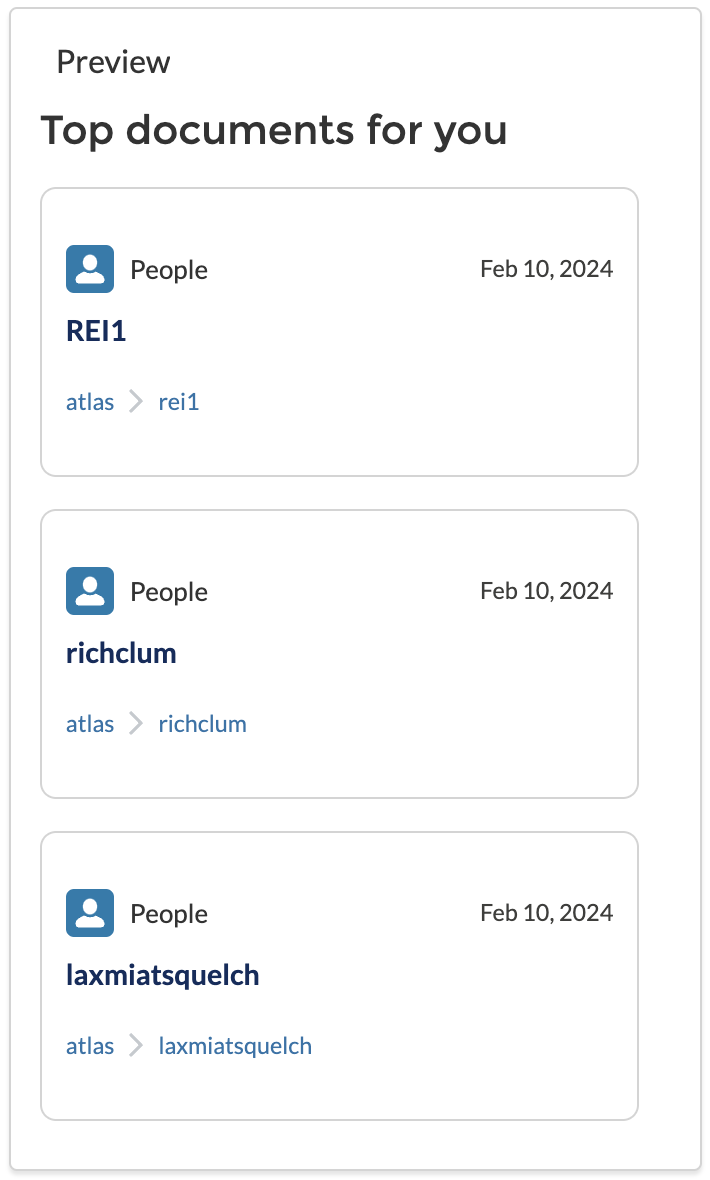
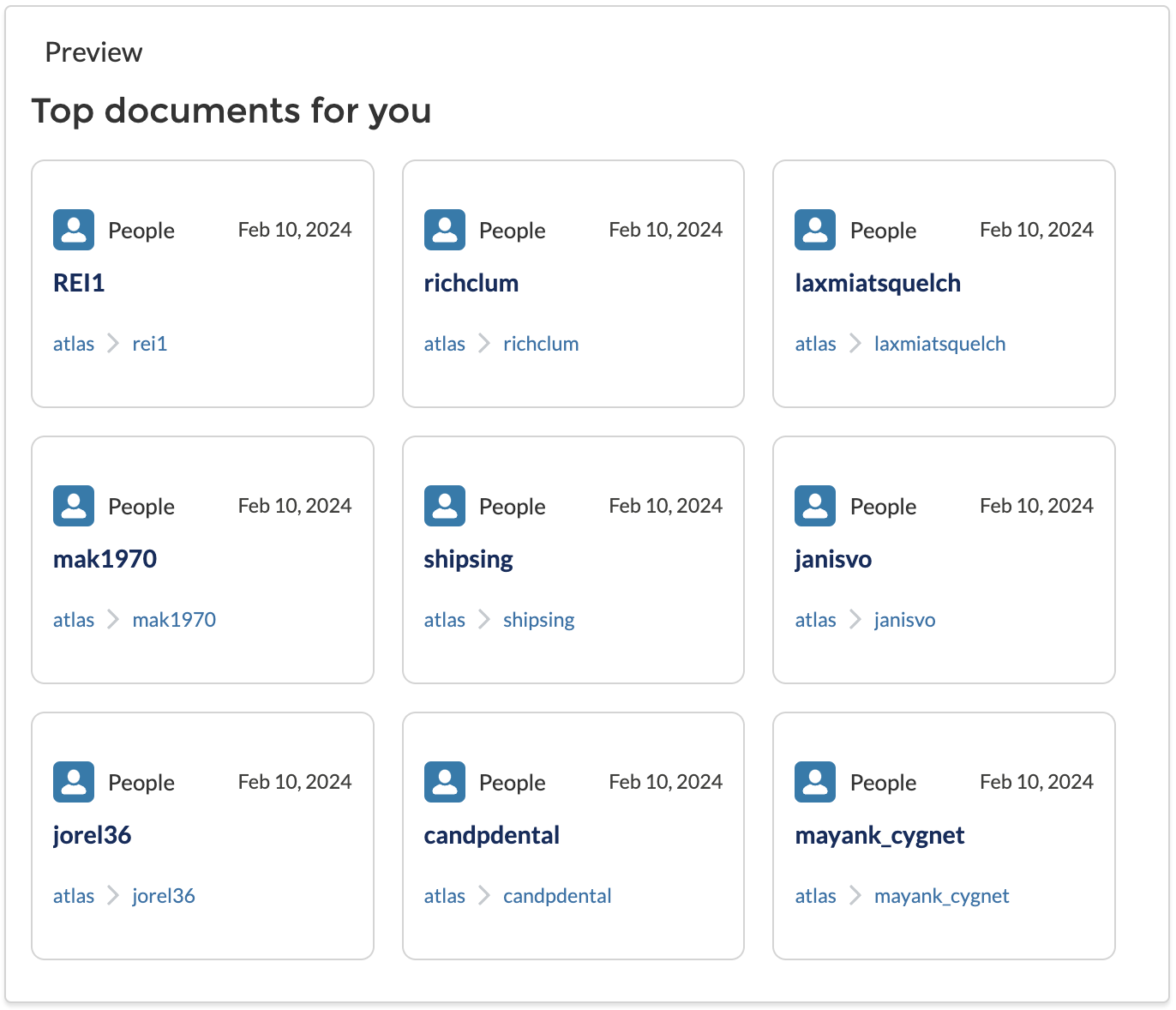
The `grid` variant displays recommendations in a grid layout, with the `numberOfRecommendations` and number of `recommendationsPerRow` of your choice.
**Examples**
* `numberOfRecommendations` set to `3` and `recommendationsPerRow` set to `1`
* `numberOfRecommendations` set to `9` and `recommendationsPerRow` set to `3`
### `carousel`
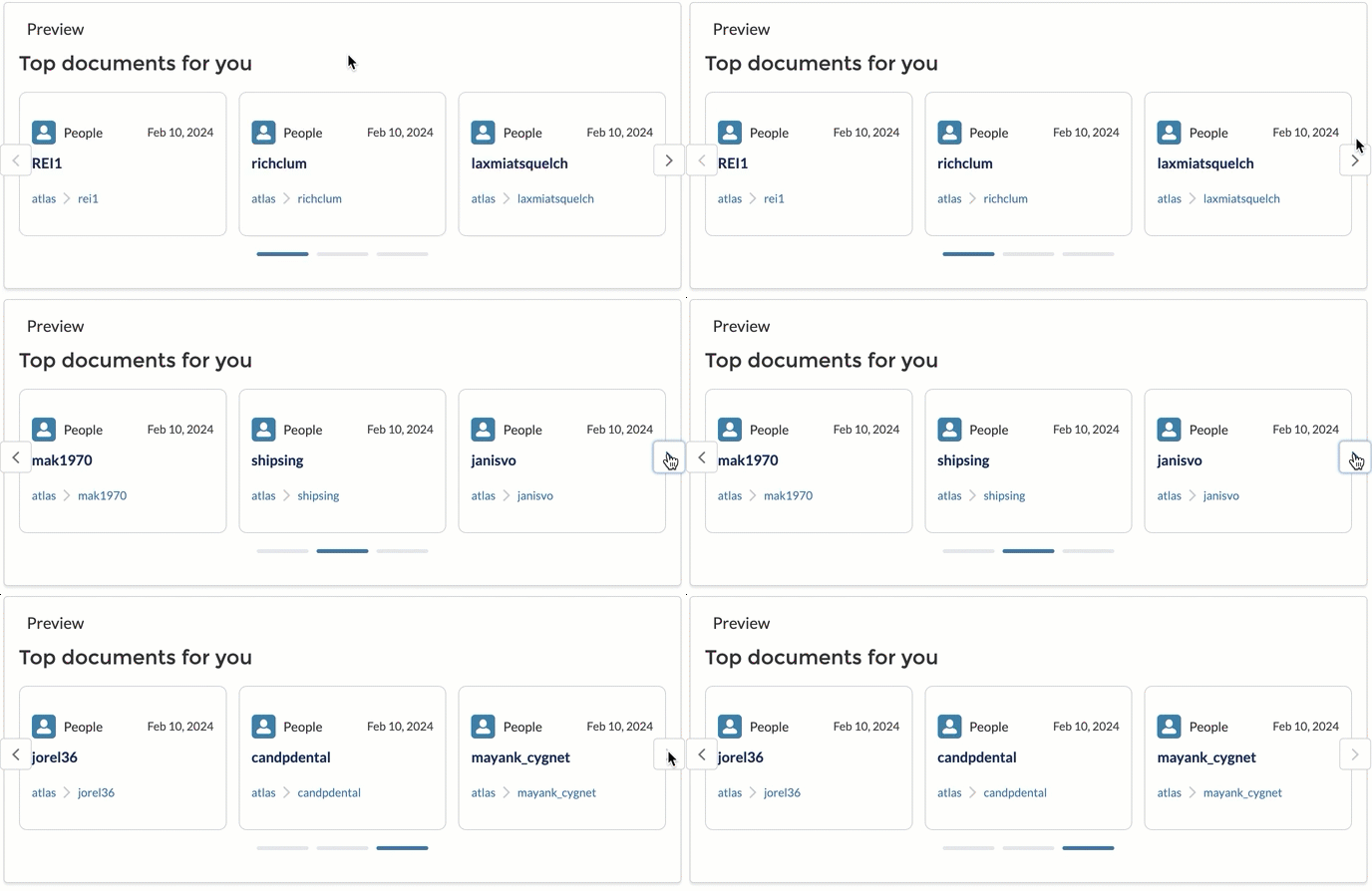
The `carousel` variant displays recommendations in a carousel layout, with the `numberOfRecommendations` and number of `recommendationsPerRow` of your choice.
**Example**
`numberOfRecommendations` set to `9` and `recommendationsPerRow` set to `3`