---
title: GraphQL API source configuration reference
slug: o1ae7549
canonical_url: https://docs.coveo.com/en/o1ae7549/
collection: index-content
source_format: adoc
---
# GraphQL API source configuration reference
When [creating a GraphQL API source](https://docs.coveo.com/en/n6gh2329/) in the [Coveo Administration Console](https://docs.coveo.com/en/183/), you must provide a JSON configuration detailing what to crawl to retrieve the desired content, and how to retrieve items of each type.
This configuration has a single property, [`Services`](#services-array-required), whose value must be an array of objects.
**Example**
```json
{
"Services": [
{
"Url": "https://api.github.com/",
"authentication": {
"username": "@username",
"password": "@password",
"forceBasicAuthentication": "true"
},
"Endpoints": [
{
"paging": {
"pageSize": 10,
"offsetType": "cursor",
"nextPageKey": "data.user.pullRequests.pageInfo.endCursor"
},
"headers": {
"accept": "application/vnd.github.v3+json",
"User-Agent": "PostmanRuntime/7.29.0"
},
"Path": "graphql",
"Method": "POST",
"ItemPath": "data.user.pullRequests.edges",
"SkippableErrorCodes": "404",
"ItemType": "PullRequests",
"Uri": "%[node.url]",
"ClickableUri": "%[node.url]",
"Title": "%[node.title]",
"ModifiedDate": "%[node.createdAt]",
"PayloadJsonContent": "@MyFirstQuery"
}
]
}
]
}
```
This reference article defines parameters to include in your JSON configuration.
When working on your GraphQL API source, you may also want to refer to the following articles:
* [Add a GraphQL API source](https://docs.coveo.com/en/n6gh2329/)
* [Concepts](https://docs.coveo.com/en/n7jg0349/)
* [Permission configuration reference](https://docs.coveo.com/en/n7jg0461/)
> **Tip**
>
> Use online tools such as [JSONPath Online Evaluator](https://jsonpath.com/) to test your [JSON paths](https://docs.coveo.com/en/n7jg0349/), and [freeformatter.com](https://www.freeformatter.com/) to validate and escape your JSON configuration.
## About the GraphQL API source configuration
When you [create a GraphQL API source](https://docs.coveo.com/en/n6gh2329/) in the Coveo Administration Console, you must provide a JSON source configuration listing the content to crawl.
This JSON configuration must also indicate which API calls to execute to fetch the desired items and how to parse the responses to extract relevant [metadata](https://docs.coveo.com/en/218/).
Coveo's GraphQL API [connector](https://docs.coveo.com/en/2734/) is actually the REST API connector under the hood.
So, the JSON configuration to provide is very similar.
Although the expected configuration follows the [repository structure of a REST API](https://docs.coveo.com/en/3131#repository-structure), with services and endpoints, it also works with GraphQL APIs.
## Table of contents
To help you jump to the right section, here's a hierarchical and alphabetical list of all supported arrays, objects, and parameters.
**Show table of contents**
Details
[%header,cols="columns"]
|===
|Hierarchical list |Alphabetical list
a|[`Services`](#services-array-required) (required)
* [`Endpoints`](#endpoints-array-required) (required)
** [`ClickableUri`](#clickableuri-string-required) (required)
** [`ItemType`](#itemtype-string-required) (required)
** [`Path`](#path-string-required) (required)
** [`Uri`](#uri-string-required) (required)
** [`Body`](#body-string)
** [`DateFormat`](#dateformat-string)
** [`ExtendedMetadata`](#extendedmetadata-object)
*** [`Expression`](#expression-object-required) (required)
**** [`Value`](#value-string-required) (required)
**** [`IsDynamicCondition`](#isdynamiccondition-boolean)
*** [`ExtendedMetadataActions`](#extendedmetadataactions-array)
**** [`ActionName`](#actionname-string-enum-required) (required)
**** [`OldValue`](#oldvalue-and-newvalue-string)
**** [`NewValue`](#oldvalue-and-newvalue-string)
**** [`DefaultValue`](#defaultvalue-string)
**** [`FallbackValuesTrigger`](#fallbackvaluestrigger-array)
**** [`StringSeparator`](#stringseparator-string)
** [`IndexingAction`](#indexingaction-object)
*** [`ActionOnItem`](#actiononitem-string-required) (required)
*** [`Condition`](#action-condition-string)
** [`ItemPath`](#itempath-string)
** [`Metadata`](#metadata-object)
** [`Method`](#method-string-enum)
** [`ModifiedDate`](#modifieddate-string)
** [`PayloadJsonContent`](#payloadjsoncontent-string)
** [`PayloadParameters`](#payloadparameters-object)
** [`PermanentId`](#permanentid-string)
** [`ProcessingAction`](#processingaction-object)
** [`QueryParameters`](#queryparameters-object)
** [`RefreshEndpoints`](#refreshendpoints-array)
*** [`IsDeletionQuery`](#isdeletionquery-boolean)
*** [`IsDeletedItem`](#isdeleteditem-boolean)
*** [`DeleteChildren`](#deletechildren-boolean)
** [`StringItemPath`](#stringitempath-string)
** [`SubItems`](#subitems-array)
** [`SubQueries`](#subqueries-array)
*** [`ExecutionCondition`](#executioncondition-string)
*** [`IsBinaryBody`](#isbinarybody-boolean)
*** [`IsThumbnail`](#isthumbnail-boolean)
** [`Title`](#title-string)
* [`Url`](#url-string-required) (required)
* [`Authentication`](#authentication-object)
** [`Username`](#username-string)
** [`Password`](#password-string)
** [`Domain`](#domain-string)
** [`ForceBasicAuthentication`](#forcebasicauthentication-boolean)
** [`OAuth`](#oauth-object)
*** [`Query`](#query-object-required) (required)
**** [`RefreshUrl`](#refreshurl-string-required) (required)
**** [`Headers`](#oauth-query-headers-object)
**** [`Method`](#oauth-query-method-string-enum)
**** [`Parameters`](#oauth-query-parameters-object)
*** [`Response`](#response-object)
**** [`AccessToken`](#accesstoken-string)
**** [`SupportsRefreshToken`](#supportsrefreshtoken-boolean)
**** [`RefreshToken`](#refreshtoken-string)
**** [`ExpiresIn`](#expiresin-string)
**** [`ExpiresInDefaultValue`](#expiresindefaultvalue-number)
**** [`TokenType`](#tokentype-string)
**** [`TokenTypeDefaultValue`](#tokentypedefaultvalue-string)
**** [`AuthorizationHeader`](#authorizationheader-string)
*** [`UsingSingleUseRefreshToken`](#usingsingleuserefreshtoken-boolean)
* [`Headers`](#headers-object)
* [`Paging`](#paging-object)
** [`OffsetType`](#offsettype-string-enum-required) (required)
** [`PageSize`](#pagesize-number-required) (required)
** [`DoNotInherit`](#donotinherit-boolean)
** [`NextPageKey`](#nextpagekey-string)
** [`OffsetStart`](#offsetstart-number)
** [`TotalCountHeaderKey`](#totalcountheaderkey-string)
** [`TotalCountKey`](#totalcountkey-string)
* [`Permissions`](#permissions-array)
** [`Name`](#permission-level-name-string)
** [`PermissionsSets`](#permissionssets-array)
*** [`Name`](#permission-set-name-string)
*** [`AllowedMembers` and `DeniedMembers`](#allowedmembers-and-deniedmembers-arrays)
**** [`Name`](#member-name-string-required) (required)
**** [`Type`](#member-type-string-enum-required) (required)
**** [`Condition`](#permission-condition-string)
**** [`PermissionType`](#permissiontype-string)
**** [`AdditionalInfo`](#additionalinfo-object)
*** [`IsAnonymousAllowed`](#isanonymousallowed-boolean)
*** [`PermissionsFromMetadata`](#permissionsfrommetadata-array)
**** [`IsAllowedMember`](#isallowedmember-boolean)
*** [`PermissionSubQueries`](#permissionsubqueries-array)
* [`RetryableHttpErrorCodes`](#retryablehttperrorcodes-string)
* [`SkippableErrorCodes`](#skippableerrorcodes-string)
|[`AccessToken`](#accesstoken-string)
[`ActionName`](#actionname-string-enum-required)
[`ActionOnItem`](#actiononitem-string-required)
[`AdditionalInfo`](#additionalinfo-object)
[`AllowedMembers`](#allowedmembers-and-deniedmembers-arrays)
[`Authentication`](#authentication-object)
[`AuthorizationHeader`](#authorizationheader-string)
[`Body`](#body-string)
[`ClickableUri`](#clickableuri-string-required)
[`Condition`](#action-condition-string) (action on item)
[`Condition`](#permission-condition-string) (permission)
[`DateFormat`](#dateformat-string)
[`DefaultValue`](#defaultvalue-string)
[`DeleteChildren`](#deletechildren-boolean)
[`DeniedMembers`](#allowedmembers-and-deniedmembers-arrays)
[`Domain`](#domain-string)
[`DoNotInherit`](#donotinherit-boolean)
[`Endpoints`](#endpoints-array-required)
[`ExecutionCondition`](#executioncondition-string)
[`ExpiresIn`](#expiresin-string)
[`ExpiresInDefaultValue`](#expiresindefaultvalue-number)
[`Expression`](#expression-object-required)
[`ExtendedMetadata`](#extendedmetadata-object)
[`ExtendedMetadataActions`](#extendedmetadataactions-array)
[`FallbackValuesTrigger`](#fallbackvaluestrigger-array)
[`ForceBasicAuthentication`](#forcebasicauthentication-boolean)
[`Headers`](#oauth-query-headers-object) (OAuth query)
[`Headers`](#headers-object) (service level)
[`IndexingAction`](#indexingaction-object)
[`IsAllowedMember`](#isallowedmember-boolean)
[`IsAnonymousAllowed`](#isanonymousallowed-boolean)
[`IsBinaryBody`](#isbinarybody-boolean)
[`IsDeletedItem`](#isdeleteditem-boolean)
[`IsDeletionQuery`](#isdeletionquery-boolean)
[`IsDynamicCondition`](#isdynamiccondition-boolean)
[`IsThumbnail`](#isthumbnail-boolean)
[`ItemPath`](#itempath-string)
[`ItemType`](#itemtype-string-required)
[`Metadata`](#metadata-object)
[`Method`](#method-string-enum) (endpoint query)
[`Method`](#oauth-query-method-string-enum) (OAuth query)
[`ModifiedDate`](#modifieddate-string)
[`Name`](#member-name-string-required) (member)
[`Name`](#permission-level-name-string) (permission level)
[`Name`](#permission-set-name-string) (permission set)
[`NewValue`](#oldvalue-and-newvalue-string)
[`NextPageKey`](#nextpagekey-string)
[`OAuth`](#oauth-object)
[`OffsetStart`](#offsetstart-number)
[`OffsetType`](#offsettype-string-enum-required)
[`OldValue`](#oldvalue-and-newvalue-string)
[`PageSize`](#pagesize-number-required)
[`Paging`](#paging-object)
[`Parameters`](#oauth-query-parameters-object) (OAuth query)
[`Password`](#password-string)
[`Path`](#path-string-required)
[`PayloadJsonContent`](#payloadjsoncontent-string)
[`PayloadParameters`](#payloadparameters-object)
[`PermanentId`](#permanentid-string)
[`Permissions`](#permissions-array)
[`PermissionsFromMetadata`](#permissionsfrommetadata-array)
[`PermissionsSets`](#permissionssets-array)
[`PermissionSubQueries`](#permissionsubqueries-array)
[`PermissionType`](#permissiontype-string)
[`ProcessingAction`](#processingaction-object)
[`Query`](#query-object-required)
[`QueryParameters`](#queryparameters-object)
[`RefreshEndpoints`](#refreshendpoints-array)
[`RefreshToken`](#refreshtoken-string)
[`RefreshUrl`](#refreshurl-string-required)
[`Response`](#response-object)
[`RetryableHttpErrorCodes`](#retryablehttperrorcodes-string)
[`Services`](#services-array-required)
[`SkippableErrorCodes`](#skippableerrorcodes-string)
[`StringItemPath`](#stringitempath-string)
[`StringSeparator`](#stringseparator-string)
[`SubItems`](#subitems-array)
[`SubQueries`](#subqueries-array)
[`SupportsRefreshToken`](#supportsrefreshtoken-boolean)
[`Title`](#title-string)
[`TokenType`](#tokentype-string)
[`TokenTypeDefaultValue`](#tokentypedefaultvalue-string)
[`TotalCountKey`](#totalcountkey-string)
[`TotalCountHeaderKey`](#totalcountheaderkey-string)
[`Type`](#member-type-string-enum-required) (member)
[`Uri`](#uri-string-required)
[`Url`](#url-string-required)
[`Username`](#username-string)
[`UsingSingleUseRefreshToken`](#usingsingleuserefreshtoken-boolean)
[`Value`](#value-string-required)
|===
## `Services` (array, required)
Each object in the `Services` array specifies a GraphQL API service to retrieve content, along with the specific endpoints to call.
The properties that may appear in an object of the `Services` array are the following:
* [`Endpoints`](#endpoints-array-required) (required)
* [`Url`](#url-string-required) (required)
* [`Authentication`](#authentication-object)
* [`Headers`](#headers-object)
* [`Paging`](#paging-object)
* [`Permissions`](#permissions-array)
* [`RetryableHttpErrorCodes`](#retryablehttperrorcodes-string)
* [`SkippableErrorCodes`](#skippableerrorcodes-string)
### `Endpoints` (array, required)
[`Services`](#services-array-required) > `Endpoints`
Each object in the `Endpoints` array details how you want Coveo to crawl an endpoint of your web application.
Moreover, in each endpoint object, the [`Metadata`](#metadata-object) objects lists the content metadata to retrieve.
Objects of the `Endpoints` array support the following properties from their parent [service](#services-array-required) object:
* [`Paging`](#paging-object)
* [`Permissions`](#permissions-array)
* [`RetryableHttpErrorCodes`](#retryablehttperrorcodes-string)
* [`SkippableErrorCodes`](#skippableerrorcodes-string)
It also supports the following properties:
* [`ClickableUri`](#clickableuri-string-required) (required)
* [`ItemType`](#itemtype-string-required) (required)
* [`Path`](#path-string-required) (required)
* [`Uri`](#uri-string-required) (required)
* [`Body`](#body-string)
* [`DateFormat`](#dateformat-string)
* [`IndexingAction`](#indexingaction-object)
* [`ItemPath`](#itempath-string)
* [`Metadata`](#metadata-object)
* [`Method`](#method-string-enum)
* [`ModifiedDate`](#modifieddate-string)
* [`PayloadJsonContent`](#payloadjsoncontent-string)
* [`PayloadParameters`](#payloadparameters-object)
* [`PermanentId`](#permanentid-string)
* [`ProcessingAction`](#processingaction-object)
* [`QueryParameters`](#queryparameters-object)
* [`RefreshEndpoints`](#refreshendpoints-array)
* [`StringItemPath`](#stringitempath-string)
* [`SubItems`](#subitems-array)
* [`SubQueries`](#subqueries-array)
* [`Title`](#title-string)
#### `ClickableUri` (string, required)
[`Services`](#services-array-required) > [`Endpoints`](#endpoints-array-required) > `ClickableUri`
The `ClickableUri` is the URI of the page to open when a user clicks the title of an item from your a GraphQL API source in a Coveo-powered search interface.
It can be identical to the [`Uri`](#uri-string-required).
[Dynamic values](https://docs.coveo.com/en/n7jg0349#dynamic-values) are supported.
**Example:** `"ClickableUri": "%[node.url]"`
#### `ItemType` (string, required)
[`Services`](#services-array-required) > [`Endpoints`](#endpoints-array-required) > `ItemType`
The [type of item](https://docs.coveo.com/en/1965/) that the resource contains.
Coveo uses this data to organize the indexed content.
**Examples:**
* `"ItemType": "Post"` for a blog post
* `"ItemType": "PostComment"` for a comment on a post
#### `Path` (string, required)
[`Services`](#services-array-required) > [`Endpoints`](#endpoints-array-required) > `Path`
The relative path to the desired resource endpoint.
A `Path` string _cannot_ contain dynamic values if it's located directly in an [`Endpoint`](#endpoints-array-required) or [`RefreshEndpoint`](#refreshendpoints-array) object.
Since [dynamic values are placeholders for data that Coveo extracts from your API response](https://docs.coveo.com/en/n7jg0349#dynamic-values), an `Endpoint` or `RefreshEndpoint` query that contains a dynamic value is invalid.
Because it hasn't made the query yet, Coveo doesn't have an API response to use to resolve the dynamic value.
On the other hand, dynamic values are supported in a `Path` string located within [`SubItems`](#subitems-array), [`SubQueries`](#subqueries-array), and [`PermissionSubQueries`](#permissionsubqueries-array) arrays.
Since these arrays represent queries to make after the main `Endpoint` or `RefreshEndpoint` query, Coveo will be able to resolve the dynamic values using the API response from the main query and the item metadata (as well as the [parent item's metadata](https://docs.coveo.com/en/n7jg0349#coveo_parent), if applicable).
[Dynamic time expressions](https://docs.coveo.com/en/n7jg0349#dynamic-time-expressions) are supported.
**Example:** `"Path": "graphql"`
> **Note**
>
> In sub-items and subqueries, should a dynamic value be invalid or unretrievable, the source skips the item, that is, the indexing process is dropped and Coveo moves on to the next item.
> In a permission subquery, however, an invalid or unretrievable dynamic value causes the source to stop crawling and to display an error in the Administration Console.
#### `Uri` (string, required)
[`Services`](#services-array-required) > [`Endpoints`](#endpoints-array-required) > `Uri`
The `Uri` is an item's unique identifier in Coveo.
It can be identical to the [`ClickableUri`](#clickableuri-string-required).
If your items aren't available through a URI, you must still index a value that is different for each item.
[Dynamic values](https://docs.coveo.com/en/n7jg0349#dynamic-values) are supported.
**Example:** `"Uri": "%[node.url]"`
Should a dynamic value be invalid or unretrievable, the source stops crawling and displays an error in the Administration Console.
> **Important**
>
> This value populates the unique identifier of the source item in the index.
> If the computed value of `Uri` changes, the item will be indexed as a new item during the next scheduled content update, effectively creating a duplicate in the index.
> For more information, see [Item identifier and duplicates](https://docs.coveo.com/en/pb5g3451/).
#### `Body` (string)
[`Services`](#services-array-required) > [`Endpoints`](#endpoints-array-required) > `Body`
The path (simple path or JSONPath) to the `Body` content of the item in the JSON response.
The item body is displayed in the [Content Browser](https://docs.coveo.com/en/2053/).
Typically, the `Body` property contains a [dynamic value](https://docs.coveo.com/en/n7jg0349#dynamic-values), since a static, hardcoded value would make all item bodies identical.
Dynamic values and hardcoded text can also be mixed.
**Example:** `"Body": "%[html.content]"`
#### `DateFormat` (string)
[`Services`](#services-array-required) > [`Endpoints`](#endpoints-array-required) > `DateFormat`
The format of a date injected thanks to the tokens [`@Now` and `@RefreshDate`](https://docs.coveo.com/en/n7jg0349#dynamic-time-expressions).
All [.NET formats](https://learn.microsoft.com/en-us/dotnet/standard/base-types/custom-date-and-time-format-strings) are supported, and the default is `yyyy-MM-ddTHH:mm:ssZ` (ISO 8601).
Alternatively, to handle Unix timestamps, enter either of the following:
* `UnixEpoch` for the number of seconds elapsed since the Unix epoch.
* `UnixEpochMs` for the number of milliseconds elapsed since the Unix epoch.
Coveo also uses this format when parsing dates coming from your API.
If these dates aren't in a .NET format, use `DateFormat` to specify the format to expect.
**Examples:**
* `"DateFormat": "yyyy-MM-ddTHH:mm:ssZ"`
* `"DateFormat": "\\'yyyy-MM-dd\\',\\'hh:mm:ss\\'"`
#### `ExtendedMetadata` (object)
[`Services`](#services-array-required) > [`Endpoints`](#endpoints-array-required) > `ExtendedMetadata`
In the `ExtendedMetadata` object, you can add rules to alter the metadata that Coveo indexes with a [dynamic value](https://docs.coveo.com/en/n7jg0349#dynamic-values).
Each rule is defined by a key-value pair where the key is the name of the rule and the value is an object that contains the rule configuration.
Conversely, your [`Metadata`](https://docs.coveo.com/en/o1ae7549#metadata-object) object should define the metadata that you want to index as it is returned by the API.
For example, your source JSON configuration could contain the following:
```json
"ExtendedMetadata": {
"ec_categories": { <1>
}
},
"Metadata": {
"author": "%[author_fullname]", <2>
}
```
<1> In the `ec_categories` field, Coveo will index the result of the rule in this object.
<2> In the `author` field, Coveo will index the string that your API returns under `author_fullname`.
Each rule object must contain an [`Expression` object](#expression-object-required) with a [`Value` property](#value-string-required), and either of the following:
* The [`IsDynamicCondition`](#isdynamiccondition-boolean) Boolean property set to `true` in the `Expression` object.
**Example: Changing a number to a Boolean**
Details
The following rule evaluates whether the value retrieved with the `%[inventoryQuantity]` dynamic value is greater than 0.
The result is indexed in the `in_inventory` field as a Boolean value.
So, if your API returns `"inventoryQuantity": "409"`, Coveo indexes `true`.
```json
"ExtendedMetadata": {
"in_inventory": { <1>
"Expression": {
"Value": "%[inventoryQuantity] > 0", <2>
"IsDynamicCondition": true <3>
}
}
}
```
<1> In the `in_inventory` field, Coveo will index the result of the rule in this object.
<2> `%[inventoryQuantity]` is a [dynamic value](https://docs.coveo.com/en/n7jg0349#dynamic-values) that retrieves the metadata stored under `inventoryQuantity` in your API response.
With this `Value` property, Coveo evaluates whether the retrieved value is greater than 0.
<3> The [`IsDynamicCondition`](#isdynamiccondition-boolean) property is set to `true` to indicate that the `Value` property is a dynamic condition to evaluate.
* The [`ExtendedMetadataActions` array](#extendedmetadataactions-array), which contains one or more objects that define the actions to apply to the metadata.
**Example: Replacing a character in a string**
Details
The following rule replaces ` > ` with a `;` character in values retrieved with the `%[category]` dynamic value.
So, if your API returns `"category": "Electronics > Phones"`, Coveo indexes `"Electronics;Phones"` in the `ec_categories` field.
```json
"ExtendedMetadata": {
"ec_categories": { <1>
"Expression": {
"Value": "%[category]" <2>
},
"ExtendedMetadataActions": [ <3>
{
"ActionName": "Replace",
"OldValue": " > ",
"NewValue": ";"
},
{
"ActionName": "Default", <4>
"DefaultValue": "No category"
}
]
}
}
```
<1> In the `ec_categories` field, Coveo will index the result of the rule in this object.
<2> `%[category]` is a [dynamic value](https://docs.coveo.com/en/n7jg0349#dynamic-values) that retrieves the metadata stored under `category` in your API response.
<3> Coveo will alter the metadata retrieved with `%[category]` according to the rules specified in the [`ExtendedMetadataActions` array](#extendedmetadataactions-array).
<4> If Coveo can't find the `OldValue` in the metadata, it moves on to the next rule.
With the second rule, if no category metadata is returned, Coveo indexes `Unknown category` in the `categories` field.
Then, if you select the [**Multi-value facet** option](https://docs.coveo.com/en/1833#facet-and-multi-value-facet) for the `ec_categories` field, your search interface will allow users to filter results by selecting `Electronics` and/or `Phones`.

**Example: Using the `Replace` action to trim part of a string**
Details
Let's say you want to index product IDs in the `product_id` field.
If the API that you call returns ID values such as `gid://Store/Product/12345`, you need to trim the `gid://Store/Product/` part to only index the actual product ID.
The following rule replaces `gid://Store/Product/` with an empty string in values retrieved with the `%[id]` dynamic value.
So, if your API returns `"id": "gid://Store/Product/12345"`, Coveo indexes `12345` in the `product_id` field.
```json
"ExtendedMetadata": {
"product_id": { <1>
"Expression": {
"value": "%[id]" <2>
},
"ExtendedMetadataActions": [ <3>
{
"ActionName": "Replace",
"OldValue": "gid://shopify/Product/",
"NewValue": ""
}
]
}
}
```
<1> In the `product_id` field, Coveo will index the result of the rule in this object.
<2> `%[id]` is a [dynamic value](https://docs.coveo.com/en/n7jg0349#dynamic-values) that retrieves the metadata stored under `id` in your API response.
<3> Coveo will alter the metadata retrieved with `%[id]` according to the rules specified in the [`ExtendedMetadataActions` array](#extendedmetadataactions-array).
**Example: Replacing a missing value with a default value**
Details
The following rule replaces a missing metadata value with a default value.
So, if your API returns `"name_author": ""` or `"name_author": null`, Coveo indexes `"Unknown author"` in the `author` field.
```json
"ExtendedMetadata": {
"author": { <1>
"Expression": {
"Value": "%[name_author]" <2>
},
"ExtendedMetadataActions": [ <3>
{
"ActionName": "Default",
"DefaultValue": "Unknown author",
}
]
}
}
```
<1> In the `author` field, Coveo will index the result of the rule in this object.
<2> `%[name_author]` is a [dynamic value](https://docs.coveo.com/en/n7jg0349#dynamic-values) that retrieves the metadata stored under `name_author` in your API response.
<3> Coveo will alter the metadata retrieved with the `%[name_author]` according to the rules specified in the [`ExtendedMetadataActions` array](#extendedmetadataactions-array).
**Example: Replacing a missing translation with a default value**
Details
Let's say you want to index product title translations in the `product_title` field.
However, if a translation is missing, you want to index the product title in the default language instead.
The following rule retrieves the `title` value from the `localeTranslations` object in your API response.
If the translation is missing, Coveo indexes the product title in the default language in the `product_title` field.
```json
"ExtendedMetadata": {
"product_title": { <1>
"Expression": {
"value": "%[localeTranslations[?(@.key == 'title')].value]" <2>
},
"ExtendedMetadataActions": [ <3>
{
"ActionName": "Default",
"DefaultValue": "%[title]"
}
]
}
}
```
<1> In the `product_title` field, Coveo will index the result of the rule in this object.
<2> This query retrieves the metadata stored under `localeTranslations` in your API response and filters it to only return the `title` value.
<3> Coveo will alter the metadata retrieved with the query according to the rules specified in the [`ExtendedMetadataActions` array](#extendedmetadataactions-array).
##### `Expression` (object, required)
[`Services`](#services-array-required) > [`Endpoints`](#endpoints-array-required) > [`ExtendedMetadata`](#extendedmetadata-object) > `Expression`
When configuring your source, you may [add rules instructing your source to alter the metadata it's about to index](#extendedmetadata-object).
When you add such a rule in the `ExtendedMetadata` object, you must use the `Expression` object to specify, among other things, the metadata targeted by the rule.
The `Expression` object supports the following properties:
* [`Value`](#value-string-required): The condition to evaluate or the metadata to alter.
`Value` is required when adding an `Expression` object.
* [`IsDynamicCondition`](#isdynamiccondition-boolean): Whether the `Value` property is a dynamic condition.
**Example 1: Changing a number to a Boolean**
Details
The following rule evaluates whether the value retrieved with the `%[inventoryQuantity]` dynamic value is greater than 0.
The result is indexed in the `in_inventory` field as a Boolean value.
So, if your API returns `"inventoryQuantity": "409"`, Coveo indexes `true`.
```json
"ExtendedMetadata": {
"in_inventory": { <1>
"Expression": {
"Value": "%[inventoryQuantity] > 0", <2>
"IsDynamicCondition": true <3>
}
}
}
```
<1> In the `in_inventory` field, Coveo will index the result of the rule in this object.
<2> `%[inventoryQuantity]` is a [dynamic value](https://docs.coveo.com/en/n7jg0349#dynamic-values) that retrieves the metadata stored under `inventoryQuantity` in your API response.
With this `Value` property, Coveo evaluates whether the retrieved value is greater than 0.
<3> The [`IsDynamicCondition`](#isdynamiccondition-boolean) property is set to `true` to indicate that the `Value` property is a dynamic condition to evaluate.
**Example 2: Replacing a character in a string**
Details
The following rule replaces ` > ` with a `;` character in values retrieved with the `%[category]` dynamic value.
So, if your API returns `"category": "Electronics > Phones"`, Coveo indexes `"Electronics;Phones"` in the `ec_categories` field.
```json
"ExtendedMetadata": {
"ec_categories": { <1>
"Expression": {
"Value": "%[category]" <2>
},
"ExtendedMetadataActions": [ <3>
{
"ActionName": "Replace",
"OldValue": " > ",
"NewValue": ";"
},
{
"ActionName": "Default", <4>
"DefaultValue": "No category"
}
]
}
}
```
<1> In the `ec_categories` field, Coveo will index the result of the rule in this object.
<2> `%[category]` is a [dynamic value](https://docs.coveo.com/en/n7jg0349#dynamic-values) that retrieves the metadata stored under `category` in your API response.
<3> Coveo will alter the metadata retrieved with `%[category]` according to the rules specified in the [`ExtendedMetadataActions` array](#extendedmetadataactions-array).
<4> If Coveo can't find the `OldValue` in the metadata, it moves on to the next rule.
With the second rule, if no category metadata is returned, Coveo indexes `Unknown category` in the `categories` field.
Then, if you select the [**Multi-value facet** option](https://docs.coveo.com/en/1833#facet-and-multi-value-facet) for the `ec_categories` field, your search interface will allow users to filter results by selecting `Electronics` and/or `Phones`.

###### `Value` (string, required)
[`Services`](#services-array-required) > [`Endpoints`](#endpoints-array-required) > [`ExtendedMetadata`](#extendedmetadata-object) > [`Expression`](#expression-object-required) > `Value`
When configuring your source, you may [add rules instructing your source to alter the metadata it's about to index](#extendedmetadata-object).
In such case, use the `Value` property to specify what the [`ExtendedMetadata`](#extendedmetadata-object) rule targets.
The `Value` property can be either of the following:
* A [dynamic value](https://docs.coveo.com/en/n7jg0349#dynamic-values) representing the piece of metadata to alter.
**Example: Replacing a character in a string**
Details
The following rule replaces ` > ` with a `;` character in values retrieved with the `%[category]` dynamic value.
So, if your API returns `"category": "Electronics > Phones"`, Coveo indexes `"Electronics;Phones"` in the `ec_categories` field.
```json
"ExtendedMetadata": {
"ec_categories": { <1>
"Expression": {
"Value": "%[category]" <2>
},
"ExtendedMetadataActions": [ <3>
{
"ActionName": "Replace",
"OldValue": " > ",
"NewValue": ";"
},
{
"ActionName": "Default", <4>
"DefaultValue": "No category"
}
]
}
}
```
<1> In the `ec_categories` field, Coveo will index the result of the rule in this object.
<2> `%[category]` is a [dynamic value](https://docs.coveo.com/en/n7jg0349#dynamic-values) that retrieves the metadata stored under `category` in your API response.
<3> Coveo will alter the metadata retrieved with `%[category]` according to the rules specified in the [`ExtendedMetadataActions` array](#extendedmetadataactions-array).
<4> If Coveo can't find the `OldValue` in the metadata, it moves on to the next rule.
With the second rule, if no category metadata is returned, Coveo indexes `Unknown category` in the `categories` field.
Then, if you select the [**Multi-value facet** option](https://docs.coveo.com/en/1833#facet-and-multi-value-facet) for the `ec_categories` field, your search interface will allow users to filter results by selecting `Electronics` and/or `Phones`.

**Example: Replacing a missing value with a default value**
Details
The following rule replaces a missing metadata value with a default value.
So, if your API returns `"name_author": ""` or `"name_author": null`, Coveo indexes `"Unknown author"` in the `author` field.
```json
"ExtendedMetadata": {
"author": { <1>
"Expression": {
"Value": "%[name_author]" <2>
},
"ExtendedMetadataActions": [ <3>
{
"ActionName": "Default",
"DefaultValue": "Unknown author",
}
]
}
}
```
<1> In the `author` field, Coveo will index the result of the rule in this object.
<2> `%[name_author]` is a [dynamic value](https://docs.coveo.com/en/n7jg0349#dynamic-values) that retrieves the metadata stored under `name_author` in your API response.
<3> Coveo will alter the metadata retrieved with the `%[name_author]` according to the rules specified in the [`ExtendedMetadataActions` array](#extendedmetadataactions-array).
**Example: Filtering the metadata to return a single value**
Details
Let's say you want to index product title translations in the `product_title` field.
However, if a translation is missing, you want to index the product title in the default language instead.
The following rule retrieves the `title` value from the `localeTranslations` object in your API response.
If the translation is missing, Coveo indexes the product title in the default language in the `product_title` field.
```json
"ExtendedMetadata": {
"product_title": { <1>
"Expression": {
"value": "%[localeTranslations[?(@.key == 'title')].value]" <2>
},
"ExtendedMetadataActions": [ <3>
{
"ActionName": "Default",
"DefaultValue": "%[title]"
}
]
}
}
```
<1> In the `product_title` field, Coveo will index the result of the rule in this object.
<2> This query retrieves the metadata stored under `localeTranslations` in your API response and filters it to only return the `title` value.
<3> Coveo will alter the metadata retrieved with the query according to the rules specified in the [`ExtendedMetadataActions` array](#extendedmetadataactions-array).
* An expression to evaluate.
This expression must contain a [dynamic value](https://docs.coveo.com/en/n7jg0349#dynamic-values).
**Example: Changing a number to a Boolean**
Details
The following rule evaluates whether the value retrieved with the `%[inventoryQuantity]` dynamic value is greater than 0.
The result is indexed in the `in_inventory` field as a Boolean value.
So, if your API returns `"inventoryQuantity": "409"`, Coveo indexes `true`.
```json
"ExtendedMetadata": {
"in_inventory": { <1>
"Expression": {
"Value": "%[inventoryQuantity] > 0", <2>
"IsDynamicCondition": true <3>
}
}
}
```
<1> In the `in_inventory` field, Coveo will index the result of the rule in this object.
<2> `%[inventoryQuantity]` is a [dynamic value](https://docs.coveo.com/en/n7jg0349#dynamic-values) that retrieves the metadata stored under `inventoryQuantity` in your API response.
With this `Value` property, Coveo evaluates whether the retrieved value is greater than 0.
<3> The [`IsDynamicCondition`](#isdynamiccondition-boolean) property is set to `true` to indicate that the `Value` property is a dynamic condition to evaluate.
When using `Value` to provide an expression to evaluate, the [syntax to use](https://docs.coveo.com/en/64/) is the same as for indexing pipeline extension conditions.
In such case, you must also make sure to add the [`IsDynamicCondition` property](#isdynamiccondition-boolean) to your [`Expression` object](#expression-object-required).
Conditions can be assembled using the following operators: `AND`, `OR`, `Exists`, `NOT`, `==`, `>`, and `<`.
However, `>` and `<` can only be used with numeric metadata, not with date metadata.
Parentheses are also supported to specify operation order.
**Examples**
Details
* `"%[node.author_id]"` is true if the item has an `author_id`.
* `"NOT %[node.author_id]"` is true if the item doesn't have an `author_id`.
* `"%[node.author_id] == 1234"` is true if the item `author_id` is `1234`.
* `"%[node.author_ids] == [1,2,3,4]"` is true if item `author_ids` are `1`, `2`, `3`, and `4`.
* `"%[node.author_id] OR %[author_name]"` is true if the item has an `author_id` or an `author_name`.
* `"%[node.author_id] AND %[author_name]"` is true if the item has an `author_id` and an `author_name`.
* `+"%[node.author_id] > 123"+` is true if the item `author_id` is greater than 123.
* `"(%[node.author_id] OR %[node.author_sys_id]) AND %[node.author_name]"` is true if the item has an `author_id` or an `author_name`, as well as an `author_name`.
###### `IsDynamicCondition` (Boolean)
[`Services`](#services-array-required) > [`Endpoints`](#endpoints-array-required) > [`ExtendedMetadata`](#extendedmetadata-object) > [`Expression`](#expression-object-required) > `IsDynamicCondition`
When configuring your source, you may [add rules instructing your source to alter the metadata it's about to index](#extendedmetadata-object).
In such case, use the `IsDynamicCondition` property to specify whether the [`Value` property](#value-string-required) in the [`Expression` object](#expression-object-required) is a condition to evaluate.
The default value is `false`.
When you set `IsDynamicCondition` to `true`, Coveo evaluates the expression and indexes the Boolean result in the field specified under [`Metadata`](#metadata-object).
**Example**
Details
The following rule evaluates whether the value retrieved with the `%[inventoryQuantity]` dynamic value is greater than 0.
The result is indexed in the `in_inventory` field as a Boolean value.
So, if your API returns `"inventoryQuantity": "409"`, Coveo indexes `true`.
```json
"ExtendedMetadata": {
"in_inventory": { <1>
"Expression": {
"Value": "%[inventoryQuantity] > 0", <2>
"IsDynamicCondition": true <3>
}
}
}
```
<1> In the `in_inventory` field, Coveo will index the result of the rule in this object.
<2> `%[inventoryQuantity]` is a [dynamic value](https://docs.coveo.com/en/n7jg0349#dynamic-values) that retrieves the metadata stored under `inventoryQuantity` in your API response.
With this `Value` property, Coveo evaluates whether the retrieved value is greater than 0.
<3> The [`IsDynamicCondition`](#isdynamiccondition-boolean) property is set to `true` to indicate that the `Value` property is a dynamic condition to evaluate.
##### `ExtendedMetadataActions` (array)
[`Services`](#services-array-required) > [`Endpoints`](#endpoints-array-required) > [`ExtendedMetadata`](#extendedmetadata-object) > `ExtendedMetadataActions`
When configuring your source, you may [add rules instructing your source to alter the metadata it's about to index](#extendedmetadata-object).
In such case, you may add an `ExtendedMetadataActions` array to your rule to specify the actions to perform on the targeted metadata.
Each object in the array represents an action to perform on the metadata.
The `ExtendedMetadataActions` array is needed when the [`Value` property](#value-string-required) contains a single [dynamic value](https://docs.coveo.com/en/n7jg0349#dynamic-values) representing the metadata to alter.
**Example 1**
Details
The following rule replaces ` > ` with a `;` character in values retrieved with the `%[category]` dynamic value.
So, if your API returns `"category": "Electronics > Phones"`, Coveo indexes `"Electronics;Phones"` in the `ec_categories` field.
```json
"ExtendedMetadata": {
"ec_categories": { <1>
"Expression": {
"Value": "%[category]" <2>
},
"ExtendedMetadataActions": [ <3>
{
"ActionName": "Replace",
"OldValue": " > ",
"NewValue": ";"
},
{
"ActionName": "Default", <4>
"DefaultValue": "No category"
}
]
}
}
```
<1> In the `ec_categories` field, Coveo will index the result of the rule in this object.
<2> `%[category]` is a [dynamic value](https://docs.coveo.com/en/n7jg0349#dynamic-values) that retrieves the metadata stored under `category` in your API response.
<3> Coveo will alter the metadata retrieved with `%[category]` according to the rules specified in the [`ExtendedMetadataActions` array](#extendedmetadataactions-array).
<4> If Coveo can't find the `OldValue` in the metadata, it moves on to the next rule.
With the second rule, if no category metadata is returned, Coveo indexes `Unknown category` in the `categories` field.
Then, if you select the [**Multi-value facet** option](https://docs.coveo.com/en/1833#facet-and-multi-value-facet) for the `ec_categories` field, your search interface will allow users to filter results by selecting `Electronics` and/or `Phones`.

When the array contains multiple objects, Coveo tries applying the first action.
If the action cannot be performed, Coveo tries the next action, and so on.
**Example 2**
Details
The following rule replaces ` > ` with a `;` character in values retrieved with the `%[category]` dynamic value.
So, if your API returns `"category": "Electronics > Phones"`, Coveo indexes `"Electronics;Phones"` in the `ec_categories` field.
```json
"ExtendedMetadata": {
"ec_categories": { <1>
"Expression": {
"Value": "%[category]" <2>
},
"ExtendedMetadataActions": [ <3>
{
"ActionName": "Replace",
"OldValue": " > ",
"NewValue": ";"
},
{
"ActionName": "Default", <4>
"DefaultValue": "No category"
}
]
}
}
```
<1> In the `ec_categories` field, Coveo will index the result of the rule in this object.
<2> `%[category]` is a [dynamic value](https://docs.coveo.com/en/n7jg0349#dynamic-values) that retrieves the metadata stored under `category` in your API response.
<3> Coveo will alter the metadata retrieved with `%[category]` according to the rules specified in the [`ExtendedMetadataActions` array](#extendedmetadataactions-array).
<4> If Coveo can't find the `OldValue` in the metadata, it moves on to the next rule.
With the second rule, if no category metadata is returned, Coveo indexes `Unknown category` in the `categories` field.
Then, if you select the [**Multi-value facet** option](https://docs.coveo.com/en/1833#facet-and-multi-value-facet) for the `ec_categories` field, your search interface will allow users to filter results by selecting `Electronics` and/or `Phones`.

Each `ExtendedMetadataActions` object supports the following properties:
* [`ActionName`](#actionname-string-enum-required): The name of the action to perform on the metadata targeted by the rule.
This property is required in each object of the `ExtendedMetadataActions` array.
* [`OldValue`](#oldvalue-and-newvalue-string): What to replace in the metadata.
* [`NewValue`](#oldvalue-and-newvalue-string): What to replace the `OldValue` with.
* [`DefaultValue`](#defaultvalue-string): The default value to use if the metadata targeted by the rule is not found.
* [`FallbackValuesTrigger`](#fallbackvaluestrigger-array): What to replace with `DefaultValue`.
* [`StringSeparator`](#stringseparator-string): The character or string that separates the hierarchical levels in the metadata value returned by your API.
###### `ActionName` (string enum, required)
[`Services`](#services-array-required) > [`Endpoints`](#endpoints-array-required) > [`ExtendedMetadata`](#extendedmetadata-object) > [`ExtendedMetadataActions`](#extendedmetadataactions-array) > `ActionName`
When configuring your source, you may [add rules instructing your source to alter the metadata it's about to index](#extendedmetadata-object).
In such case, you can use the `ActionName` property to specify the action to perform on the metadata retrieved with the [dynamic value](https://docs.coveo.com/en/n7jg0349#dynamic-values) specified under [`Value`](#value-string-required).
Possible values are the following:
[%header,cols="~,~,~"]
|===
|`ActionName` value
|Action description
|Properties to add to the [`ExtendedMetadataActions` object](#extendedmetadataactions-array)
|`Replace`
|Replaces a character or string in the metadata.
The content of the `OldValue` property is replaced with the content of the `NewValue` property.
a|* [`OldValue`](#oldvalue-and-newvalue-string)
* [`NewValue`](#oldvalue-and-newvalue-string)
|`Default`
|Replaces missing metadata with a default value.
So, if your API returns `null`, an empty value, or the specified trigger string, Coveo indexes the content of `DefaultValue` instead.
a|* [`DefaultValue`](#defaultvalue-string)
* [`FallbackValuesTrigger`](#fallbackvaluestrigger-array) (optional)
|`FormatHierarchical`
|Formats the metadata so that it can be displayed in a [hierarchical facet](https://docs.coveo.com/en/2667/).
a|[`StringSeparator`](#stringseparator-string)
|`Trim`
|Removes leading and trailing whitespace characters from the metadata.
|None
|===
**Example: Replacing a character in a string**
Details
The following rule replaces ` > ` with a `;` character in values retrieved with the `%[category]` dynamic value.
So, if your API returns `"category": "Electronics > Phones"`, Coveo indexes `"Electronics;Phones"` in the `ec_categories` field.
```json
"ExtendedMetadata": {
"ec_categories": { <1>
"Expression": {
"Value": "%[category]" <2>
},
"ExtendedMetadataActions": [ <3>
{
"ActionName": "Replace",
"OldValue": " > ",
"NewValue": ";"
},
{
"ActionName": "Default", <4>
"DefaultValue": "No category"
}
]
}
}
```
<1> In the `ec_categories` field, Coveo will index the result of the rule in this object.
<2> `%[category]` is a [dynamic value](https://docs.coveo.com/en/n7jg0349#dynamic-values) that retrieves the metadata stored under `category` in your API response.
<3> Coveo will alter the metadata retrieved with `%[category]` according to the rules specified in the [`ExtendedMetadataActions` array](#extendedmetadataactions-array).
<4> If Coveo can't find the `OldValue` in the metadata, it moves on to the next rule.
With the second rule, if no category metadata is returned, Coveo indexes `Unknown category` in the `categories` field.
Then, if you select the [**Multi-value facet** option](https://docs.coveo.com/en/1833#facet-and-multi-value-facet) for the `ec_categories` field, your search interface will allow users to filter results by selecting `Electronics` and/or `Phones`.

**Example: Replacing a missing value with a default value**
Details
The following rule replaces a missing metadata value with a default value.
So, if your API returns `"name_author": ""` or `"name_author": null`, Coveo indexes `"Unknown author"` in the `author` field.
```json
"ExtendedMetadata": {
"author": { <1>
"Expression": {
"Value": "%[name_author]" <2>
},
"ExtendedMetadataActions": [ <3>
{
"ActionName": "Default",
"DefaultValue": "Unknown author",
}
]
}
}
```
<1> In the `author` field, Coveo will index the result of the rule in this object.
<2> `%[name_author]` is a [dynamic value](https://docs.coveo.com/en/n7jg0349#dynamic-values) that retrieves the metadata stored under `name_author` in your API response.
<3> Coveo will alter the metadata retrieved with the `%[name_author]` according to the rules specified in the [`ExtendedMetadataActions` array](#extendedmetadataactions-array).
**Example: Using the `Replace` action to trim part of a string**
Details
Let's say you want to index product IDs in the `product_id` field.
If the API that you call returns ID values such as `gid://Store/Product/12345`, you need to trim the `gid://Store/Product/` part to only index the actual product ID.
The following rule replaces `gid://Store/Product/` with an empty string in values retrieved with the `%[id]` dynamic value.
So, if your API returns `"id": "gid://Store/Product/12345"`, Coveo indexes `12345` in the `product_id` field.
```json
"ExtendedMetadata": {
"product_id": { <1>
"Expression": {
"value": "%[id]" <2>
},
"ExtendedMetadataActions": [ <3>
{
"ActionName": "Replace",
"OldValue": "gid://shopify/Product/",
"NewValue": ""
}
]
}
}
```
<1> In the `product_id` field, Coveo will index the result of the rule in this object.
<2> `%[id]` is a [dynamic value](https://docs.coveo.com/en/n7jg0349#dynamic-values) that retrieves the metadata stored under `id` in your API response.
<3> Coveo will alter the metadata retrieved with `%[id]` according to the rules specified in the [`ExtendedMetadataActions` array](#extendedmetadataactions-array).
**Example: Formatting metadata as a hierarchy**
Details
You use the `FormatHierarchical` action because you're planning to add a [hierarchical facet](https://docs.coveo.com/en/2667/) to your Coveo-powered search interface.
This action reformats your metadata in the way that's required for the hierarchical facet to work properly.
Thanks to the `StringSeparator` property, Coveo can identify the hierarchy levels in the metadata.
So, if your API returns `"category": "Men > Clothing > Shoes"`, Coveo indexes `Men;Men|Clothing;Men|Clothing|Shoes` in the `ec_categories` field.
Then, once you add a hierarchical facet based on the `ec_categories` field to your search interface, your search interface will allow users to filter results by selecting a category such as `Men`, and then a subcategory such as `Shoes`, and so on.
```json
"ExtendedMetadata": {
"ec_categories": { <1>
"Expression": {
"Value": "%[category]" <2>
},
"ExtendedMetadataActions": [ <3>
{
"ActionName": "FormatHierarchical",
"StringSeparator": " > " <4>
}
]
}
}
```
<1> In the `ec_categories` field, Coveo will index the result of the rule in this object.
<2> `%[category]` is a [dynamic value](https://docs.coveo.com/en/n7jg0349#dynamic-values) that retrieves the metadata stored under `category` in your API response.
<3> Coveo will alter the metadata retrieved with `%[category]` according to the rules specified in the [`ExtendedMetadataActions` array](#extendedmetadataactions-array).
<4> Thanks to the `StringSeparator` property, Coveo can identify the hierarchy levels in the metadata.
**Example: Trimming leading and trailing whitespace characters**
Details
The following rule trims leading and trailing whitespace characters from values retrieved with the `%[category]` dynamic value.
So, if your API returns `"category": " Surf boards "`, Coveo indexes `Surf boards` in the `ec_categories` field.
```json
"ExtendedMetadata": {
"ec_categories": { <1>
"Expression": {
"Value": "%[category]" <2>
},
"ExtendedMetadataActions": [ <3>
{
"ActionName": "Trim"
}
]
}
}
```
<1> In the `ec_categories` field, Coveo will index the result of the rule in this object.
<2> `%[category]` is a [dynamic value](https://docs.coveo.com/en/n7jg0349#dynamic-values) that retrieves the metadata stored under `category` in your API response.
<3> Coveo will alter the metadata retrieved with `%[category]` according to the rules specified in the [`ExtendedMetadataActions` array](#extendedmetadataactions-array).
**Example: Filtering the metadata to return a single value**
Details
Let's say you want to index product title translations in the `product_title` field.
However, if a translation is missing, you want to index the product title in the default language instead.
The following rule retrieves the `title` value from the `localeTranslations` object in your API response.
If the translation is missing, Coveo indexes the product title in the default language in the `product_title` field.
```json
"ExtendedMetadata": {
"product_title": { <1>
"Expression": {
"value": "%[localeTranslations[?(@.key == 'title')].value]" <2>
},
"ExtendedMetadataActions": [ <3>
{
"ActionName": "Default",
"DefaultValue": "%[title]"
}
]
}
}
```
<1> In the `product_title` field, Coveo will index the result of the rule in this object.
<2> This query retrieves the metadata stored under `localeTranslations` in your API response and filters it to only return the `title` value.
<3> Coveo will alter the metadata retrieved with the query according to the rules specified in the [`ExtendedMetadataActions` array](#extendedmetadataactions-array).
###### `OldValue` and `NewValue` (string)
[`Services`](#services-array-required) > [`Endpoints`](#endpoints-array-required) > [`ExtendedMetadata`](#extendedmetadata-object) > [`ExtendedMetadataActions`](#extendedmetadataactions-array) > `OldValue`/`NewValue`
When configuring your source, you may [add rules instructing your source to alter the metadata it's about to index](#extendedmetadata-object).
In such case, if your [rule object](#extendedmetadataactions-array) contains a [`Replace` action](#actionname-string-enum-required), it must also include the following properties:
* `OldValue`, where you specify the part of the string to replace.
* `NewValue`, where you specify what this part should be replaced with.
**Example: Replacing a character in a string**
Details
The following rule replaces ` > ` with a `;` character in values retrieved with the `%[category]` dynamic value.
So, if your API returns `"category": "Electronics > Phones"`, Coveo indexes `"Electronics;Phones"` in the `ec_categories` field.
```json
"ExtendedMetadata": {
"ec_categories": { <1>
"Expression": {
"Value": "%[category]" <2>
},
"ExtendedMetadataActions": [ <3>
{
"ActionName": "Replace",
"OldValue": " > ",
"NewValue": ";"
},
{
"ActionName": "Default", <4>
"DefaultValue": "No category"
}
]
}
}
```
<1> In the `ec_categories` field, Coveo will index the result of the rule in this object.
<2> `%[category]` is a [dynamic value](https://docs.coveo.com/en/n7jg0349#dynamic-values) that retrieves the metadata stored under `category` in your API response.
<3> Coveo will alter the metadata retrieved with `%[category]` according to the rules specified in the [`ExtendedMetadataActions` array](#extendedmetadataactions-array).
<4> If Coveo can't find the `OldValue` in the metadata, it moves on to the next rule.
With the second rule, if no category metadata is returned, Coveo indexes `Unknown category` in the `categories` field.
Then, if you select the [**Multi-value facet** option](https://docs.coveo.com/en/1833#facet-and-multi-value-facet) for the `ec_categories` field, your search interface will allow users to filter results by selecting `Electronics` and/or `Phones`.

**Example: Using the `Replace` action to trim part of a string**
Details
Let's say you want to index product IDs in the `product_id` field.
If the API that you call returns ID values such as `gid://Store/Product/12345`, you need to trim the `gid://Store/Product/` part to only index the actual product ID.
The following rule replaces `gid://Store/Product/` with an empty string in values retrieved with the `%[id]` dynamic value.
So, if your API returns `"id": "gid://Store/Product/12345"`, Coveo indexes `12345` in the `product_id` field.
```json
"ExtendedMetadata": {
"product_id": { <1>
"Expression": {
"value": "%[id]" <2>
},
"ExtendedMetadataActions": [ <3>
{
"ActionName": "Replace",
"OldValue": "gid://shopify/Product/",
"NewValue": ""
}
]
}
}
```
<1> In the `product_id` field, Coveo will index the result of the rule in this object.
<2> `%[id]` is a [dynamic value](https://docs.coveo.com/en/n7jg0349#dynamic-values) that retrieves the metadata stored under `id` in your API response.
<3> Coveo will alter the metadata retrieved with `%[id]` according to the rules specified in the [`ExtendedMetadataActions` array](#extendedmetadataactions-array).
###### `DefaultValue` (string)
[`Services`](#services-array-required) > [`Endpoints`](#endpoints-array-required) > [`ExtendedMetadata`](#extendedmetadata-object) > [`ExtendedMetadataActions`](#extendedmetadataactions-array) > `DefaultValue`
When configuring your source, you may [add rules instructing your source to alter the metadata it's about to index](#extendedmetadata-object).
In such case, if your [rule object](#extendedmetadataactions-array) contains a [`Default` action](#actionname-string-enum-required), it must also include the `DefaultValue` property.
`DefaultValue` is the default value to use if the metadata targeted by the rule is missing, that is, if the API returns a `null` value or an empty string (`""`).
**Example: Replacing a missing metadata value with a default value**
Details
The following rule replaces a missing metadata value with a default value.
So, if your API returns `"name_author": ""` or `"name_author": null`, Coveo indexes `"Unknown author"` in the `author` field.
```json
"ExtendedMetadata": {
"author": { <1>
"Expression": {
"Value": "%[name_author]" <2>
},
"ExtendedMetadataActions": [ <3>
{
"ActionName": "Default",
"DefaultValue": "Unknown author",
}
]
}
}
```
<1> In the `author` field, Coveo will index the result of the rule in this object.
<2> `%[name_author]` is a [dynamic value](https://docs.coveo.com/en/n7jg0349#dynamic-values) that retrieves the metadata stored under `name_author` in your API response.
<3> Coveo will alter the metadata retrieved with the `%[name_author]` according to the rules specified in the [`ExtendedMetadataActions` array](#extendedmetadataactions-array).
**Example: Filtering the metadata to return a single value**
Details
Let's say you want to index product title translations in the `product_title` field.
However, if a translation is missing, you want to index the product title in the default language instead.
The following rule retrieves the `title` value from the `localeTranslations` object in your API response.
If the translation is missing, Coveo indexes the product title in the default language in the `product_title` field.
```json
"ExtendedMetadata": {
"product_title": { <1>
"Expression": {
"value": "%[localeTranslations[?(@.key == 'title')].value]" <2>
},
"ExtendedMetadataActions": [ <3>
{
"ActionName": "Default",
"DefaultValue": "%[title]"
}
]
}
}
```
<1> In the `product_title` field, Coveo will index the result of the rule in this object.
<2> This query retrieves the metadata stored under `localeTranslations` in your API response and filters it to only return the `title` value.
<3> Coveo will alter the metadata retrieved with the query according to the rules specified in the [`ExtendedMetadataActions` array](#extendedmetadataactions-array).
Optionally, you can also add the [`FallbackValuesTrigger` property](#fallbackvaluestrigger-array) to your [`ExtendedMetadataActions`](#extendedmetadataactions-array) object.
`FallbackValuesTrigger` lets you define what `DefaultValue` should replace.
###### `FallbackValuesTrigger` (array)
[`Services`](#services-array-required) > [`Endpoints`](#endpoints-array-required) > [`ExtendedMetadata`](#extendedmetadata-object) > [`ExtendedMetadataActions`](#extendedmetadataactions-array) > `FallbackValuesTrigger`
When configuring your source, you may [add rules instructing your source to alter the metadata it's about to index](#extendedmetadata-object).
In such case, if your [rule object](#extendedmetadataactions-array) contains a [`Default` action](#actionname-string-enum-required), you can also include the `FallbackValuesTrigger` property.
`FallbackValuesTrigger` lets you define what `DefaultValue` should replace.
By default, if your API returns a `null` value or an empty string (`""`), Coveo replaces it with the string provided under [`DefaultValue`](#defaultvalue-string).
However, if you know your API returns something different when the metadata is missing, like `"None"`, you can use `FallbackValuesTrigger` to specify that `"None"` should be replaced with the `DefaultValue`.
**Example**
Details
The following rule replaces a missing metadata value with a default value.
So, if your API returns `"name_author": "None"` or `"name_author": "(Empty)"`, Coveo indexes `"Unknown author"` in the `author` field.
```json
"ExtendedMetadata": {
"author": { <1>
"Expression": {
"Value": "%[name_author]" <2>
},
"ExtendedMetadataActions": [ <3>
{
"ActionName": "Default",
"DefaultValue": "Unknown author",
"FallbackValuesTrigger": [
"None", "(Empty)"
]
}
]
},
},
```
<1> In the `author` field, Coveo will index the result of the rule in this object.
<2> `%[name_author]` is a [dynamic value](https://docs.coveo.com/en/n7jg0349#dynamic-values) that retrieves the metadata stored under `name_author` in your API response.
<3> Coveo will alter the metadata retrieved with the `%[name_author]` according to the rules specified in the [`ExtendedMetadataActions` array](#extendedmetadataactions-array).
###### `StringSeparator` (string)
[`Services`](#services-array-required) > [`Endpoints`](#endpoints-array-required) > [`ExtendedMetadata`](#extendedmetadata-object) > [`ExtendedMetadataActions`](#extendedmetadataactions-array) > `StringSeparator`
The character or string that separates the hierarchical metadata values returned by your API.
Use this property when your API returns hierarchical values such as `Men > Shoes > Sneakers` and you use the [`FormatHierarchical` action](#actionname-string-enum-required) to reformat this information as `Men;Men|Clothing;Men|Clothing|Shoes`.
The new format allows you to leverage this metadata in a [hierarchical facet](https://docs.coveo.com/en/2667/).
**Example**
Details
You use the `FormatHierarchical` action because you're planning to add a [hierarchical facet](https://docs.coveo.com/en/2667/) to your Coveo-powered search interface.
This action reformats your metadata in the way that's required for the hierarchical facet to work properly.
Thanks to the `StringSeparator` property, Coveo can identify the hierarchy levels in the metadata.
So, if your API returns `"category": "Men > Clothing > Shoes"`, Coveo indexes `Men;Men|Clothing;Men|Clothing|Shoes` in the `ec_categories` field.
Then, once you add a hierarchical facet based on the `ec_categories` field to your search interface, your search interface will allow users to filter results by selecting a category such as `Men`, and then a subcategory such as `Shoes`, and so on.
```json
"ExtendedMetadata": {
"ec_categories": { <1>
"Expression": {
"Value": "%[category]" <2>
},
"ExtendedMetadataActions": [ <3>
{
"ActionName": "FormatHierarchical",
"StringSeparator": " > " <4>
}
]
}
}
```
<1> In the `ec_categories` field, Coveo will index the result of the rule in this object.
<2> `%[category]` is a [dynamic value](https://docs.coveo.com/en/n7jg0349#dynamic-values) that retrieves the metadata stored under `category` in your API response.
<3> Coveo will alter the metadata retrieved with `%[category]` according to the rules specified in the [`ExtendedMetadataActions` array](#extendedmetadataactions-array).
<4> Thanks to the `StringSeparator` property, Coveo can identify the hierarchy levels in the metadata.
#### `IndexingAction` (object)
[`Services`](#services-array-required) > [`Endpoints`](#endpoints-array-required) > `IndexingAction`
Whether to ignore or to retrieve an item when a condition is met.
When the [`Condition`](#action-condition-string) resolves to true, the Coveo crawler applies the specified [action](#actiononitem-string-required) to the item.
Possible actions are `Retrieve` and `Ignore`, that is, the crawler can either index the item or ignore it.
An item ignored with `IndexingAction` isn't indexed and therefore not visible in the [Content Browser](https://docs.coveo.com/en/2053/) or a [search interface](https://docs.coveo.com/en/2741/).
However, its sub-items are sent to the index, unless otherwise specified in the [`ProcessingAction`](#processingaction-object) object.
If the condition resolves to false, the Coveo crawler falls back to the default action, which is `Retrieve`, and the specified item is indexed.
**Basic example 1**
Details
With the following `IndexingAction` object, all items with an `id` greater than `5` are ignored.
Only items with an `id` of `5` or less are indexed.
```json
"IndexingAction": {
"ActionOnItem": "Ignore",
"Condition": "%[id] > 5"
}
```
**Basic example 2**
Details
With the following `IndexingAction` object on an endpoint, all items that have a `name` metadata value other than `myvalue` are ignored.
The [`ProcessingAction`](#processingaction-object) object has the same condition.
As a result, a [child item](#subitems-array) of the ignored items is also ignored if its `name` metadata value is not `myvalue`.
```json
"IndexingAction": {
"ActionOnItem": "Ignore",
"Condition": "NOT %[raw.name]=='myvalue'" <1>
},
"ProcessingAction": {
"ActionOnItem": "Ignore",
"Condition": "NOT %[raw.name]=='myvalue'"
}
```
<1> As stated under [`Condition`](#action-condition-string), the metadata fields in your condition must either be defined in the [`Metadata` object](#metadata-object) or referenced with [`raw`](https://docs.coveo.com/en/n7jg0349#raw).
**Realistic example**
Details
Let's say you want to index store data, with full-time employee data as store subitems.
However, in your API, the employee data isn't directly linked to the store data.
Instead, it's linked to the store data through the department data.
Here's an example of the data structure as it would be returned by your API:
```text
Store 1
Department A
Employee 1
type: full time
Employee 2
type: full time
Department B
Employee 3
type: full time
Employee 4
type: part time
Employee 5
type: full time
Store 2
Department C
Employee 6
type: part time
Employee 7
type: full time
Employee 8
type: full time
Department D
Employee 9
type: full time
Department E
Employee 10
type: full time
Employee 11
type: full time
Employee 12
type: maternity leave
```
To index employee items, you need to retrieve the parent department items first.
However, since you want don't want to index the department data, you'll use the `IndexingAction` object to have Coveo ignore it.
As a result, Coveo will index employee items as subitems of the store items, even if they don't have a parent-child relationship in the API response.
Your source configuration is the following:
```json
{
"Services": [
{
"Url": "https://api.com",
"Endpoints": [
{
"Path": "/search",
"Method": "GET",
"Headers": {
"x-api-key": "@ApiKey",
"Accept": "application/json",
"Host": "api.com"
},
"QueryParameters": {
"type": "grocery"
},
"ItemType": "Store",
"Uri": "%[url]",
"ClickableUri": "%[url]",
"Title": "%[name]",
"ModifiedDate": "%[updatedAt]",
"Body": "%[address]",
"Metadata": {
"id": "%[id]"
},
"SubItems": [
{
"ItemPath": "departments",
"ItemType": "Department",
"Uri": "%[url]",
"ClickableUri": "%[url]",
"Title": "%[name]",
"ModifiedDate": "%[updatedAt]",
"IndexingAction": { <1>
"ActionOnItem": "Ignore"
},
"Body": "description",
"Metadata": {
"id": "%[id]"
},
"SubItems": [
{
"ItemPath": "employees",
"ItemType": "Employee",
"Uri": "%[url]",
"ClickableUri": "%[url]",
"Title": "%[name]",
"ModifiedDate": "%[updatedAt]",
"Body": "description",
"Metadata": {
"id": "%[id]",
},
"IndexingAction": { <2>
"ActionOnItem": "Ignore",
"Condition": "NOT %[raw.type]=='full time'" <3>
}
}
]
}
]
}
]
}
]
}
```
<1> This `IndexingAction` object is used to ignore `Department` items.
Since there's no condition, all `Department` items will be ignored.
<2> This `IndexingAction` object is used to index only the `Employee` items that have `full time` as their `type` metadata value.
`Employees` items with a different `type` value will be ignored.
<3> As stated under [`Condition`](#action-condition-string), the metadata fields in your condition must either be defined in the [`Metadata` object](#metadata-object) or referenced with [`raw`](https://docs.coveo.com/en/n7jg0349#raw).
The `IndexingAction` object supports the following properties:
* [`ActionOnItem`](#actiononitem-string-required) (required)
* [`Condition`](#action-condition-string)
##### `ActionOnItem` (string, required)
[`Services`](#services-array-required) > [`Endpoints`](#endpoints-array-required) > [`IndexingAction`](#indexingaction-object) > `ActionOnItem`
Action to perform if the specified [`Condition`](#action-condition-string) resolves to true.
In the [`IndexingAction`](#indexingaction-object) object, this applies to retrieved items.
Possible actions are `Retrieve` and `Ignore`, that is, the crawler can either index the item to make it searchable or ignore it.
In the [`ProcessingAction`](#processingaction-object) object, this applies to child items of an item.
Possible actions are `Process` and `Ignore`, that is, the crawler can either retrieve the subitems to make them searchable or ignore them.
##### Action `Condition` (string)
[`Services`](#services-array-required) > [`Endpoints`](#endpoints-array-required) > [`IndexingAction`](#indexingaction-object) > `Condition`
The `Condition` value is a condition that must resolve to true for the specified [action](#actiononitem-string-required) to apply to the child items of an item.
The [syntax to use](https://docs.coveo.com/en/64/) is the same as for indexing pipeline extension conditions.
The metadata fields in your condition must either be defined in the [`Metadata` object](#metadata-object) or referenced with [`raw`](https://docs.coveo.com/en/n7jg0349#raw).
You can specify an array if the metadata refers to a [multi-value field](https://docs.coveo.com/en/n7jg0349#multi-value-fields) in your repository.
Conditions can be assembled using the following operators: `AND`, `OR`, `Exists`, `NOT`, `==`, `>`, and `<`.
However, `>` and `<` can only be used with numeric metadata, not with date metadata.
Parentheses are also supported to specify operation order.
**Examples**
Details
* `"%[node.author_id]"` is true if the item has an `author_id`.
* `"NOT %[node.author_id]"` is true if the item doesn't have an `author_id`.
* `"%[node.author_id] == 1234"` is true if the item `author_id` is `1234`.
* `"%[node.author_ids] == [1,2,3,4]"` is true if item `author_ids` are `1`, `2`, `3`, and `4`.
* `"%[node.author_id] OR %[author_name]"` is true if the item has an `author_id` or an `author_name`.
* `"%[node.author_id] AND %[author_name]"` is true if the item has an `author_id` and an `author_name`.
* `+"%[node.author_id] > 123"+` is true if the item `author_id` is greater than 123.
* `"(%[node.author_id] OR %[node.author_sys_id]) AND %[node.author_name]"` is true if the item has an `author_id` or an `author_name`, as well as an `author_name`.
#### `ItemPath` (string)
[`Services`](#services-array-required) > [`Endpoints`](#endpoints-array-required) > `ItemPath`
To index items or permissions, Coveo needs to know where to find this data in your API's JSON response.
By default, Coveo assumes that the data to index is at the root level of the JSON response.
In such case, you don't have to provide a location.
If your data isn't at the root level of the JSON response, you must specify its path using JSONPath syntax.
Use `ItemPath` if your API returns the list of items or permissions as a series of objects.
If your API returns the list in an array, use [`StringItemPath`](#stringitempath-string) instead.
**Read more on ItemPath vs. StringItemPath**
Details
Most APIs return items or permissions as a series of objects such as:
```json
{
"allowed": [
{
"email": "jsmith@example.com"
},
{
"email": "ballen@example.com"
}
]
}
```
In such a case, you would use [`ItemPath`](#itempath-string) to extract permissions.
However, if your API rather returns items or permissions as strings in a JSON array, you should use `StringItemPath` instead.
```json
{
"allowed": ["jsmith@example.com", "ballen@example.com"]
}
```
[NOTE]
**Note**
`ItemPath` and [`StringItemPath`](#stringitempath-string) are mutually exclusive.
In other words, if you use `ItemPath`, you can't also use `StringItemPath`, and vice versa.
##### ====
**Example**
Details
If your API's response looks like this:
```json
{
"count": 8,
"entries": [
{
"results": [
{ "id": 1, "name": "Caroline" },
{ "id": 2, "name": "Marcella" },
{ "id": 3, "name": "Susie" },
{ "id": 4, "name": "Rhonda" },
{ "id": 5, "name": "Wendy" },
{ "id": 6, "name": "Barbara Ann" },
{ "id": 7, "name": "Deirdre" },
{ "id": 8, "name": "Lynda" }
]
}
]
}
```
Then your source configuration should contain the following:
```
"ItemPath": "entries[0].results"
```
This tells Coveo to index the `results` array of the first `entries` object in the JSON response.
#### `Metadata` (object)
[`Services`](#services-array-required) > [`Endpoints`](#endpoints-array-required) > `Metadata`
A key-value list of the metadata to parse.
Each key represents the metadata name of the item, while its value is the value path (simple path or JSONPath) in the JSON response.
Typically, the value path consists of one or more [dynamic values](https://docs.coveo.com/en/n7jg0349#dynamic-values), since a static, hardcoded value would result in an identical piece of metadata for all items.
However, you could choose to use a hardcoded value so that the corresponding Coveo field is filled even if the API doesn't provide this information.
As an alternative to or in addition to the `Metadata` object, you can use the `ExtendedMetadata` object.
`ExtendedMetadata` lets you define rules to transform or customize pieces of metadata before indexing.
See [`ExtendedMetadata`](#extendedmetadata-object) for details.
When you [build your source](https://docs.coveo.com/en/3390#refresh-rescan-or-rebuild-sources), Coveo retrieves the desired metadata.
You can then [review a summary of this metadata in the Administration Console](https://docs.coveo.com/en/m9ti0339/) and use it to [create mapping rules](https://docs.coveo.com/en/1640/) for your source.
**Example**
Details
If your API returns a response with a single item that looks like this:
```json
{
"id": 1,
"firstname": "Lloyd",
"lastname": "Sweeney",
"age": 26,
"address": {
"streetAddress": "6974 Rutrum Dr",
"city": "Ashburn",
"state": "VA",
"zip": "25581"
},
"email": "JWeakliem@lectus.org",
"username": "GHohmann",
"phone": "9556676434",
"created": "2023-09-12T05:29:48.688Z"
}
```
Then your source configuration could look like this:
```json
{
"Services": [
{
"Url": "http://example.com/api/v1",
"Endpoints": [
{
"Path": "/users/1",
"Method": "GET",
"ItemType": "User",
"Uri": "%[coveo_url]/users/%[id]",
"ClickableUri": "%[coveo_url]/users/%[id]",
"Title": "%[username]",
"ModifiedDate": "%[created]",
"Metadata": {
"id": "%[id]",
"title": "Mr.", <1>
"firstname": "%[firstname]",
"lastname": "%[lastname]",
"age": "%[age]",
"address": "%[address]", <2>
"email": "%[email]",
"phonenumber": "%[phone]"
}
}
]
}
]
}
```
<1> The `title` metadata is hardcoded to "Mr." for all items.
<2> In the configuration above, the `address` metadata contains the whole JSON object.
So, to flatten the metadata, you could also write the following `Metadata` object:
```json
{
"Metadata": {
"id": "%[id]",
"firstname": "%[firstname]",
"lastname": "%[lastname]",
"age": "%[age]",
"address.street": "%[address.streetAddress]",
"address.city": "%[address.city]",
"address.state": "%[address.state]",
"address.zip": "%[address.zip]",
"email": "%[email]",
"phonenumber": "%[phone]"
}
}
```
#### `Method` (string enum)
[`Services`](#services-array-required) > [`Endpoints`](#endpoints-array-required) > `Method`
The HTTP method to use to fetch the resource.
Possible values are `GET` and `POST`.
Default value is `GET`.
This property is _not_ [inheritable](https://docs.coveo.com/en/n7jg0349#inheritable-properties).
See the API's documentation to determine which one you should use.
**Example:** `"Method": "POST"`
#### `ModifiedDate` (string)
[`Services`](#services-array-required) > [`Endpoints`](#endpoints-array-required) > `ModifiedDate`
The date on which the item was last modified.
Although this property isn't required in the JSON configuration, we recommend that you include it, as the Coveo-powered search pages use it for their default [**Sort by date**](https://docs.coveo.com/en/1833#sortable) option.
Typically, `ModifiedDate` has a [dynamic value](https://docs.coveo.com/en/n7jg0349#dynamic-values), since a static, hardcoded value would make dates identical for all items.
**Example:** `"ModifiedDate": "%[updated]"`
#### `PayloadJsonContent` (string)
[`Services`](#services-array-required) > [`Endpoints`](#endpoints-array-required) > `PayloadJsonContent`
The content to send as a POST request body.
This can be either of the following:
* A placeholder for a GraphQL query that you'll enter separately, in the [**GraphQL queries** section](https://docs.coveo.com/en/n6gh2329/).
* An escaped JSON string.
We highly encourage you to use a placeholder, as the escaped JSON is harder to read and edit due to the large number of backslashes.
Either way, you may want to use a GraphQL-to-JSON conversion tool such as [Data Fetcher's](https://datafetcher.com/graphql-json-body-converter) to help you write your queries.
The Content-Type header is automatically set to `application/json`.
A `PayloadJsonContent` string _cannot_ contain dynamic values if it's located directly in an [`Endpoint`](#endpoints-array-required) or [`RefreshEndpoint`](#refreshendpoints-array) object.
Since [dynamic values are placeholders for data that Coveo extracts from your API response](https://docs.coveo.com/en/n7jg0349#dynamic-values), an `Endpoint` or `RefreshEndpoint` query that contains a dynamic value is invalid.
Because it hasn't made the query yet, Coveo doesn't have an API response to use to resolve the dynamic value.
On the other hand, dynamic values are supported in a `PayloadJsonContent` string located within [`SubItems`](#subitems-array), [`SubQueries`](#subqueries-array), and [`PermissionSubQueries`](#permissionsubqueries-array) arrays.
Since these arrays represent queries to make after the main `Endpoint` or `RefreshEndpoint` query, Coveo will be able to resolve the dynamic values using the API response from the main query and the item metadata (as well as the [parent item's metadata](https://docs.coveo.com/en/n7jg0349#coveo_parent), if applicable).
> **Notes**
>
> * In sub-items and subqueries, should a dynamic value be invalid or unretrievable, the source skips the item, that is, the indexing process is dropped and Coveo moves on to the next item.
> In a permission subquery, however, an invalid or unretrievable dynamic value causes the source to stop crawling and to display an error in the Administration Console.
>
> * `PayloadJsonContent` and [`PayloadParameters`](#payloadparameters-object) are mutually exclusive.
> In other words, if you provide a `PayloadJsonContent` string, you cannot provide payload parameters, and vice versa.
**Example**
You want to make the following POST GraphQL query:
```graphql
query {
user(login:"jsmith") {
pullRequests(first:@pageSize, after:@offset) {
totalCount
edges {
node {
createdAt
title
url
}
cursor
}
pageInfo {
endCursor
hasNextPage
}
}
}
}
```
When entering this query in the [**GraphQL queries** section](https://docs.coveo.com/en/n6gh2329/), you name it `@MyFirstQuery`.
Your source JSON configuration therefore contains the following:
```txt
"Endpoints": [
{
"Method": "POST",
"Path": "graphql",
"PayloadJsonContent": "@MyFirstQuery"
}
]
```
Alternatively, you can convert your POST GraphQL query payload to a JSON string with appropriate escaping, and then enter it directly as the `PayloadJsonContent` value.
For example, if your payload is:
```graphql
query {
user(login:"jsmith") {
pullRequests(first:@pageSize, after:@offset) {
totalCount
edges {
node {
createdAt
title
url
}
cursor
}
pageInfo {
endCursor
hasNextPage
}
}
}
}
```
Then your source configuration should contain:
```json
{
"Path": "graphql",
"Method": "POST",
"ItemType": "PullRequests",
"Uri": "%[node.url]",
"ClickableUri": "%[node.url]",
"Title": "%[node.title]",
"ModifiedDate": "%[node.createdAt]",
"PayloadJsonContent": "{\"query\":\"query {\r\n user(login:\\"jsmith\\") {\r\n pullRequests(first:@pageSize, after:@offset) {\r\n totalCount\r\n edges {\r\n node {\r\n createdAt\r\n title\r\n url\r\n }\r\n cursor\r\n }\r\n pageInfo {\r\n endCursor\r\n hasNextPage\r\n }\r\n }\r\n }\r\n}\"}"
}
```
#### `PayloadParameters` (object)
[`Services`](#services-array-required) > [`Endpoints`](#endpoints-array-required) > `PayloadParameters`
A key-value list of HTTP parameters to add to the payload.
Each value can be either a number, string, Boolean, or a placeholder for a GraphQL query that you'll enter separately, in the [**GraphQL queries** section](https://docs.coveo.com/en/n6gh2329/).
This property can only be used in a POST request.
The parameters are sent as URL-encoded data in the request body.
The Content-Type header is automatically set to `application/x-www-form-urlencoded`.
A `PayloadParameters` object _cannot_ contain dynamic values if it's located directly in an [`Endpoint`](#endpoints-array-required) or [`RefreshEndpoint`](#refreshendpoints-array) object.
Since [dynamic values are placeholders for data that Coveo extracts from your API response](https://docs.coveo.com/en/n7jg0349#dynamic-values), an `Endpoint` or `RefreshEndpoint` query that contains a dynamic value is invalid.
Because it hasn't made the query yet, Coveo doesn't have an API response to use to resolve the dynamic value.
On the other hand, dynamic values are supported in a `PayloadParameters` object located within [`SubItems`](#subitems-array), [`SubQueries`](#subqueries-array), and [`PermissionSubQueries`](#permissionsubqueries-array) arrays.
Since these arrays represent queries to make after the main `Endpoint` or `RefreshEndpoint` query, Coveo will be able to resolve the dynamic values using the API response from the main query and the item metadata (as well as the [parent item's metadata](https://docs.coveo.com/en/n7jg0349#coveo_parent), if applicable).
[Dynamic time expressions](https://docs.coveo.com/en/n7jg0349#dynamic-time-expressions) are supported.
> **Notes**
>
> * `PayloadParameters` and [`PayloadJsonContent`](#payloadjsoncontent-string) are mutually exclusive.
> In other words, if you provide payload parameters, you cannot provide a JSON object, and vice versa.
>
> * In sub-items and subqueries, should a dynamic value be invalid or unretrievable, the source skips the item, that is, the indexing process is dropped and Coveo moves on to the next item.
> In a permission subquery, however, an invalid or unretrievable dynamic value causes the source to stop crawling and to display an error in the Administration Console.
**Examples:**
**Basic example**
Details
```json
"PayloadParameters": {
"type": "post",
"expand": "true",
"id": 120
}
```
**Authentication with an API key as a payload parameter**
Details
If your API requires Coveo to authenticate with an API key as the value of the `api_key` payload parameter, you must enter this key in the [**Authentication** section](https://docs.coveo.com/en/n6gh2329#authentication-section) of the **Add a GraphQL API source** panel.
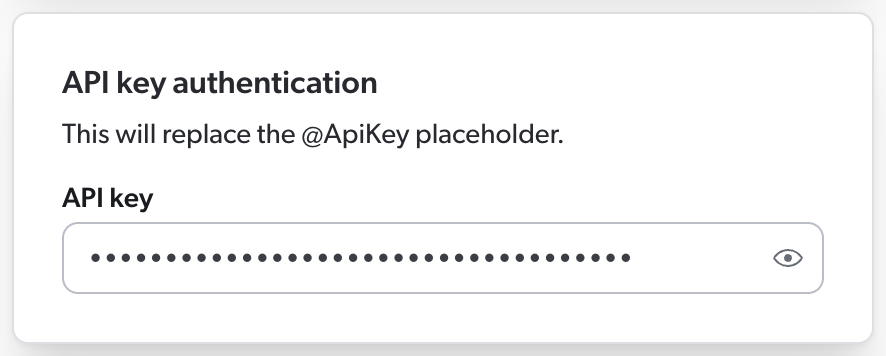
Then, in your source JSON configuration, you must use the `@ApiKey` placeholder to refer to this key.
This ensures that your API key is [encrypted](https://docs.coveo.com/en/1663#source-credentials) rather than stored in clear text in the source JSON configuration, where other Administration Console users could access it.
When Coveo processes the source configuration, it replaces the placeholder with the actual key you entered in the panel.
Your source configuration could therefore look like this.
```json
{
"Services": [
{
"Url": "http://example.com/api/v1",
"Endpoints": [
{
"Path": "/users",
"Method": "POST",
"ItemType": "User",
"Uri": "%[coveo_url]/users/%[id]",
"ClickableUri": "%[coveo_url]/users/%[id]",
"PayloadParameters": {
"api_key": "@ApiKey" <1>
}
}
]
}
]
}
```
<1> `api_key` is the name of the payload parameter that your API expects to contain the API key.
As a result, Coveo sends the following HTTP request to the API:
```http
POST /users HTTP/1.1
Host: http://example.com/api/v1
api_key=Az4adfSyBhZX8fTThUJ4Kb2TC3Ax0RshgrZtUiqM <1>
```
<1> `Az4adfSyBhZX8fTThUJ4Kb2TC3Ax0RshgrZtUiqM` is the API key you entered in the source panel.
**GraphQL query passed as a payload parameter**
Details
You want to pass the following GraphQL query as a payload parameter:
```graphql
query {
user(login:"jsmith") {
pullRequests(first:@pageSize, after:@offset) {
totalCount
edges {
node {
createdAt
title
url
}
cursor
}
pageInfo {
endCursor
hasNextPage
}
}
}
}
```
When entering this query in the [**GraphQL queries** section](https://docs.coveo.com/en/n6gh2329/), you name it `@MyFirstQuery`.
Your source JSON configuration therefore contains the following:
```json
"PayloadParameters": {
"query": "@MyFirstQuery"
}
```
#### `PermanentId` (string)
[`Services`](#services-array-required) > [`Endpoints`](#endpoints-array-required) > `PermanentId`
The `PermanentId` is an alternative, permanent unique item identifier.
When you expect the item [`Uri`](#uri-string-required) to change, this ensures that [Coveo Machine Learning (Coveo ML)](https://docs.coveo.com/en/188/) recognizes the items despite their new URI and associates them to the old data.
So, in the future, if you modify or delete this source and reindex the same items, specifying the same item `PermanentId` format in your next configuration will ensure that ML doesn't consider your items as new and rather picks up where it left off.
[Dynamic values](https://docs.coveo.com/en/n7jg0349#dynamic-values) are supported.
**Example:**
```json
{
"Uri": "%[node.url]",
"PermanentId": "%[sys_id]"
}
```
#### `ProcessingAction` (object)
[`Services`](#services-array-required) > [`Endpoints`](#endpoints-array-required) > `ProcessingAction`
This object works similarly to the [`IndexingAction` object](#indexingaction-object).
When the [`Condition`](#action-condition-string) resolves to true, the Coveo crawler applies the specified [action](#actiononitem-string-required) on the corresponding child items of an item.
Possible actions are `Process` and `Ignore`, that is, the crawler can either index the subitems or ignore them.
A child item ignored with `ProcessingAction` isn't indexed and therefore not visible in the [Content Browser](https://docs.coveo.com/en/2053/) or a [search interface](https://docs.coveo.com/en/2741/).
If the condition resolves to false, it fallbacks to the default action, that is, `Process`.
**Example 1**
Details
```json
"ProcessingAction": {
"ActionOnItem": "Ignore",
"Condition": "%[id]==1"
}
```
**Example 2**
Details
With the following `IndexingAction` object on an endpoint, all items that have a `name` metadata value other than `myvalue` are ignored.
The [`ProcessingAction`](#processingaction-object) object has the same condition.
As a result, a [child item](#subitems-array) of the ignored items is also ignored if its `name` metadata value is not `myvalue`.
```json
"IndexingAction": {
"ActionOnItem": "Ignore",
"Condition": "NOT %[raw.name]=='myvalue'" <1>
},
"ProcessingAction": {
"ActionOnItem": "Ignore",
"Condition": "NOT %[raw.name]=='myvalue'"
}
```
<1> As stated under [`Condition`](#action-condition-string), the metadata fields in your condition must either be defined in the [`Metadata` object](#metadata-object) or referenced with [`raw`](https://docs.coveo.com/en/n7jg0349#raw).
Like the [`IndexingAction` object](#indexingaction-object), the `ProcessingAction` object supports the following properties:
* [`ActionOnItem`](#actiononitem-string-required) (required)
* [`Condition`](#action-condition-string)
#### `QueryParameters` (object)
[`Services`](#services-array-required) > [`Endpoints`](#endpoints-array-required) > `QueryParameters`
A key-value list of HTTP parameters to add to the query.
Each value can be either a number, string, Boolean, or a placeholder for a GraphQL query that you'll enter separately, in the [**GraphQL queries** section](https://docs.coveo.com/en/n6gh2329/).
A `QueryParameters` object _cannot_ contain dynamic values if it's located directly in an [`Endpoint`](#endpoints-array-required) or [`RefreshEndpoint`](#refreshendpoints-array) object.
Since [dynamic values are placeholders for data that Coveo extracts from your API response](https://docs.coveo.com/en/n7jg0349#dynamic-values), an `Endpoint` or `RefreshEndpoint` query that contains a dynamic value is invalid.
Because it hasn't made the query yet, Coveo doesn't have an API response to use to resolve the dynamic value.
On the other hand, dynamic values are supported in a `QueryParameters` object located within [`SubItems`](#subitems-array), [`SubQueries`](#subqueries-array), and [`PermissionSubQueries`](#permissionsubqueries-array) arrays.
Since these arrays represent queries to make after the main `Endpoint` or `RefreshEndpoint` query, Coveo will be able to resolve the dynamic values using the API response from the main query and the item metadata (as well as the [parent item's metadata](https://docs.coveo.com/en/n7jg0349#coveo_parent), if applicable).
> **Note**
>
> In sub-items and subqueries, should a dynamic value be invalid or unretrievable, the source skips the item, that is, the indexing process is dropped and Coveo moves on to the next item.
> In a permission subquery, however, an invalid or unretrievable dynamic value causes the source to stop crawling and to display an error in the Administration Console.
[Dynamic time expressions](https://docs.coveo.com/en/n7jg0349#dynamic-time-expressions) are supported.
**Examples:**
**Basic example**
Details
```json
"QueryParameters": {
"type": "post",
"expand": "true",
"id": 120
}
```
**Dynamic time expressions**
Details
```json
"QueryParameters": {
"since": "@Now-6M",
"until": "@Now"
}
```
**Authentication with an API key as a query parameter**
Details
If your API requires Coveo to authenticate with an API key as the value of the `api_key` query parameter, you must enter this key in the [**Authentication** section](https://docs.coveo.com/en/n6gh2329#authentication-section) of the **Add a GraphQL API source** panel.

Then, in your source JSON configuration, you must use the `@ApiKey` placeholder to refer to this key.
This ensures that your API key is [encrypted](https://docs.coveo.com/en/1663#source-credentials) rather than stored in clear text in the source JSON configuration, where other Administration Console users could see it.
When Coveo processes the source configuration, it replaces the placeholder with the actual key you entered in the panel.
Your source configuration could therefore look like this.
```json
{
"Services": [
{
"Url": "http://example.com/api/v1",
"Endpoints": [
{
"Path": "/users",
"Method": "GET",
"ItemType": "User",
"Uri": "%[coveo_url]/users/%[id]",
"ClickableUri": "%[coveo_url]/users/%[id]",
"QueryParameters": {
"api_key": "@ApiKey" <1>
}
}
]
}
]
}
```
<1> `api_key` is the name of the query parameter that your API expects to contain the API key.
As a result, Coveo sends the following HTTP request to the API:
```http
GET /users?api_key=Az4adfSyBhZX8fTThUJ4Kb2TC3Ax0RshgrZtUiqM HTTP/1.1
Host: http://example.com/api/v1
```
`Az4adfSyBhZX8fTThUJ4Kb2TC3Ax0RshgrZtUiqM` is the API key you entered in the source panel.
**GraphQL query passed as a query parameter**
Details
You want to pass the following GraphQL query as a query parameter:
```graphql
query {
user(login:"jsmith") {
pullRequests(first:@pageSize, after:@offset) {
totalCount
edges {
node {
createdAt
title
url
}
cursor
}
pageInfo {
endCursor
hasNextPage
}
}
}
}
```
When entering this query in the [**GraphQL queries** section](https://docs.coveo.com/en/n6gh2329/), you name it `@MyFirstQuery`.
Your source JSON configuration therefore contains the following:
```json
"QueryParameters": {
"query": "@MyFirstQuery"
}
```
#### `RefreshEndpoints` (array)
[`Services`](#services-array-required) > [`Endpoints`](#endpoints-array-required) > `RefreshEndpoints`
The `RefreshEndpoints` array is required for your source to perform [refresh](https://docs.coveo.com/en/2710/) operations, which [index](https://docs.coveo.com/en/204/) only the items that have been added, updated, or deleted since the last update operation.
Refreshes are typically faster than [rescan](https://docs.coveo.com/en/2711/) and [rebuild](https://docs.coveo.com/en/2712/) operations, as they only process the items that have changed.
For more information on source update operations, see [Refresh, rescan, and rebuild](https://docs.coveo.com/en/2039/).
Coveo recommends you configure a `RefreshEndpoints` array for each [endpoint](#endpoints-array-required) in your source configuration.
Each object in the `RefreshEndpoints` array represents a query that Coveo will make to your API when conducting a source refresh operation.
By default, a refresh object [inherits](https://docs.coveo.com/en/n7jg0349#inheritable-properties) the properties defined in its parent endpoint object.
So, in a refresh query, you only need to specify what should be different from the original indexing query.
Then, when you refresh your source, the properties defined in an object of the `RefreshEndpoints` array override the properties defined under `Endpoints`.
When you [rescan](https://docs.coveo.com/en/2711/) or [rebuild](https://docs.coveo.com/en/2712/) the source, however, the `Endpoints` properties apply.
**Example**
Details
When refreshing your source, Coveo indexes only the published items that have been updated since the last refresh operation, as instructed by the following `RefreshEndpoints` array.
Since no other property is specified, Coveo will index these items exactly like during the initial indexing operation.
```json
"Endpoints": [
{
"Path": "/api/now/table/kb_knowledge",
"Method": "GET",
"ItemPath": "result",
"ItemType": "kbknowledge",
"Uri": "%[coveo_url]/kb_knowledge/%[sys_id]",
"PermanentId": "%[sys_id]",
"ModifiedDate": "%[sys_updated_on]",
"ClickableUri": "%[coveo_url]/nav_to.do?uri=kb_knowledge.do?sys_id=%[sys_id]%26sysparam_view-ess",
"Title": "%[short_description]",
"Body": "%[text]",
"QueryParameters": {
"sysparm_query": "workflow_state=published"
},
"Metadata": {
"short_description": "%[short_description]",
"number": "%[number]",
"workflow_state": "%[workflow_state]",
},
"RefreshEndpoints": [
{
"DateFormat": "\'yyyy-MM-dd\',\'hh:mm:ss\'", <1>
"QueryParameters": {
"sysparm_query": "workflow_state=published^sys_updated_on>javascript:gs.dateGenerate(@RefreshDate)"
}
}
]
}
]
```
<1> The [`DateFormat`](#dateformat-string) property specifies the format of the date value in the query parameters.
Inheritance of [`QueryParameters`](#queryparameters-object) works differently from other properties found in objects of the `RefreshEndpoints` array.
If you don't specify any query parameter in your refresh query, the query parameters of the parent query will be inherited.
However, either all query parameters are inherited, or none is.
So, if you change one parameter, you must also redefine all other parameters that apply, even if they're identical to those in the parent query object.
In addition, [dynamic values](https://docs.coveo.com/en/n7jg0349#dynamic-values) aren't supported in the query parameters of a `RefreshEndpoints` object.
> **Note**
>
> A source refresh operation will index a change in a sub-item only if its parent item has also changed.
Objects of the `RefreshEndpoints` array support the properties of [`Endpoints`](#endpoints-array-required) objects, plus the following:
* [`IsDeletionQuery`](#isdeletionquery-boolean)
* [`IsDeletedItem`](#isdeleteditem-boolean)
* [`DeleteChildren`](#deletechildren-boolean)
**Example:**
```json
"RefreshEndpoints": [
{
"DateFormat": "\'yyyy-MM-dd\',\'hh:mm:ss\'",
"QueryParameters": {
"workflow_state": "published",
"since": "@RefreshDate"
}
},
{
"IsDeletionQuery": true,
"DateFormat": "\'yyyy-MM-dd\',\'hh:mm:ss\'",
"QueryParameters": {
"lastModifiedDate": "@Now-7d",
"status": "Deleted"
}
},
{
"IsDeletionQuery":true,
"DateFormat": "\'yyyy-MM-dd\',\'hh:mm:ss\'",
"Path": "/api/table/audit_delete",
"QueryParameters": {
"tablename": "kb_knowledge",
"since": "@RefreshDate"
}
},
{
"IsDeletedItem": "%[is_deleted]",
"DateFormat": "\'yyyy-MM-dd\',\'hh:mm:ss\'",
"QueryParameters": {
"since": "@RefreshDate"
}
}
]
```
##### `IsDeletionQuery` (Boolean)
[`Services`](#services-array-required) > [`Endpoints`](#endpoints-array-required) > [`RefreshEndpoints`](#refreshendpoints-array) > `IsDeletionQuery`
Whether the defined query returns items to delete from the index.
Default value is `false`, which means that all retrieved items are added to the index or updated.
If the query returns items to add, update, and delete all at once, use the [`IsDeletedItem`](#isdeleteditem-boolean) property instead.
##### `IsDeletedItem` (Boolean)
[`Services`](#services-array-required) > [`Endpoints`](#endpoints-array-required) > [`RefreshEndpoints`](#refreshendpoints-array) > `IsDeletedItem`
When a refresh query returns items to add, update, and delete all at once, this property allows you to specify which of these items should be deleted.
Default value is `false`, but it's considered to be `true` if `IsDeletionQuery` is set to `true`.
You can provide a [dynamic value](https://docs.coveo.com/en/n7jg0349#dynamic-values) (for example, `%[has_been_deleted_flag]`) to be evaluated for each item or a static value.
**Example:**
`"%[is_deleted]"` deletes all items that have a `"is_deleted": true` JSON property flagging them as deleted.
```json
{
"IsDeletedItem": "%[is_deleted]",
"DateFormat": "\'yyyy-MM-dd\',\'hh:mm:ss\'",
"QueryParameters": {
"since": "@RefreshDate"
}
}
```
##### `DeleteChildren` (Boolean)
[`Services`](#services-array-required) > [`Endpoints`](#endpoints-array-required) > [`RefreshEndpoints`](#refreshendpoints-array) > `DeleteChildren`
Whether to delete children when the retrieved parent item is deleted.
Default value is `false`.
If the value is set to `true`, child items are deleted based on their [`Uri`](#uri-string-required).
#### `StringItemPath` (string)
[`Services`](#services-array-required) > [`Endpoints`](#endpoints-array-required) > `StringItemPath`
To index items or permissions, Coveo needs to know where to find this data in your API's JSON response.
By default, Coveo assumes that the data to index is at the root level of the JSON response.
In such case, you don't have to provide a location.
If the items aren't at the root level of the JSON response, you must specify the path to the items with JSONPath syntax.
Use `StringItemPath` if your API returns the list of items or identities in an array.
If your API returns the list as a series of objects, use [`ItemPath`](#itempath-string) instead.
**Read more on StringItemPath vs. ItemPath**
Details
Most APIs return items or permissions as a series of objects such as:
```json
{
"allowed": [
{
"email": "jsmith@example.com"
},
{
"email": "ballen@example.com"
}
]
}
```
In such a case, you would use [`ItemPath`](#itempath-string) to extract permissions.
However, if your API rather returns items or permissions as strings in a JSON array, you should use `StringItemPath` instead.
```json
{
"allowed": ["jsmith@example.com", "ballen@example.com"]
}
```
[NOTE]
**Note**
`StringItemPath` and [`ItemPath`](#itempath-string) are mutually exclusive.
In other words, if you use `StringItemPath`, you can't also use `ItemPath`, and vice versa.
##### ====
When you use `StringItemPath` in a permission subquery, use value `%[item]` to tell Coveo where you want to store each of the identities extracted from the permission array.
In that permission context, the [`Name`](#member-name-string-required) property is an appropriate place.
**Example**
Details
If you expect your API to return items or permissions in an array such as:
```json
{
"users": ["jsmith@example.com", "ballen@example.com"]
}
```
Your source configuration should contain `"StringItemPath": "users"`.
In a permission subquery, to [index](https://docs.coveo.com/en/204/) the extracted user identities under [`Name`](#member-name-string-required), also add: `"Name": %[item]`.
Your permission subquery therefore looks as follows:
```json
"permissionSubQueries": [
{
"StringItemPath": "users",
"Path": "item/location",
"Method": "GET",
"Name": "%[item]",
"Type": "User",
"IsAllowedMember": true
}
]
```
#### `SubItems` (array)
[`Services`](#services-array-required) > [`Endpoints`](#endpoints-array-required) > `SubItems`
A list of sub-items to retrieve.
Each sub-item is represented by a configuration object under [`Endpoints`](#endpoints-array-required).
An item can have many different sub-items, for example, a blog post containing comments and attachments as child items.
The `SubItems` object establishes a parent-child relationship between items.
There's no restriction on the number of sub-items an item can have.
In addition, sub-items can also have sub-items, for example if blog post comments also have attachments.
In the application JSON response, these sub-items are nested within each other, and so should be your `SubItems` arrays in your source configuration.
To refer to the metadata of a parent item, prefix the metadata name with [`coveo_parent`](https://docs.coveo.com/en/n7jg0349#coveo_parent).
You may also need to use [`raw`](https://docs.coveo.com/en/n7jg0349#raw).
The sub-items configuration supports all properties from the [`Endpoints`](#endpoints-array-required) object configuration, except `RefreshEndpoints`.
In addition, it supports all other properties from the [`Services`](#services-array-required) object configuration.
**Examples:**
When the sub-items to index are located under a different endpoint, you provide the [`Path`](#path-string-required) to their location.
```json
"SubItems": [
{
"Path": "graphql",
"Method": "GET",
"ItemType": "Comment",
"Uri": "%[node.url]",
"ClickableUri": "%[node.url]",
"Title": "%[node.title]",
"ModifiedDate": "%[node.updated]",
"Body": "%[node.content]",
"Metadata": {
"author": "%[node.author]",
"createdby" :"%[coveo_parent.author]",
"id": "%[id]"
}
}
]
```
Alternatively, when the desired sub-items are located under the same endpoint as their parent items (for example, the child item data is nested within the parent item data), you omit the `Path` property.
Instead, you provide the sub-items' location using one of the following properties:
* [`ItemPath`](#itempath-string) if your API returns the items as a series of JSON objects.
* [`StringItemPath`](#stringitempath-string) if your API returns the items as a series of strings in a JSON array.
```json
"SubItems": [
{
"ItemPath": "data.user.pullRequests.edges",
"ItemType": "PullRequests",
"Uri": "%[node.url]",
"ClickableUri": "%[node.url]",
"Title": "%[node.title]",
"Body": "%[node.content]",
"Metadata": {
"author": "%[node.author]",
"createdby" :"%[coveo_parent.author]",
"id": "%[node.id]"
}
}
]
```
#### `SubQueries` (array)
[`Services`](#services-array-required) > [`Endpoints`](#endpoints-array-required) > `SubQueries`
Each object in the `SubQueries` array represents a subquery to execute on every item in order to fetch additional metadata and/or the item body.
Subqueries are especially useful when this information is located under a different path than that of the item.
To refer to the metadata of a parent item, prefix the metadata name with [`coveo_parent`](https://docs.coveo.com/en/n7jg0349#dynamic-values).
You may also need to use [`raw`](https://docs.coveo.com/en/n7jg0349#raw).
**Example:**
```json
"SubQueries": [
{
"Path": "graphql",
"Method": "GET",
"Body": "%[data.body]",
"Metadata": {
"created": "%[node.created]"
}
}
]
```
The subquery configuration supports the following properties from the [`Endpoints`](#endpoints-array-required) object configuration:
* [`Path`](#path-string-required)
* [`Method`](#method-string-enum)
* [`Body`](#body-string)
* [`IsBinaryBody`](#isbinarybody-boolean)
* [`Metadata`](#metadata-object)
* [`PayloadJsonContent`](#payloadjsoncontent-string)
* [`PayloadParameters`](#payloadparameters-object)
* [`QueryParameters`](#queryparameters-object)
* [`StringItemPath`](#stringitempath-string)
In addition, it supports the following properties from the [`Services`](#services-array-required) object configuration:
* [`RetryableHttpErrorCodes`](#retryablehttperrorcodes-string)
* [`SkippableErrorCodes`](#skippableerrorcodes-string)
It also contains the following properties:
* [`ExecutionCondition`](#executioncondition-string)
* [`IsThumbnail`](#isthumbnail-boolean)
##### `ExecutionCondition` (string)
[`Services`](#services-array-required) > [`Endpoints`](#endpoints-array-required) > [`SubQueries`](#subqueries-array) > `ExecutionCondition`
In your [subquery](#subqueries-array) definition, you can provide an execution condition with a dynamic expression.
This condition is evaluated before the subquery is made and determines whether Coveo should make the subquery.
If the condition evaluates to false, the subquery is not made.
Execution conditions are useful to avoid making subqueries that would return no results or that would be irrelevant in a specific context.
This reduces the load on your API and improves the crawling operation performance.
The [syntax to use](https://docs.coveo.com/en/64/) is the same as for indexing pipeline extension conditions.
The metadata fields in your condition must either be defined in the [`Metadata` object](#metadata-object) or referenced with [`raw`](https://docs.coveo.com/en/n7jg0349#raw).
You can specify an array if the metadata refers to a [multi-value field](https://docs.coveo.com/en/n7jg0349#multi-value-fields) in your repository.
Conditions can be assembled using the following operators: `AND`, `OR`, `Exists`, `NOT`, `==`, `>`, and `<`.
However, `>` and `<` can only be used with numeric metadata, not with date metadata.
Parentheses are also supported to specify operation order.
**Examples**
Details
* `"%[node.author_id]"` is true if the item has an `author_id`.
* `"NOT %[node.author_id]"` is true if the item doesn't have an `author_id`.
* `"%[node.author_id] == 1234"` is true if the item `author_id` is `1234`.
* `"%[node.author_ids] == [1,2,3,4]"` is true if item `author_ids` are `1`, `2`, `3`, and `4`.
* `"%[node.author_id] OR %[author_name]"` is true if the item has an `author_id` or an `author_name`.
* `"%[node.author_id] AND %[author_name]"` is true if the item has an `author_id` and an `author_name`.
* `+"%[node.author_id] > 123"+` is true if the item `author_id` is greater than 123.
* `"(%[node.author_id] OR %[node.author_sys_id]) AND %[node.author_name]"` is true if the item has an `author_id` or an `author_name`, as well as an `author_name`.
**Example:**
```json
"SubQueries": [
{
"Path": "graphql.json",
"Method": "POST",
"PayloadJsonContent": "@ProductsTranslations",
"ExecutionCondition": "NOT(%[meta_field_ids] == '')", <1>
"Metadata": {
"binding_mount": "%[$.data.translatableResourcesByIds.nodes[?(@.resourceId=='%[binding_mount_id]')].translations[0].value]"
}
}
]
```
<1> The subquery is only made if the `meta_field_ids` metadata is not empty.
##### `IsBinaryBody` (Boolean)
[`Services`](#services-array-required) > [`Endpoints`](#endpoints-array-required) > [`SubQueries`](#subqueries-array) > `IsBinaryBody`
Whether the subquery retrieves binary content as the body of the item.
Default value is `false`.
This property is available within [`SubQueries`](#subqueries-array) objects only.
It allows you to download a file (for example, XLS or PDF document) to use as the item body in a [search result Quick view](https://docs.coveo.com/en/2760#search-result-quick-view).
See [Supported file formats](https://docs.coveo.com/en/1689/) for an exhaustive list of item types that Coveo can index.
**Example:**
```json
"SubQueries": [
{
"Path":"%[coveo_parent.url]",
"Method":"GET",
"IsBinaryBody":true,
"Body": "%[data.body]"
}
]
```
> **Notes**
>
> * `IsBinaryBody` and [`IsThumbnail`](#isthumbnail-boolean) are mutually exclusive.
> In other words, if you set `IsBinaryBody` to `true`, you must set `IsThumbnail` to `false`, and vice versa.
>
> * If Coveo fails to index the item's body, ensure that your API key is valid for subqueries, and try adding a [`Headers`](#oauth-query-headers-object) object to your subquery.
##### `IsThumbnail` (Boolean)
[`Services`](#services-array-required) > [`Endpoints`](#endpoints-array-required) > [`SubQueries`](#subqueries-array) > `IsThumbnail`
If the [`SubQueries`](#subqueries-array) object [path](#path-string-required) leads to an image, set `IsThumbnail` to `true` to show this image as the thumbnail of an item.
The default value is `false`.
Supported thumbnail file formats are the following:
`.bmp`, `.emf`, `.exif`, `.gif`, `.icon`, `.jpeg`, `.png`, `.tiff`, `.wmf`
.
> **Notes**
>
> * An [`Endpoint`](#endpoints-array-required) object can contain at most one subquery where `IsThumbnail` is set to `true`.
>
> * `IsThumbnail` and [`IsBinaryBody`](#isbinarybody-boolean) are mutually exclusive.
> In other words, if you set `IsThumbnail` to `true`, you must set `IsBinaryBody` to `false`, and vice versa.
#### `Title` (string)
[`Services`](#services-array-required) > [`Endpoints`](#endpoints-array-required) > `Title`
The title of the item.
Although this property isn't required in the JSON configuration, we recommend that you include it, as the [Content Browser](https://docs.coveo.com/en/2053/) displays its value.
Typically, `Title` contains a [dynamic value](https://docs.coveo.com/en/n7jg0349#dynamic-values), since a static, hardcoded value would make all item titles identical.
**Example:** `"Title": "%[node.title]"`
### `Url` (string, required)
[`Services`](#services-array-required) > `Url`
The `Url` value is the service URL of your web application.
**Example:** `+"Url": "https://api.github.com/"+`
### `Authentication` (object)
[`Services`](#services-array-required) > `Authentication`
If your API service requires Coveo to authenticate, you must enter the necessary credentials in the [**Authentication** section](https://docs.coveo.com/en/n6gh2329#authentication-section) of the **Add a GraphQL API source** panel.
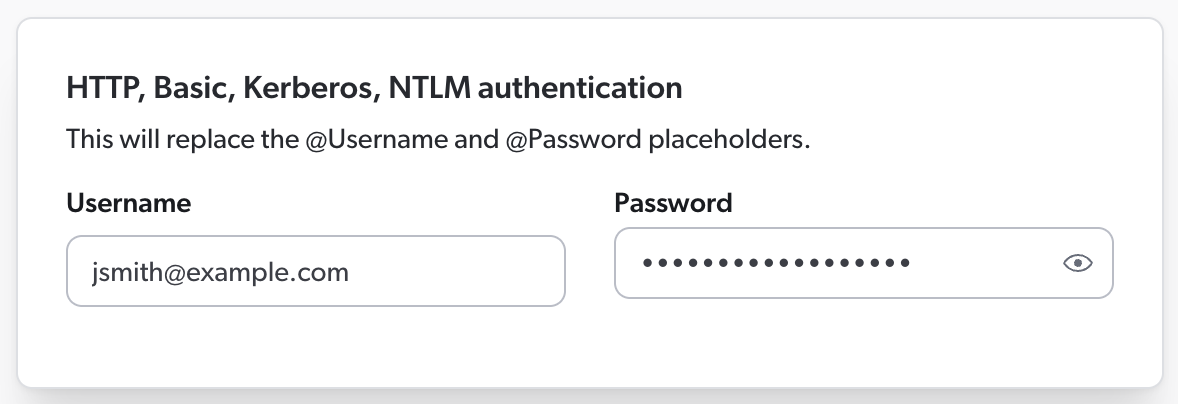
Then, in your JSON configuration, you must specify how Coveo should use these credentials to authenticate with the API.
If your API uses password-based or OAuth 2.0 authentication, you must use the `Authentication` object, which contains the information Coveo will use to authenticate to the service.
**What if my API uses API keys?**
Details
If your API uses API keys for authentication, Coveo will typically need to provide such a key in an [HTTP header](#headers-object), as a [query parameter](#queryparameters-object), or as a [payload parameter](#payloadparameters-object).
You therefore don't need an `Authentication` object in your JSON configuration.
In the `Authentication` object, you'll use a placeholder starting with `@` to refer to the credentials you entered in the panel.
This ensures that your credentials are [encrypted](https://docs.coveo.com/en/1663#source-credentials) rather than stored in clear text in the JSON configuration, where other Administration Console users could access them.
Then, when Coveo processes the JSON configuration, it replaces the placeholders with the actual credentials you entered in the panel.
The following table shows the objects and placeholders you must include in your configuration, depending on the type of authentication your API uses:
[options="header",cols="~,~,~"]
|===
| Authentication type | Use placeholders in | Placeholders to use
| Basic, HTTP, Kerberos, or NTLM (password-based)
| `Authentication` object
| `@Username` and `@Password`
| OAuth 2.0
| `Authentication` object
| `@ClientId`, `@ClientSecret`, and `@RefreshToken`
| API key
| [`Headers`](#headers-object), [`QueryParameters`](#queryparameters-object), or [`PayloadParameters`](#payloadparameters-object) object
| `@ApiKey`
|===
As indicated in the table above, API key placeholders don't appear in the `Authentication` object.
If your API authenticates with API keys, see the sections listed in the table for examples with API key placeholders.
`Authentication` properties specified at the service level [apply to the child endpoints, and sub-queries underneath them](https://docs.coveo.com/en/n7jg0349#inheritable-properties).
Typically, you don't need to override the configuration you entered at the service level further down in the JSON configuration, as the same authentication method applies to the entire application content.
**Examples:**
**Basic, HTTP, Kerberos, or NTLM**
Details
If your API uses password-based authentication, you must enter the username and password in the [**Authentication** section](https://docs.coveo.com/en/n6gh2329#authentication-section) of the **Add a GraphQL API source** panel.
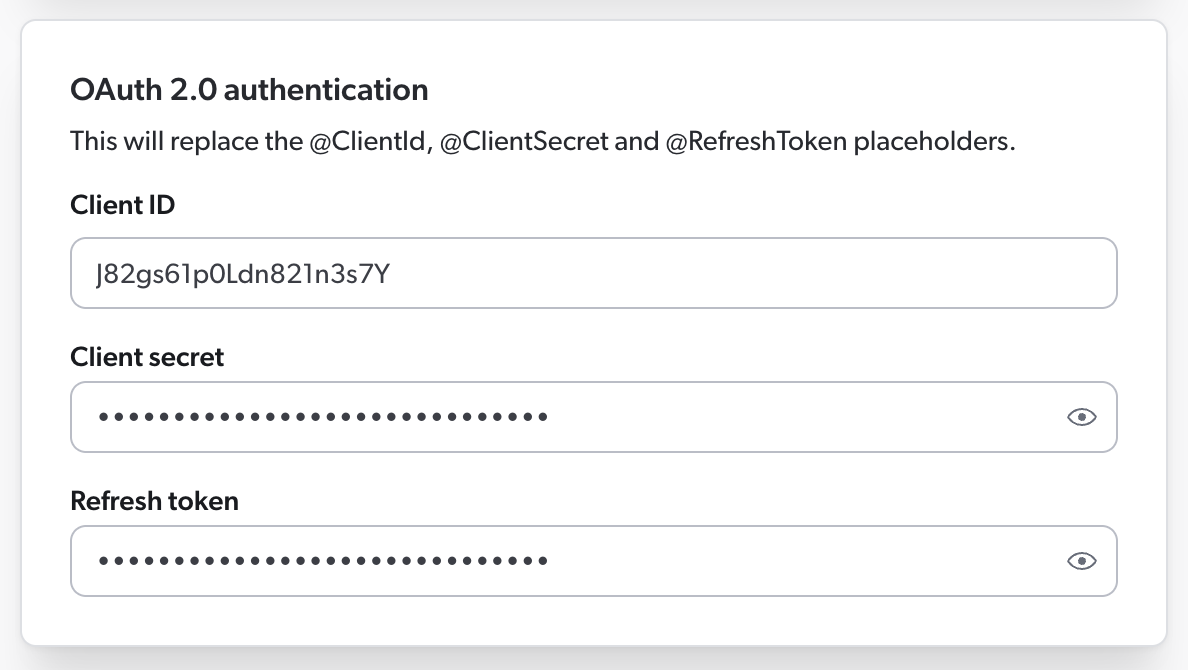
Then, in your JSON configuration, you must use the `@Username` and `@Password` placeholders to refer to these credentials.
Your `Authentication` object therefore looks like this:
```json
"Authentication": {
"Username": "@Username",
"Password": "@Password",
"ForceBasicAuthentication": "true"
}
```
**OAuth 2.0**
Details
If your API uses OAuth 2.0 authentication, you must enter the client ID, client secret, and refresh token in the [**Authentication** section](https://docs.coveo.com/en/n6gh2329#authentication-section) of the **Add a GraphQL API source** panel.

Then, in your JSON configuration, you must use the `@ClientId`, `@ClientSecret`, and `@RefreshToken` placeholders to refer to this information.
Your `Authentication` object could therefore look like this:
```json
"Authentication": {
"OAuth": {
"Query": {
"RefreshUrl": "http://example.com/token",
"Method": "POST",
"Parameters": {
"grant_type": {
"Type": "Payload",
"Value": "refresh_token"
},
"client_id": {
"Type": "Payload",
"Value": "@ClientId"
},
"client_secret": {
"Type": "Payload",
"Value": "@ClientSecret"
},
"refresh_token": {
"Type": "Payload",
"Value": "@RefreshToken",
"IsRefreshToken": true
}
}
}
}
}
```
The `Authentication` object supports the following properties:
* [`Username`](#username-string)
* [`Password`](#password-string)
* [`Domain`](#domain-string)
* [`ForceBasicAuthentication`](#forcebasicauthentication-boolean)
* [`OAuth`](#oauth-object) (required if authenticating with OAuth 2.0)
#### `Username` (string)
[`Services`](#services-array-required) > [`Authentication`](#authentication-object) > `Username`
Username used to log in to the service.
You can use `@Username` to retrieve the value specified in the [**Add a GraphQL API Source**](https://docs.coveo.com/en/n6gh2329#authentication-section) panel.
#### `Password` (string)
[`Services`](#services-array-required) > [`Authentication`](#authentication-object) > `Password`
Password used to log in to the service.
This property can be empty even though a `Username` is specified.
You can use `@Password` to retrieve the value specified in the [**Add a GraphQL API Source**](https://docs.coveo.com/en/n6gh2329#authentication-section) panel.
#### `Domain` (string)
[`Services`](#services-array-required) > [`Authentication`](#authentication-object) > `Domain`
Domain name to use when authenticating to a NTLM or Kerberos protected server.
#### `ForceBasicAuthentication` (Boolean)
[`Services`](#services-array-required) > [`Authentication`](#authentication-object) > `ForceBasicAuthentication`
Whether to force a basic HTTP header in the request.
The default value is `false`.
#### `OAuth` (object)
[`Services`](#services-array-required) > [`Authentication`](#authentication-object) > `OAuth`
If your application requires OAuth 2.0 authentication, add an `OAuth` object to your source configuration.
Your `OAuth` object must contain a [`Query`](#query-object-required) object.
Coveo will use the information in the `Query` object to make an authentication query to your application.
Optionally, your `OAuth` object may also contain a [`Response`](#response-object) object.
In this object, you may include properties such as [`AccessToken`](#accesstoken-string), [`TokenType`](#tokentype-string), and [`ExpiresIn`](#expiresin-string), whose values indicate where Coveo will find the corresponding information when parsing the API's response.
The `Response` object may also include the [`AuthorizationHeader`](#authorizationheader-string) property, whose value is the name of the authorization header that Coveo should use when querying your API for content.
> **Tip**
>
> Enter your client ID, client secret, and refresh token in the [**Add a GraphQL API source**](https://docs.coveo.com/en/n6gh2329#authentication-section) panel and use the `@ClientId`, `@ClientSecret`, and `@RefreshToken` placeholders in your JSON configuration.
>
> This allows you to keep your confidential information [encrypted](https://docs.coveo.com/en/1663#source-credentials) and obfuscated, thus preventing other Administration Console users to access it.
>
> 
**Example:**
```json
"OAuth": {
"Query": {
"RefreshUrl": "http://example.com/token",
"Method": "POST",
"Parameters": {
"grant_type": {
"Type": "Payload",
"Value": "refresh_token"
},
"refresh_token": {
"Type": "Payload",
"Value": "@RefreshToken",
"IsRefreshToken": true
},
"client_id": {
"Type": "Payload",
"Value": "@ClientId"
},
"client_secret": {
"Type": "Payload",
"Value": "@ClientSecret"
}
}
},
"Response": {
"AccessToken": "access_token",
"SupportsRefreshToken" : "true",
"RefreshToken": "refresh_token",
"ExpiresIn": "expires_in",
"TokenType": "token_type"
}
}
```
The `OAuth` object supports the following properties:
* [`Query`](#query-object-required) (required)
* [`Response`](#response-object)
* [`UsingSingleUseRefreshToken`](#usingsingleuserefreshtoken-boolean)
##### `Query` (object, required)
[`Services`](#services-array-required) > [`Authentication`](#authentication-object) > [`OAuth`](#oauth-object) > `Query`
If your application requires OAuth 2.0 authentication, you must add an `OAuth` object to your source configuration.
Your `OAuth` object must contain a `Query` object.
Coveo will use the information in the `Query` object to make an authentication query to your application.
> **Tip**
>
> Enter your client ID, client secret, and refresh token in the [**Add a GraphQL API source**](https://docs.coveo.com/en/n6gh2329#authentication-section) panel and use the `@ClientId`, `@ClientSecret`, and `@RefreshToken` placeholders in your JSON configuration.
>
> This allows you to keep your confidential information [encrypted](https://docs.coveo.com/en/1663#source-credentials) and obfuscated, thus preventing other Administration Console users to access it.
>
> 
**Example:**
```json
"Query": {
"RefreshUrl": "http://example.com/token",
"Method": "POST",
"Parameters": {
"grant_type": {
"Type": "Payload",
"Value": "refresh_token"
},
"refresh_token": {
"Type": "Payload",
"Value": "@RefreshToken",
"IsRefreshToken": true
},
"client_id": {
"Type": "Payload",
"Value": "@ClientId"
},
"client_secret": {
"Type": "Payload",
"Value": "@ClientSecret"
}
}
}
```
The `Query` object supports the following properties:
* [`RefreshUrl`](#refreshurl-string-required) (required)
* [`Headers`](#oauth-query-headers-object)
* [`Method`](#oauth-query-method-string-enum)
* [`Parameters`](#oauth-query-parameters-object)
###### `RefreshUrl` (string, required)
[`Services`](#services-array-required) > [`Authentication`](#authentication-object) > [`OAuth`](#oauth-object) > [`Query`](#query-object-required) > `RefreshUrl`
If your application requires OAuth 2.0 authentication, your [`Query`](#query-object-required) object must include a `RefreshUrl` property.
The `RefreshUrl` value must be a URL that Coveo will use to refresh its access token.
**Example**
Details
```json
"Query": {
"RefreshUrl": "http://example.com/token",
"Method": "POST",
"Parameters": {
"grant_type": {
"Type": "Payload",
"Value": "refresh_token"
},
"refresh_token": {
"Type": "Payload",
"Value": "@RefreshToken",
"IsRefreshToken": true
},
"client_id": {
"Type": "Payload",
"Value": "@ClientId"
},
"client_secret": {
"Type": "Payload",
"Value": "@ClientSecret"
}
}
}
```
###### OAuth query `Headers` (object)
[`Services`](#services-array-required) > [`Authentication`](#authentication-object) > [`OAuth`](#oauth-object) > [`Query`](#query-object-required) > `Headers`
If your application requires OAuth 2.0 authentication, your [`Query`](#query-object-required) object can optionally include a `Headers` object.
When making an authentication query to your application, Coveo will add these HTTP headers to its request.
> **Note**
>
> Coveo automatically sets the Content-Type header.
> Therefore, you don't need to add it to the `Headers` object.
> **Tip**
>
> To keep your header value [encrypted](https://docs.coveo.com/en/1663#source-credentials) and obfuscated, use a placeholder in your `Headers` object, and then enter the actual value in the [**Add a GraphQL API source**](https://docs.coveo.com/en/n6gh2329#authentication-section) panel.
> Allowed placeholders are: `@ClientId`, `@ClientSecret`, `@RefreshToken`, `@Username`, and `@Password`.
>
> 
###### OAuth query `Method` (string enum)
[`Services`](#services-array-required) > [`Authentication`](#authentication-object) > [`OAuth`](#oauth-object) > [`Query`](#query-object-required) > `Method`
If your application requires OAuth 2.0 authentication, your [`Query`](#query-object-required) object can optionally include a `Method` property.
The `Method` property specifies the HTTP method that Coveo should use when refreshing its token.
Default is `POST`.
**Example**
Details
```json
"Query": {
"RefreshUrl": "http://example.com/token",
"Method": "POST",
"Parameters": {
"grant_type": {
"Type": "Payload",
"Value": "refresh_token"
},
"refresh_token": {
"Type": "Payload",
"Value": "@RefreshToken",
"IsRefreshToken": true
},
"client_id": {
"Type": "Payload",
"Value": "@ClientId"
},
"client_secret": {
"Type": "Payload",
"Value": "@ClientSecret"
}
}
}
```
###### OAuth query `Parameters` (object)
[`Services`](#services-array-required) > [`Authentication`](#authentication-object) > [`OAuth`](#oauth-object) > [`Query`](#query-object-required) > `Parameters`
If your application requires OAuth 2.0 authentication, your [`Query`](#query-object-required) object can optionally include query parameters for Coveo to use.
Each object in the `Parameters` object represents a parameter to include in Coveo's authentication request to your application.
Each object should contain a "Type" and a "Value" property.
The `Type` property indicates how to include the parameter in the request.
Possible values for this property are `query` or `payload`.
If you include a `refresh_token` object, you must add a `IsRefreshToken` property with a value of `true` to this object.
Moreover, if this refresh token is single-use, make sure to specify it by adding [`"UsingSingleUseRefreshToken": true`](#usingsingleuserefreshtoken-boolean) to your [`OAuth`](#oauth-object) object.
> **Tip**
>
> Enter your client ID, client secret, and refresh token in the [**Add a GraphQL API source**](https://docs.coveo.com/en/n6gh2329#authentication-section) panel and use the `@ClientId`, `@ClientSecret`, and `@RefreshToken` placeholders in your JSON configuration.
>
> This allows you to keep your confidential information [encrypted](https://docs.coveo.com/en/1663#source-credentials) and obfuscated, thus preventing other Administration Console users to access it.
>
> 
**Example:**
```json
"Authentication": {
"OAuth": {
"UsingSingleUseRefreshToken": true,
"Query": {
"RefreshUrl": "https://auth.example.com/oauth/token",
"Method": "POST",
"Parameters": {
"grant_type": {
"Type": "Payload",
"Value": "refresh_token"
},
"refresh_token": {
"Type": "Payload",
"Value": "@RefreshToken",
"IsRefreshToken": true
},
"client_id": {
"Type": "Payload",
"Value": "@ClientId"
},
"client_secret": {
"Type": "Payload",
"Value": "@ClientSecret"
}
}
}
}
}
```
##### `Response` (object)
[`Services`](#services-array-required) > [`Authentication`](#authentication-object) > [`OAuth`](#oauth-object) > `Response`
If your application requires OAuth 2.0 authentication, you can optionally add a `Response` object to your [`OAuth`](#oauth-object) object.
The `Response` object contains, among other things, the properties that Coveo must extract from the authentication server's response.
The value of each property represents the path to the corresponding value in the response.
In the `Response` object, you may also enter other authentication parameters, such as the [`AuthorizationHeader`](#authorizationheader-string) and [`SupportsRefreshToken`](#supportsrefreshtoken-boolean) properties.
**Example:**
If the authentication server's response looks like this:
```
HTTP/1.1 200 OK
Content-Type: application/json
```
```json
{
"access_token": "jOs0PoLKm61sd6h49",
"refresh_token": "QpMas-tuI9bvFp01-Xxpl04gC_0m",
"token_type": "bearer",
"expires_in": 86400
}
```
Then your `Response` object should look like this:
```json
"Response": {
"AccessToken": "access_token",
"SupportsRefreshToken" : "true",
"RefreshToken": "refresh_token",
"ExpiresIn": "expires_in",
"TokenType": "token_type"
}
```
The `Response` object supports the following properties:
* [`AccessToken`](#accesstoken-string)
* [`SupportsRefreshToken`](#supportsrefreshtoken-boolean)
* [`RefreshToken`](#refreshtoken-string)
* [`ExpiresIn`](#expiresin-string)
* [`ExpiresInDefaultValue`](#expiresindefaultvalue-number)
* [`TokenType`](#tokentype-string)
* [`TokenTypeDefaultValue`](#tokentypedefaultvalue-string)
* [`AuthorizationHeader`](#authorizationheader-string)
###### `AccessToken` (string)
[`Services`](#services-array-required) > [`Authentication`](#authentication-object) > [`OAuth`](#oauth-object) > [`Response`](#response-object) > `AccessToken`
If your application requires OAuth 2.0 authentication, you can optionally add a `Response` object to your [`OAuth`](#oauth-object) object.
Coveo will then extract the information from the API's response using the values specified in the [`Response`](#response-object) object.
In the `Response` object, you can add the `AccessToken` property to specify the path to the access token in the API's response.
Default is `access_token`.
**Example**
Details
If the authentication server's response looks like this:
```
HTTP/1.1 200 OK
Content-Type: application/json
```
```json
{
"access_token": "jOs0PoLKm61sd6h49",
"refresh_token": "QpMas-tuI9bvFp01-Xxpl04gC_0m",
"token_type": "bearer",
"expires_in": 86400
}
```
Then your `Response` object should look like this:
```json
"Response": {
"AccessToken": "access_token",
"SupportsRefreshToken" : "true",
"RefreshToken": "refresh_token",
"ExpiresIn": "expires_in",
"TokenType": "token_type"
}
```
###### `SupportsRefreshToken` (Boolean)
[`Services`](#services-array-required) > [`Authentication`](#authentication-object) > [`OAuth`](#oauth-object) > [`Response`](#response-object) > `SupportsRefreshToken`
If your application requires OAuth 2.0 authentication, you can optionally add a `Response` object to your [`OAuth`](#oauth-object) object.
In the `Response` object, you can add the `SupportsRefreshToken` property to indicate whether your application's OAuth 2.0 flow supports refresh tokens.
Default is `true`.
**Example**
Details
If the authentication server's response looks like this:
```
HTTP/1.1 200 OK
Content-Type: application/json
```
```json
{
"access_token": "jOs0PoLKm61sd6h49",
"refresh_token": "QpMas-tuI9bvFp01-Xxpl04gC_0m",
"token_type": "bearer",
"expires_in": 86400
}
```
Then your `Response` object should look like this:
```json
"Response": {
"AccessToken": "access_token",
"SupportsRefreshToken" : "true",
"RefreshToken": "refresh_token",
"ExpiresIn": "expires_in",
"TokenType": "token_type"
}
```
###### `RefreshToken` (string)
[`Services`](#services-array-required) > [`Authentication`](#authentication-object) > [`OAuth`](#oauth-object) > [`Response`](#response-object) > `RefreshToken`
If your application requires OAuth 2.0 authentication, you can optionally add a `Response` object to your [`OAuth`](#oauth-object) object.
Coveo will then extract the information from the API's response using the values specified in the [`Response`](#response-object) object.
In the `Response` object, you can add the `AccessToken` property to specify the path to the refresh token in the API's response.
Default is `refresh_token`.
**Example**
Details
If the authentication server's response looks like this:
```
HTTP/1.1 200 OK
Content-Type: application/json
```
```json
{
"access_token": "jOs0PoLKm61sd6h49",
"refresh_token": "QpMas-tuI9bvFp01-Xxpl04gC_0m",
"token_type": "bearer",
"expires_in": 86400
}
```
Then your `Response` object should look like this:
```json
"Response": {
"AccessToken": "access_token",
"SupportsRefreshToken" : "true",
"RefreshToken": "refresh_token",
"ExpiresIn": "expires_in",
"TokenType": "token_type"
}
```
###### `ExpiresIn` (string)
[`Services`](#services-array-required) > [`Authentication`](#authentication-object) > [`OAuth`](#oauth-object) > [`Response`](#response-object) > `ExpiresIn`
If your application requires OAuth 2.0 authentication, you can optionally add a `Response` object to your [`OAuth`](#oauth-object) object.
Coveo will then extract the information from the API's response using the values specified in the [`Response`](#response-object) object.
In the `Response` object, you can add the `ExpiresIn` property to specify the path to the refresh token expiration delay in the API's response.
Default is `expires_in`.
If the API's response doesn't contain an expiration delay, use the [`ExpiresInDefaultValue`](#expiresindefaultvalue-number) property instead.
**Example**
Details
If the authentication server's response looks like this:
```
HTTP/1.1 200 OK
Content-Type: application/json
```
```json
{
"access_token": "jOs0PoLKm61sd6h49",
"refresh_token": "QpMas-tuI9bvFp01-Xxpl04gC_0m",
"token_type": "bearer",
"expires_in": 86400
}
```
Then your `Response` object should look like this:
```json
"Response": {
"AccessToken": "access_token",
"SupportsRefreshToken" : "true",
"RefreshToken": "refresh_token",
"ExpiresIn": "expires_in",
"TokenType": "token_type"
}
```
###### `ExpiresInDefaultValue` (number)
[`Services`](#services-array-required) > [`Authentication`](#authentication-object) > [`OAuth`](#oauth-object) > [`Response`](#response-object) > `ExpiresInDefaultValue`
If your application requires OAuth 2.0 authentication, you can optionally add a `Response` object to your [`OAuth`](#oauth-object) object.
Coveo will then extract the information from the API's response using the values specified in the [`Response`](#response-object) object.
Typically, the authentication server will return an expiration delay for its refresh token, which you can extract with the [`ExpiresIn`](#expiresin-string) property.
However, if the API's response doesn't include an expiration delay, you can add the `ExpiresInDefaultValue` property to your `Response` object.
The `ExpiresInDefaultValue` value specifies the number of seconds after which Coveo should consider the refresh token expired.
Default is `3600`.
**Example:**
```json
"Response": {
"AccessToken": "access_token",
"SupportsRefreshToken" : "true",
"RefreshToken": "refresh_token",
"ExpiresInDefaultValue": 1800,
"TokenType": "token_type"
}
```
###### `TokenType` (string)
[`Services`](#services-array-required) > [`Authentication`](#authentication-object) > [`OAuth`](#oauth-object) > [`Response`](#response-object) > `TokenType`
If your application requires OAuth 2.0 authentication, you can optionally add a `Response` object to your [`OAuth`](#oauth-object) object.
Coveo will then extract the information from the API's response using the values specified in the [`Response`](#response-object) object.
In the `Response` object, you can add the `ExpiresIn` property to specify the path to the token type in the API's response.
Default is `token_type`.
If the response doesn't specify a token type or if it's invalid or inappropriate, Coveo will use `Bearer` by default.
If you want a different default value, use the [`TokenTypeDefaultValue`](#tokentypedefaultvalue-string) property instead.
**Example**
Details
If the authentication server's response looks like this:
```
HTTP/1.1 200 OK
Content-Type: application/json
```
```json
{
"access_token": "jOs0PoLKm61sd6h49",
"refresh_token": "QpMas-tuI9bvFp01-Xxpl04gC_0m",
"token_type": "bearer",
"expires_in": 86400
}
```
Then your `Response` object should look like this:
```json
"Response": {
"AccessToken": "access_token",
"SupportsRefreshToken" : "true",
"RefreshToken": "refresh_token",
"ExpiresIn": "expires_in",
"TokenType": "token_type"
}
```
###### `TokenTypeDefaultValue` (string)
[`Services`](#services-array-required) > [`Authentication`](#authentication-object) > [`OAuth`](#oauth-object) > [`Response`](#response-object) > `TokenTypeDefaultValue`
If your application requires OAuth 2.0 authentication, you can optionally add a `Response` object to your [`OAuth`](#oauth-object) object.
Coveo will then extract the information from the API's response using the values specified in the [`Response`](#response-object) object.
Typically, the authentication server will return a token type, which you can extract with the [`TokenType`](#tokentype-string) property.
If the API's response doesn't specify a token type, or if the token type is invalid or inappropriate, Coveo will use `Bearer` by default.
However, if you want Coveo to use a different default token type, you can specify it by the `TokenTypeDefaultValue` property to your [`Response`](#response-object) object.
###### `AuthorizationHeader` (string)
[`Services`](#services-array-required) > [`Authentication`](#authentication-object) > [`OAuth`](#oauth-object) > [`Response`](#response-object) > `AuthorizationHeader`
If your application requires OAuth 2.0 authentication, you can optionally add a `Response` object to your [`OAuth`](#oauth-object) object.
In the `Response` object, you can add the `AuthorizationHeader` property to indicate the name of the authorization header that Coveo should use to provide its access token when querying your API for content.
Refer to your API's documentation for the header name to use.
Default is `Authorization`.
> **Notes**
>
> Coveo automatically adds the specified authorization header to its content requests to your application.
> Do not add this header to the [`Headers`](#headers-object) object of your service.
**Example:**
If your API documentation specifies that the access token must be provided in a header named `X-ACCESS-TOKEN`, then your `Response` object should specify it like this:
```json
"Response": {
"AccessToken": "access_token",
"SupportsRefreshToken" : "true",
"RefreshToken": "refresh_token",
"ExpiresIn": "expires_in",
"TokenType": "token_type",
"AuthorizationHeader": "X-ACCESS-TOKEN"
}
```
As a result, when making content requests to your application, Coveo will automatically include an `X-ACCESS-TOKEN` header with the access token value.
```json
{
"headers": {
"Content-Type": "application/json",
"X-ACCESS-TOKEN": "123456789abcdef"
}
}
```
##### `UsingSingleUseRefreshToken` (Boolean)
[`Services`](#services-array-required) > [`Authentication`](#authentication-object) > [`OAuth`](#oauth-object) > `UsingSingleUseRefreshToken`
Set `UsingSingleUseRefreshToken` to `true` to indicate that the refresh token used by the source to authenticate to your application is single-use.
Default is `false`.
A single-use refresh token expires after it's been used.
When setting `UsingSingleUseRefreshToken` to `true`, make sure to include a [`refresh_token` query parameter](#oauth-query-parameters-object) in your [OAuth query](#query-object-required).
**Example**
Details
```json
"Authentication": {
"OAuth": {
"UsingSingleUseRefreshToken": true,
"Query": {
"RefreshUrl": "https://auth.example.com/oauth/token",
"Method": "POST",
"Parameters": {
"grant_type": {
"Type": "Payload",
"Value": "refresh_token"
},
"client_id": {
"Type": "Payload",
"Value": "@ClientId"
},
"client_secret": {
"Type": "Payload",
"Value": "@ClientSecret"
},
"refresh_token": {
"Type": "Payload",
"Value": "@RefreshToken",
"IsRefreshToken": true
}
}
}
}
}
```
### `Headers` (object)
[`Services`](#services-array-required) > `Headers`
A key-value list of HTTP headers to add to the query.
Each value can be either a number, string, or Boolean.
The `Headers` object is [inheritable](https://docs.coveo.com/en/n7jg0349#inheritable-properties).
> **Note**
>
> Unlike a browser or a tool such as Postman, Coveo doesn't automatically add a `User-Agent` header to your request.
> a GraphQL APIs typically don't require a `User-Agent` header.
> However, if your API does require it, add it to the query `Headers` object.
**Examples:**
**Basic example**
Details
```json
"Headers": {
"accept": "application/vnd.github.v3+json",
"User-Agent": "PostmanRuntime/7.29.0"
}
```
**Authentication with an API key in the `Authorization` HTTP header**
Details
If your API requires Coveo to authenticate with an API key in the `Authorization` HTTP header, you must enter this key in the [**Authentication** section](https://docs.coveo.com/en/n6gh2329#authentication-section) of the **Add a GraphQL API source** panel.

Then, in your source JSON configuration, you must use the `@ApiKey` placeholder to refer to this key.
This ensures that your API key is [encrypted](https://docs.coveo.com/en/1663#source-credentials) rather than stored in clear text in the source JSON configuration, where other Administration Console users could access it.
When Coveo processes the source configuration, it replaces the placeholder with the actual key you entered in the panel.
Your source configuration could therefore look like this.
```json
{
"Services": [
{
"Url": "http://example.com/api/v1",
"Headers": {
"Authorization": "Bearer @ApiKey" <1>
},
"Endpoints": [
{
"Path": "/users",
"Method": "GET",
"ItemType": "User",
"Uri": "%[coveo_url]/users/%[id]",
"ClickableUri": "%[coveo_url]/users/%[id]"
}
]
}
]
}
```
<1> `Bearer` is the authorization type and is most commonly used with OAuth 2.0 tokens.
If your API requires a different authorization type, replace `Bearer` with the appropriate type.
As a result, Coveo sends the following HTTP request to the API:
```http
GET /users HTTP/1.1
Host: http://example.com/api/v1
Authorization: Bearer Az4adfSyBhZX8fTThUJ4Kb2TC3Ax0RshgrZtUiqM <1>
```
<1> `Az4adfSyBhZX8fTThUJ4Kb2TC3Ax0RshgrZtUiqM` is the API key you entered in the source panel.
**Authentication with an API key in a custom HTTP header**
Details
If your API requires Coveo to authenticate with an API key in the custom HTTP header `X-Api-Key`, you must enter this key in the [**Authentication** section](https://docs.coveo.com/en/n6gh2329#authentication-section) of the **Add a GraphQL API source** panel.

Then, in your source JSON configuration, you use the `@ApiKey` placeholder to refer to this key.
This ensures that your API key is [encrypted](https://docs.coveo.com/en/1663#source-credentials) rather than stored in clear text in the source JSON configuration, where other Administration Console users could access it.
When Coveo processes the source configuration, it replaces the placeholder with the actual key you entered in the panel.
Your source configuration could therefore look like this.
```json
{
"Services": [
{
"Url": "http://example.com/api/v1",
"Headers": {
"X-Api-Key": "@ApiKey" <1>
},
"Endpoints": [
{
"Path": "/users",
"Method": "GET",
"ItemType": "User",
"Uri": "%[coveo_url]/users/%[id]",
"ClickableUri": "%[coveo_url]/users/%[id]"
}
]
}
]
}
```
<1> `X-Api-Key` is the name of the custom header that your API expects to contain the API key.
As a result, Coveo sends the following HTTP request to the API:
```http
GET /users HTTP/1.1
Host: http://example.com/api/v1
X-Api-Key: Az4adfSyBhZX8fTThUJ4Kb2TC3Ax0RshgrZtUiqM <1>
```
<1> `Az4adfSyBhZX8fTThUJ4Kb2TC3Ax0RshgrZtUiqM` is the API key you entered in the source panel.
### `Paging` (object)
[`Services`](#services-array-required) > `Paging`
In the `Paging` object, specify how you want the content to be paged.
When building your object from scratch, we recommend starting with the [`OffsetType`](#offsettype-string-enum-required) property.
The `Paging` object is [inheritable](https://docs.coveo.com/en/n7jg0349#inheritable-properties).
That is, when you set it at the [service](#services-array-required) level, the `Paging` object applies to all [endpoints](#endpoints-array-required) in this service by default.
However, you can disable inheritance using the [`DoNotInherit`](#donotinherit-boolean) property at the service level.
This may help speed up the crawling process.
You can also override the service-level configuration by setting the `Paging` object again at the endpoint level.
Sub-items inherit this property.
Sub-queries don't inherit this property.
In your GraphQL query, make sure to include tokens `@pageSize` and `@offset`.
Coveo will replace `@pageSize` with the value of the `pageSize` property of your paging configuration.
Similarly, `@offset` will be replaced with the value extracted from the response using either the [`NextPageKey`](#nextpagekey-string) or the [`OffsetStart`](#offsetstart-number) property, depending on the paging method selected in [`OffsetType`](#offsettype-string-enum-required).
**Example:**
```json
{
"paging": {
"pageSize": 10,
"offsetType": "cursor",
"nextPageKey": "data.user.pullRequests.pageInfo.endCursor",
"DoNotInherit": true
},
"PayloadJsonContent": "@MyFirstQuery"
}
```
The `Paging` object supports the following properties:
* [`OffsetType`](#offsettype-string-enum-required) (required)
* [`PageSize`](#pagesize-number-required) (required)
* [`DoNotInherit`](#donotinherit-boolean)
* [`NextPageKey`](#nextpagekey-string)
* [`OffsetStart`](#offsetstart-number)
* [`TotalCountHeaderKey`](#totalcountheaderkey-string)
* [`TotalCountKey`](#totalcountkey-string)
#### `OffsetType` (string enum, required)
[`Services`](#services-array-required) > [`Paging`](#paging-object) > `OffsetType`
When configuring your source to request paginated content, you must specify how your API paginates its content.
Coveo needs this information to build its page request URLs in the appropriate format.
You can typically find it in your API's documentation.
The `OffsetType` property is a string enum that specifies the type of pagination your API uses.
The value to specify depends on your API's pagination technique, just like the properties you'll need to add to your [`Paging` object](#paging-object).
[options="header",cols="~,~,~"]
|===
| Pagination technique | `OffsetType` value | Properties to add to the `Paging` object
| Page-based | `page` | [`OffsetStart`](#offsetstart-number) and [`PageSize`](#pagesize-number-required)
| Offset-based | `item` | [`OffsetStart`](#offsetstart-number) and [`PageSize`](#pagesize-number-required)
| URL-based | `url` | [`PageSize`](#pagesize-number-required) and [`NextPageKey`](#nextpagekey-string)
| Cursor-based | `cursor` | [`PageSize`](#pagesize-number-required) and [`NextPageKey`](#nextpagekey-string)
|===
**Examples:**
**Page-based pagination**
Details
Your API expects request URLs in a format such as `+http://example.com/api/item?limit=100&pageNumber=0+` for the first page, and `+http://example.com/api/item?limit=100&pageNumber=1+` for the second page.
With these URLs, Coveo would request the first page (page 0), and then increment the page number by 1 to request the second page, and so on.
In this case, your `Paging` object should look like this:
```json
{
"Paging": {
"PageSize": 100,
"OffsetStart": 0,
"OffsetType": "page",
"Parameters": {
"Limit": "limit",
"Offset": "pageNumber"
}
}
}
```
**Offset-based pagination**
Details
Your API expects request URLs in a format such as `+http://example.com/api/item?limit=100&start=0+` for the first page, and `+http://example.com/api/item?limit=100&start=100+` for the second page.
With these URLs, Coveo would request the 100 first items starting from item 0, and then the 100 next items, starting from item 100.
In this case, your `Paging` object should look like this:
```json
{
"Paging": {
"PageSize": 100,
"OffsetStart": 0,
"OffsetType": "item",
"Parameters": {
"Limit": "limit",
"Offset": "start"
}
}
}
```
**URL-based pagination**
Details
Your API expects request URLs in a format such as `+http://example.com/api/item?limit=8+` for the first page, and `+http://example.com/api/item?page=3d170d80d8n3n2342c328s+` for the second page.
In this context, Coveo would request the first page, and then the next page using the URL provided in the `nextPage` value in the JSON response.
In this case, if your API returns the following first page:
```json
{
"nextPage": "http://example.com/api/item?page=3d170d80d8n3n2342c328s",
"items": [
{ "id": 1, "name": "Caroline" },
{ "id": 2, "name": "Marcella" },
{ "id": 3, "name": "Susie" },
{ "id": 4, "name": "Rhonda" },
{ "id": 5, "name": "Wendy" },
{ "id": 6, "name": "Barbara" },
{ "id": 7, "name": "Deirdre" },
{ "id": 8, "name": "Lynda" }
]
}
```
Then your `Paging` object should look like this:
```json
{
"Paging": {
"PageSize": 8,
"NextPageKey": "nextPage",
"OffsetType": "url",
"Parameters": {
"Limit": "limit"
}
}
}
```
**Cursor-based pagination**
Details
Your API expects request URLs in a format such as `+http://example.com/api/item?limit=8+` for the first page, and `+http://example.com/api/item?limit=8&nextPageToken=3d170d80-7b3b-4377+` for the second page.
With these URLs, Coveo would request the 8 first items, and then the next page using the token provided in the `NextPageId` value in the JSON response.
In this case, if your API returns the following first page:
```json
{
"nextPageId": "3d170d80-7b3b-4377",
"items": [
{ "id": 1, "name": "Caroline" },
{ "id": 2, "name": "Marcella" },
{ "id": 3, "name": "Susie" },
{ "id": 4, "name": "Rhonda" },
{ "id": 5, "name": "Wendy" },
{ "id": 6, "name": "Barbara" },
{ "id": 7, "name": "Deirdre" },
{ "id": 8, "name": "Lynda" }
]
}
```
Then your `Paging` object should look like this:
```json
{
"Paging": {
"PageSize": 8,
"NextPageKey": "NextPageId",
"OffsetType": "cursor",
"Parameters": {
"Limit": "limit",
"Offset": "nextPageToken"
}
}
}
```
#### `PageSize` (number, required)
[`Services`](#services-array-required) > [`Paging`](#paging-object) > `PageSize`
The number of items to fetch per page.
**Example:** With paging URL `+https://example.com/api/item?position=0&quantity=50+`, your JSON configuration should include `"PageSize": 50`.
#### `DoNotInherit` (Boolean)
[`Services`](#services-array-required) > [`Paging`](#paging-object) > `DoNotInherit`
Whether to prevent your [`Paging`](#paging-object) configuration from being inherited.
This can be useful for preventing paging on [`PermissionSubqueries`](#permissionsubqueries-array), which is known to slow down the crawling process.
The default value is `false`.
#### `NextPageKey` (string)
[`Services`](#services-array-required) > [`Paging`](#paging-object) > `NextPageKey`
When the [`OffsetType`](#offsettype-string-enum-required) value is `"url"` or `"cursor"`, provide the path (simple path or JSONPath) to the key representing the value of the next page reference, that is, either the next page URL or the next page cursor.
The `NextPageKey` property isn't required when the [`OffsetType`](#offsettype-string-enum-required) value is `page` or `item`.
**Example:** `"NextPageKey": "NextPageLink"`
#### `OffsetStart` (number)
[`Services`](#services-array-required) > [`Paging`](#paging-object) > `OffsetStart`
Offset of the first page to fetch.
This property is required when the [`OffsetType`](#offsettype-string-enum-required) value is `"page"` or `"item"`.
**Example:** Your first paging URL is `+https://example.com/api/item?position=0&quantity=50+`.
If you want to retrieve all items except items 1 to 50, your paging configuration must include `"OffsetStart": 1`.
#### `TotalCountHeaderKey` (string)
[`Services`](#services-array-required) > [`Paging`](#paging-object) > `TotalCountHeaderKey`
The name of an HTTP header whose value represents the total number of items retrieved through the API call.
This property is useful when Coveo makes an API call to a page that doesn't exist, causing an error to be returned.
However, when using this property, you must be sure that the total always matches the actual number of items returned by your API, as Coveo's crawler uses this total as an indication to stop.
Should the expected total be lower than the actual number of items returned, Coveo won't index the remaining items.
On the other hand, if the expected total is higher than the actual number of items returned, Coveo's crawler will throw an error after 10 empty pages.
In such a case, you can [download the activity logs](https://docs.coveo.com/en/3272#download-logs-through-the-administration-console) to review the `TotalCountKey` value that Coveo retrieved, and then adjust your source configuration accordingly.
**Example:** `"TotalCountHeaderKey": "x-total-count"`
#### `TotalCountKey` (string)
[`Services`](#services-array-required) > [`Paging`](#paging-object) > `TotalCountKey`
The path (simple path or JSONPath) to a response body property representing the total number of items retrieved through the API call.
This property is useful when Coveo makes an API call to a page that doesn't exist, causing an error to be returned.
However, when using this property, you must be sure that the total always matches the actual number of items returned by your API, as Coveo's crawler uses this total as an indication to stop.
Should the expected total be lower than the actual number of items returned, Coveo won't index the remaining items.
On the other hand, if the expected total is higher than the actual number of items returned, Coveo's crawler will throw an error after 10 empty pages.
In such a case, you can [download the activity logs](https://docs.coveo.com/en/3272#download-logs-through-the-administration-console) to review the `TotalCountKey` value that Coveo retrieved, and then adjust your source configuration accordingly.
**Example:** `"TotalCountKey": "retrievedContent.totalCount"`
### `Permissions` (array)
[`Services`](#services-array-required) > `Permissions`
Each object in the `Permissions` array represents a permission level.
In turn, permission levels contain one or more [`PermissionsSets` arrays](#permissionssets-array).
The `Permissions` array is required when you select the [**Same users and groups as in your content system**](https://docs.coveo.com/en/1779#same-users-and-groups-as-in-your-content-system) source content security option.
It contains the [permission levels](https://docs.coveo.com/en/224/) and [permission sets](https://docs.coveo.com/en/226/) to apply to the [items](https://docs.coveo.com/en/210/) [indexed](https://docs.coveo.com/en/204/) through this [service](#services-array-required).
The members listed in these levels and sets are either allowed or denied access to the indexed items.
For more information on [sources that index permissions](https://docs.coveo.com/en/1779#same-users-and-groups-as-in-your-content-system) and on how Coveo handles these permissions, see [Coveo management of security identities and item permissions](https://docs.coveo.com/en/1719/).
This property is [inheritable](https://docs.coveo.com/en/n7jg0349#inheritable-properties).
**Example:**
```json
"Permissions": [
{
"Name": "Permission Level 1",
"PermissionsSets": [
{
"Name": "Permission Set 1",
"AllowedMembers": [
{
"Name": "jsmith@example.com",
"Type": "User",
"AdditionalInfo": {
"title": "%[customMetadata]"
}
}
],
"DeniedMembers": null,
"IsAnonymousAllowed": false
}
]
}
]
```
The `Permissions` array supports the following properties:
* [`Name`](#permission-level-name-string)
* [`PermissionsSets`](#permissionssets-array)
#### Permission level `Name` (string)
[`Services`](#services-array-required) > [`Permissions`](#permissions-array) > `Name`
The name of the permission level.
#### `PermissionsSets` (array)
[`Services`](#services-array-required) > [`Permissions`](#permissions-array) > `PermissionsSets`
The `PermissionsSets` array specifies who can or can't access the indexed items.
Each object in the array describes a single permission set, which can contain lists of allowed and denied members.
For more information on [sources that index permissions](https://docs.coveo.com/en/1779#same-users-and-groups-as-in-your-content-system) and on how Coveo handles these permissions, see [Coveo management of security identities and item permissions](https://docs.coveo.com/en/1719/).
Objects in the `PermissionsSets` array support the following properties:
* [`Name`](#permission-set-name-string)
* [`AllowedMembers` and `DeniedMembers`](#allowedmembers-and-deniedmembers-arrays)
* [`IsAnonymousAllowed`](#isanonymousallowed-boolean)
* [`PermissionsFromMetadata`](#permissionsfrommetadata-array)
* [`PermissionSubQueries`](#permissionsubqueries-array)
##### Permission set `Name` (string)
[`Services`](#services-array-required) > [`Permissions`](#permissions-array) > [`PermissionsSets`](#permissionssets-array) > `Name`
The `Name` property indicates the name of the permission set.
##### `AllowedMembers` and `DeniedMembers` arrays
[`Services`](#services-array-required) > [`Permissions`](#permissions-array) > [`PermissionsSets`](#permissionssets-array) > `AllowedMembers`/`DeniedMembers`
Each object in the `AllowedMembers` and `DeniedMembers` arrays represents a [member](https://docs.coveo.com/en/2873/) [security identity](https://docs.coveo.com/en/240/) that should be allowed or denied to access the indexed content.
> **Note**
>
> If a user is listed under both `AllowedMembers` and `DeniedMembers` for an item, the [denial prevails](https://docs.coveo.com/en/1618#denial-prevalence) so that security holes are avoided.
For more information on [sources that index permissions](https://docs.coveo.com/en/1779#same-users-and-groups-as-in-your-content-system) and on how Coveo handles these permissions, see [Coveo management of security identities and item permissions](https://docs.coveo.com/en/1719/).
The following is an example of a simple situation where, in your permission system, security identities are identified with email addresses.
Your source will work with the Email [security identity provider](https://docs.coveo.com/en/242/) to ensure that your search interface users only see the content they're allowed to.
If your permission system is more complex, requires a security provider other than Email, or is frequently updated, you should not only index allowed and denied security identities, but also provide a [permission configuration](https://docs.coveo.com/en/n7jg0461) instructing Coveo on how to index your permission system.
**Example**
You index text items written by different people.
The metadata of each item contains the key `author`, and, in this system, authors are identified by their email address.
These addresses are therefore expected as values of the `Name` field.
With the following configuration, each user in your organization can access the items they have created through your Coveo-powered search interfaces.
```json
"PermissionsSets": [
{
"Name": "Permission Set 1",
"AllowedMembers": [
{
"Name": "%[author]",
"Type": "User",
"Condition": "%[published] == true",
}
],
"DeniedMembers": null,
"IsAnonymousAllowed": false
}
]
```
`AllowedMembers` and `DeniedMembers` arrays support the following properties:
* [`Name`](#member-name-string-required) (required)
* [`Type`](#member-type-string-enum-required)
* [`Condition`](#permission-condition-string)
* [`PermissionType`](#permissiontype-string)
* [`AdditionalInfo`](#additionalinfo-object)
###### Member `Name` (string, required)
[`Services`](#services-array-required) > [`Permissions`](#permissions-array) > [`PermissionsSets`](#permissionssets-array) > [`AllowedMembers`/`DeniedMembers`](#allowedmembers-and-deniedmembers-arrays) > `Name`
The name of the [member](https://docs.coveo.com/en/2873/) [security identity](https://docs.coveo.com/en/240/).
In simple use cases similar to that described under [`AllowedMembers` and `DeniedMembers` arrays](#allowedmembers-and-deniedmembers-arrays), this should be an email address.
[Dynamic values](https://docs.coveo.com/en/n7jg0349#dynamic-values) are supported.
###### Member `Type` (string enum, required)
[`Services`](#services-array-required) > [`Permissions`](#permissions-array) > [`PermissionsSets`](#permissionssets-array) > [`AllowedMembers`/`DeniedMembers`](#allowedmembers-and-deniedmembers-arrays) > `Type`
The type of member.
Allowed values are `User`, `Group`, and `VirtualGroup`.
For more information on these types of security identities, see [Coveo management of security identities and item permissions](https://docs.coveo.com/en/1719/).
###### Permission `Condition` (string)
[`Services`](#services-array-required) > [`Permissions`](#permissions-array) > [`PermissionsSets`](#permissionssets-array) > [`AllowedMembers`/`DeniedMembers`](#allowedmembers-and-deniedmembers-arrays) > `Condition`
The `Condition` value is a condition that must resolve to true for the [security identity](https://docs.coveo.com/en/240/) specified in [`Name`](#member-name-string-required) to be resolved, that is, extracted by the [security identity provider](https://docs.coveo.com/en/242/).
As a result, the [permission](https://docs.coveo.com/en/223/) applies.
When the condition resolves to false, the security identity is not resolved and the corresponding permission doesn't apply.
Adding a condition to your `AllowedMembers` or `DeniedMembers` object is optional.
To write your condition, use the same [syntax](https://docs.coveo.com/en/64/) as for indexing pipeline extension conditions.
Conditions can be assembled using the following operators: `AND`, `OR`, `Exists`, `NOT`, `>`, and `<`.
Parentheses are also supported to specify operation order.
The metadata fields in your condition must either be defined in the [`Metadata` object](https://docs.coveo.com/en/o1ae7549#metadata-object) of the source configuration or referenced with [`raw`](https://docs.coveo.com/en/n7jg0349#raw).
You can specify an array if the metadata refers to a [multi-value field](https://docs.coveo.com/en/n7jg0349#multi-value-fields) in your repository.
[Dynamic values](https://docs.coveo.com/en/n7jg0349#dynamic-values) are also supported.
**Example**
You index a list of available and discontinued products, and your public [search interface](https://docs.coveo.com/en/2741/) is used by both your employees and your customers.
On this search interface, your employees can log in to see additional content, while customers can't log in.
You want to hide your discontinued products from your customers only, so you use the `Condition` property to apply a permission to these items.
As a result, all products with `Discontinued: yes` in their metadata are visible to members of the `*@mycompany.com` group only, that is, your employees, while non-discontinued products are available to all search interface users.
```json
"PermissionsSets": [
{
"Name": "Permission Set 1",
"AllowedMembers": [
{
"Name": "*@mycompany.com",
"Type": "Group",
"Condition": "%[discontinued] == yes"
}
],
"DeniedMembers": null,
"IsAnonymousAllowed": true
}
]
```
For more information on [sources that index permissions](https://docs.coveo.com/en/1779#same-users-and-groups-as-in-your-content-system) and on how Coveo handles these permissions, see [Coveo management of security identities and item permissions](https://docs.coveo.com/en/1719/).
###### `PermissionType` (string)
[`Services`](#services-array-required) > [`Permissions`](#permissions-array) > [`PermissionsSets`](#permissionssets-array) > [`AllowedMembers`/`DeniedMembers`](#allowedmembers-and-deniedmembers-arrays) > `PermissionType`
This property is relevant only when you provide a [permission configuration](https://docs.coveo.com/en/n7jg0461).
The `PermissionType` is a key representing the configuration on how to extract all [relationships](https://docs.coveo.com/en/243/) of the [security identity](https://docs.coveo.com/en/240/) specified in [`Name`](#member-name-string-required).
The [security identity provider](https://docs.coveo.com/en/242/) uses this configuration when processing the security identity.
In the [**Content Security** tab](https://docs.coveo.com/en/n6gh2329#content-security-tab) of the **Add/Edit a GraphQL API Source** panel, you'll need to select the [**Same users and groups as in your content system**](https://docs.coveo.com/en/1779#same-users-and-groups-as-in-your-content-system), and then to provide a [JSON permission configuration](https://docs.coveo.com/en/n7jg0461/) detailing how to retrieve the relationships of each security identity and how to index this data.
For more information on [sources that index permissions](https://docs.coveo.com/en/1779#same-users-and-groups-as-in-your-content-system) and on how Coveo handles these permissions, see [Coveo management of security identities and item permissions](https://docs.coveo.com/en/1719/).
###### `AdditionalInfo` (object)
[`Services`](#services-array-required) > [`Permissions`](#permissions-array) > [`PermissionsSets`](#permissionssets-array) > [`AllowedMembers`/`DeniedMembers`](#allowedmembers-and-deniedmembers-arrays) > `AdditionalInfo`
The `AdditionalInfo` object is relevant only when you provide a [permission configuration](https://docs.coveo.com/en/n7jg0461/).
`AdditionalInfo` can be used to enrich a [security identity](https://docs.coveo.com/en/240/) with custom information to make it unique.
For example, if two users have the same name, `AdditionalInfo` lets you specify more information about each user, like their employee ID.
This custom information is part of the security identity, just like its name and its type.
Each key in the `AdditionalInfo` object represents the name of a piece of metadata, while the corresponding value is the value path (simple path or JSONPath) in your API's JSON response.
[Dynamic values](https://docs.coveo.com/en/n7jg0349#dynamic-values) are supported.
When writing your [permission configuration](https://docs.coveo.com/en/n7jg0461/), you can use [`coveo_parent`](https://docs.coveo.com/en/n7jg0349#coveo_parent) to refer to the information retrieved with the `AdditionalInfo` object of a [permission subquery in your source configuration](#permissionsubqueries-array).
**Example**
Details
Your source configuration contains the following `Permissions` object, which indicates that members of the Support Agents group should be allowed to access the indexed content:
```json
"Permissions": [
{
"Name": "Permission Level 1",
"PermissionsSets": [
{
"Name": "Permission Set 1",
"AllowedMembers": [
{
"Name": "Support Agents",
"Type": "Group",
"PermissionType": "MyPermissionType2",
"AdditionalInfo": {
"group_id": "00841"
}
}
],
}
]
}
]
```
To extract the members of this group, you provide the following permission configuration.
Therefore, the security identity provider will use the `group_id` you specified in the source configuration to make an API request and obtain the group members.
Then, the security provider will refer to the `user` instructions to retrieve the desired information on the extracted group members.
```json
"identities": {
"group": {
"permissionSubQueries": [
{
"path": "/group/%[coveo_parent.group_id]/members",
"method": "GET",
"itemPath": "members",
"permissionType": "user",
"name": "%[username]",
"type": "User",
"additionalInfo": {
"user_id": "%[user_id]"
}
}
]
},
"user": {
"permissionSubQueries": [
{
"path": "/users/%[user_id]",
"method": "GET",
"itemPath": "user",
"name": "%[email]",
"type": "User"
}
]
}
}
```
##### `IsAnonymousAllowed` (Boolean)
[`Services`](#services-array-required) > [`Permissions`](#permissions-array) > [`PermissionsSets`](#permissionssets-array) > `IsAnonymousAllowed`
The `IsAnonymousAllowed` property indicates whether anonymous, that is, unauthenticated users are allowed to access the retrieved items.
Default value is `false`.
For more information on [sources that index permissions](https://docs.coveo.com/en/1779#same-users-and-groups-as-in-your-content-system) and on how Coveo handles these permissions, see [Coveo management of security identities and item permissions](https://docs.coveo.com/en/1719/).
##### `PermissionsFromMetadata` array
[`Services`](#services-array-required) > [`Permissions`](#permissions-array) > [`PermissionsSets`](#permissionssets-array) > `PermissionsFromMetadata`
This array is relevant only when you provide a [permission configuration](https://docs.coveo.com/en/n7jg0461).
The `PermissionsFromMetadata` array is an alternative to the [`PermissionSubQueries`](#permissionsubqueries-array) array, as it fetches [permission](https://docs.coveo.com/en/1719/) data, typically the [security identities](https://docs.coveo.com/en/240/) that are allowed or denied access to the item.
This data is crucial to retrieve if you want to replicate the application's permission system in Coveo.
Include a `PermissionsFromMetadata` array in your source configuration when the permission data appears in the metadata of an item.
Conversely, a [`PermissionSubQueries`](#permissionsubqueries-array) array should be used when an item and its permission data must be retrieved with two different queries.
For more information on [sources that index permissions](https://docs.coveo.com/en/1779#same-users-and-groups-as-in-your-content-system) and on how Coveo handles these permissions, see [Coveo management of security identities and item permissions](https://docs.coveo.com/en/1719/).
Objects of the `PermissionsFromMetadata` array support:
* The following properties from objects of the [`Member`](#allowedmembers-and-deniedmembers-arrays) array:
** [`Name`](#member-name-string-required) (required)
** [`Type`](#member-type-string-enum-required) (required)
** [`PermissionType`](#permissiontype-string)
** [`AdditionalInfo`](#additionalinfo-object)
* The following property:
** [`IsAllowedMember`](#isallowedmember-boolean)
##### `PermissionSubQueries` array
[`Services`](#services-array-required) > [`Permissions`](#permissions-array) > [`PermissionsSets`](#permissionssets-array) > `PermissionSubQueries`
This array is relevant only when you provide a [permission configuration](https://docs.coveo.com/en/n7jg0461/).
Each object in the `PermissionSubQueries` array represents a subquery to execute on every item to fetch [permission](https://docs.coveo.com/en/1719/) data, typically the [security identities](https://docs.coveo.com/en/240/) that are allowed or denied access to the item.
This data is crucial to retrieve if you want to replicate the application's permission system in Coveo.
Each object in the `PermissionSubQueries` array [inherits](https://docs.coveo.com/en/n7jg0349#inheritable-properties) the [paging properties](#paging-object) specified at the parent endpoint or service level.
The `PermissionSubQueries` array is an alternative to the [`PermissionsFromMetadata`](#permissionsfrommetadata-array) array.
Include a `PermissionSubQueries` array in your source configuration when an item and its permission data must be retrieved with two different queries.
Conversely, the [`PermissionsFromMetadata`](#permissionsfrommetadata-array) array should be used when the permission data appears in the metadata of an item.
For more information on [sources that index permissions](https://docs.coveo.com/en/1779#same-users-and-groups-as-in-your-content-system) and on how Coveo handles these permissions, see [Coveo management of security identities and item permissions](https://docs.coveo.com/en/1719/).
Objects of the `PermissionSubQueries` array support:
* The following properties from the [`Endpoints`](#endpoints-array-required) object configuration:
** [`ItemPath`](#itempath-string)
** [`Path`](#path-string-required)
** [`Method`](#method-string-enum)
** [`QueryParameters`](#queryparameters-object)
** [`StringItemPath`](#stringitempath-string)
* The following properties from objects of the [`AllowedMembers` and `DeniedMembers`](#allowedmembers-and-deniedmembers-arrays) arrays:
** [`Name`](#member-name-string-required) (required)
** [`Type`](#member-type-string-enum-required) (required)
** [`PermissionType`](#permissiontype-string)
** [`Condition`](#permission-condition-string)
** [`AdditionalInfo`](#additionalinfo-object)
* The following property:
** [`IsAllowedMember`](#isallowedmember-boolean)
**Example:**
```json
"permissionSubQueries": [
{
"ItemPath": "permissions",
"Path": "%[productid]/permissions",
"Method": "GET",
"QueryParameters": {},
"Name": "%[name]",
"Type": "group",
"PermissionType": "config1",
"Condition": "%[field] == value",
"IsAllowedMember": true,
"AdditionalInfo":
{
"PermissionID": "%[id]",
"PermissionName": "%[name]"
}
}
]
```
###### `IsAllowedMember` (Boolean)
[`Services`](#services-array-required) > [`Permissions`](#permissions-array) > [`PermissionsSets`](#permissionssets-array) > [`PermissionSubQueries`](#permissionsubqueries-array) > `IsAllowedMember`
The `IsAllowedMember` property indicates whether the [specified member](#member-name-string-required) is allowed to access the item.
Default value is `false`.
For more information on [sources that index permissions](https://docs.coveo.com/en/1779#same-users-and-groups-as-in-your-content-system) and on how Coveo handles these permissions, see [Coveo management of security identities and item permissions](https://docs.coveo.com/en/1719/).
### `RetryableHttpErrorCodes` (string)
[`Services`](#services-array-required) > `RetryableHttpErrorCodes`
When crawling your content, Coveo may encounter an HTTP error.
By default, this stops the indexing process, and an error appears on the [**Sources**](https://platform.cloud.coveo.com/admin/#/orgid/content/sources/) ([platform-ca](https://platform-ca.cloud.coveo.com/admin/#/orgid/content/sources/) | [platform-eu](https://platform-eu.cloud.coveo.com/admin/#/orgid/content/sources/) | [platform-au](https://platform-au.cloud.coveo.com/admin/#/orgid/content/sources/)) page.
However, some APIs may be unreliable and expected to occasionally return a temporary error.
In such case, you can use the `RetryableHttpErrorCodes` property to have Coveo retry the request and continue crawling.
This may be especially useful when the temporary error code returned by your API is non-standard.
Use a semicolon (`;`) to separate error codes.
**Example:** `"RetryableHttpErrorCodes": "404;418"`.
This property is [inheritable](https://docs.coveo.com/en/n7jg0349#inheritable-properties).
When you set it at the service level, it will apply to all endpoints in this service, and subqueries and sub-items in these endpoints.
You can override the service-level configuration by setting the `RetryableHttpErrorCodes` property again at the endpoint or subquery level.
`RetryableHttpErrorCodes` is an alternative to the [`SkippableErrorCodes` property](#skippableerrorcodes-string).
### `SkippableErrorCodes` (string)
[`Services`](#services-array-required) > `SkippableErrorCodes`
When crawling your content, Coveo may encounter an HTTP error.
By default, this stops the indexing process, and an error appears on the [**Sources**](https://platform.cloud.coveo.com/admin/#/orgid/content/sources/) ([platform-ca](https://platform-ca.cloud.coveo.com/admin/#/orgid/content/sources/) | [platform-eu](https://platform-eu.cloud.coveo.com/admin/#/orgid/content/sources/) | [platform-au](https://platform-au.cloud.coveo.com/admin/#/orgid/content/sources/)) page.
However, some APIs may be expected to always return an error in a specific circumstance and to never return items after this error.
In such case, you can use the `SkippableErrorCodes` property to have Coveo ignore the error and continue crawling.
For example, let's say you want to index [subitems](#subitems-array) that may or may not exist depending on the parent item.
If you know your API returns a 404 error when a subitem doesn't exist, add the following to your configuration.
Coveo will ignore the error and move on with the indexing process.
```json
"SkippableErrorCodes": "404"
```
Similarly, you can use this property if your API returns a 400 error when pagination can't return any more items.
Use a semicolon (`;`) to separate error codes.
For example: `"500;404;403"`.
> **Important**
>
> We strongly discourage using the `SkippableErrorCodes` property when an HTTP error is caused by an unreliable API.
> This practice could lead to items being deleted from your index.
>
> For example, if your API sometimes returns items and sometimes returns an error instead, you should not use this property to avoid interruptions of the indexing process.
> If a temporary error is ignored, items that were returned and indexed before the error will be considered as deleted.
> As a result, Coveo will delete these items from your index, and they won't appear in your [search interface](https://docs.coveo.com/en/2741/) anymore.
> The missing items will only be reindexed at the next [update operation](https://docs.coveo.com/en/2039/) where Coveo doesn't encounter the error.
>
> If you know your API is unreliable, you should instead use the [`RetryableHttpErrorCodes` property](#retryablehttperrorcodes-string) to retry the request when an error occurs.
This property is [inheritable](https://docs.coveo.com/en/n7jg0349#inheritable-properties).
When you set it at the service level, it will apply to all endpoints in this service, and subqueries and sub-items in these endpoints.
You can override the service-level configuration by setting the `SkippableErrorCodes` property again at the endpoint or subquery level.