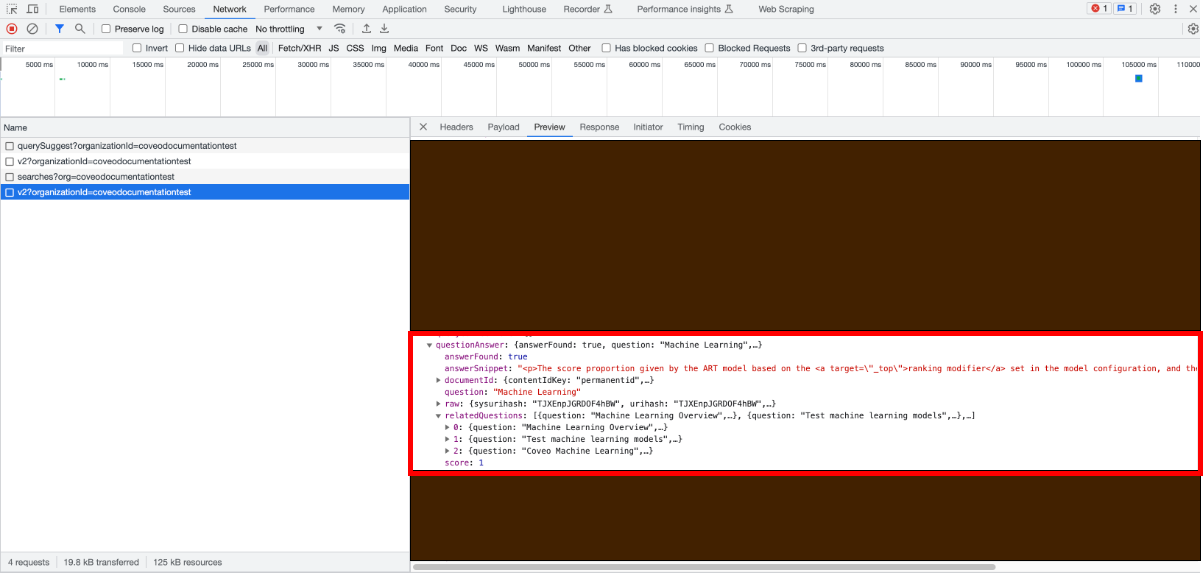
` tags). One of the FAQs that appears on the page is: `How to synchronize my Speedbit with my computer?` A user accesses your support website's main page and enters the following query in the search bar: `Synchronizing Speedbit with computer`. Since the Smart Snippet model calculated a high similarity score between the user query and the `How to synchronize my Speedbit with my computer?` header, the user obtains the FAQ page as the top result. The result template also displays the content that appears in the paragraph attached to the `How to synchronize my Speedbit with my computer?` header on the FAQ page. ### Similarity score thresholds Depending on the similarity score the model established between a query and the header of the items that appear in the results list, the model either displays the best snippet at the top of the results page, shows the snippet as a related question, or doesn't display the snippet at all. The following table indicates the thresholds used by the model to determine whether to display a snippet: [cols="2",options="header"] |=== |Similarity score |Result |0.7 and above |The answer is displayed as a snippet at the top of the results page. |Between 0.5 and 0.7 (0.7 excluded) |The answer is displayed as a related question. |Below 0.5 (0.5 excluded) |The answer is not displayed by the model. |=== > **Notes** > > * These thresholds cannot be changed. > > * You can [inspect the similarity score](https://docs.coveo.com/en/l6eb0531#inspect-similarity-scores) that was computed by the model for a given snippet. #### Inspect similarity scores You can inspect the score computed for a given snippet by inspecting the call to the Search API: . Access a [search interface which contains the required components](https://docs.coveo.com/en/l8ve0354/), and in which the traffic is directed to the query pipeline that you [associated with your Coveo ML Smart Snippet model](https://docs.coveo.com/en/l6he0309/). . [Access your browser's network monitoring tool](https://docs.coveo.com/en/mc2g0297#access-your-browsers-network-monitoring-tool). . In the search box, perform a query that would likely trigger a snippet to appear in the search results. . In the network monitoring tool, under the **Name** column, select the latest request to the Search API. The request path should contain `/rest/search/v2`. . Select the **Preview** tab. . Find and expand the [`questionAnswer`](https://docs.coveo.com/en/l9le0392#search-api-response-reference) property. It provides detailed information about the model's output for this specific query. This property won't appear if the model can't provide snippets for the current query. . You can now inspect the similarity score that the model gave to the displayed snippets: ** To inspect the score of the top snippet, look at the `score` value. 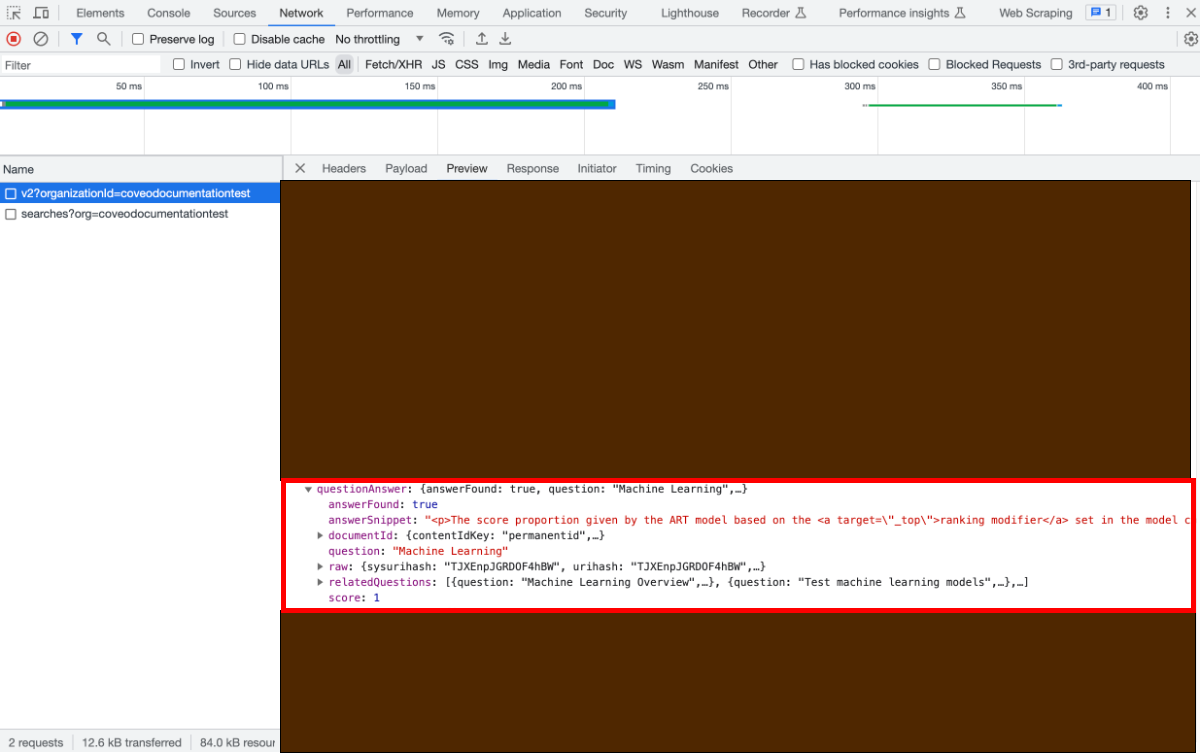 ** To inspect the score of the related questions for the same query: ... Expand the `relatedQuestions` property. ... You should now see the list of headers for which the model can provide snippets. Expand the desired `question` property, and then inspect the associated `score` value.