---
title: Coveo Hosted Search Page
slug: '3259'
canonical_url: https://docs.coveo.com/en/3259/
collection: coveo-for-sitecore-v5
source_format: adoc
---
# Coveo Hosted Search Page
> **Legacy feature**
>
> The Coveo Hive Framework is now in maintenance mode and is no longer recommended for new implementations.
>
> To build new search experiences, use one of Coveo's more modern, lightweight, and responsive libraries.
> To get started, see the [Build search](https://docs.coveo.com/en/2473/) article.
[.version.c4sc.c4sc-new.5-0-710-2.June-12&-2020]
[Coveo for Sitecore 5.0.710.2](https://docs.coveo.com/en/3235#release-notes)

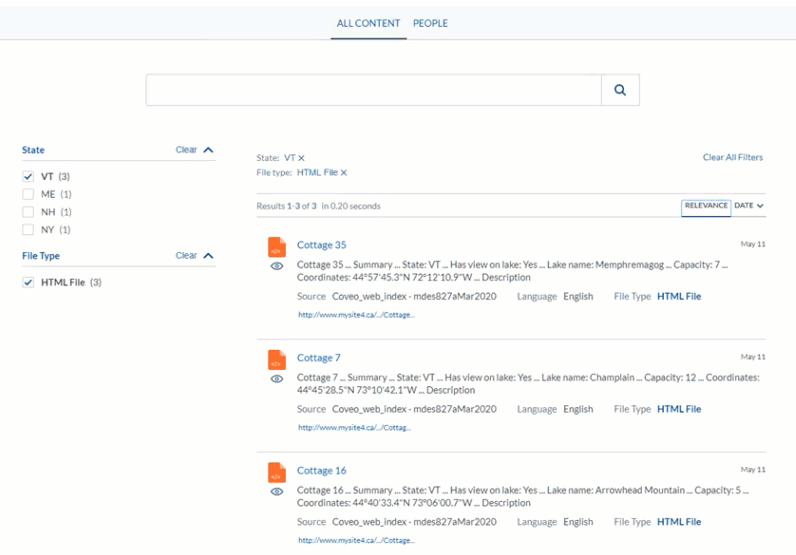
This rendering pulls the source code from the selected legacy [hosted search page](https://docs.coveo.com/en/2866/) and injects it into the layout of the related Sitecore content item.
## Usage notes
* Ensure you provide a meaningful `Search Hub` value in the data source.
Not setting a meaningful `Search Hub` value negatively impacts usage analytics reporting and machine learning functionalities (see [About the Search Hub](https://docs.coveo.com/en/3302/)).
* To use this rendering, you need a [legacy hosted search page](https://docs.coveo.com/en/1656#legacy-search-page).
* The **{doctitle}** rendering is integrated in the **Example Hosted Search Page** branch template to ease its use.
The [Insertion Sequence section video](?c4scV5HiveType=tab-hive#insertion-sequence) illustrates this scenario.
* For instructions on how to automatically have search result hyperlink URLs reflect the CD host name, see [Get Dynamic Clickable URIs in Search Results](https://docs.coveo.com/en/3257#get-dynamic-clickable-uris-in-search-results).
## Insertion Sequence
Coveo Hive
The Coveo Hosted Search Page rendering is an Allowed Control in the following placeholder(s): coveo-ui
Example insertion sequence for the Coveo Hosted Search Page rendering.
## Data source options
The following table lists the available data source options for this rendering.
[%header,cols="33%,66%"]
|===
|Option name
|Description
|Search Page
|The Coveo legacy hosted search page whose code will be injected into the layout of the related Sitecore content item.
|Search Hub
|Value to tag search events with when these search events originate from the hosted search page Sitecore content item (see [About the Search Hub](https://docs.coveo.com/en/3302/)).
|===
## Sample generated HTML and corresponding visual output
```html
```