---
title: Coveo Dynamic Facet Manager
slug: '3207'
canonical_url: https://docs.coveo.com/en/3207/
collection: coveo-for-sitecore-v5
source_format: adoc
---
# Coveo Dynamic Facet Manager
> **Legacy feature**
>
> The Coveo Hive Framework is now in maintenance mode and is no longer recommended for new implementations.
>
> To build new search experiences, use one of Coveo's more modern, lightweight, and responsive libraries.
> To get started, see the [Build search](https://docs.coveo.com/en/2473/) article.
[.version.c4sc.c4sc-new.5-0-642-2.April-1&-2020]
[Coveo for Sitecore 5.0.642.2](https://docs.coveo.com/en/3204#release-notes)
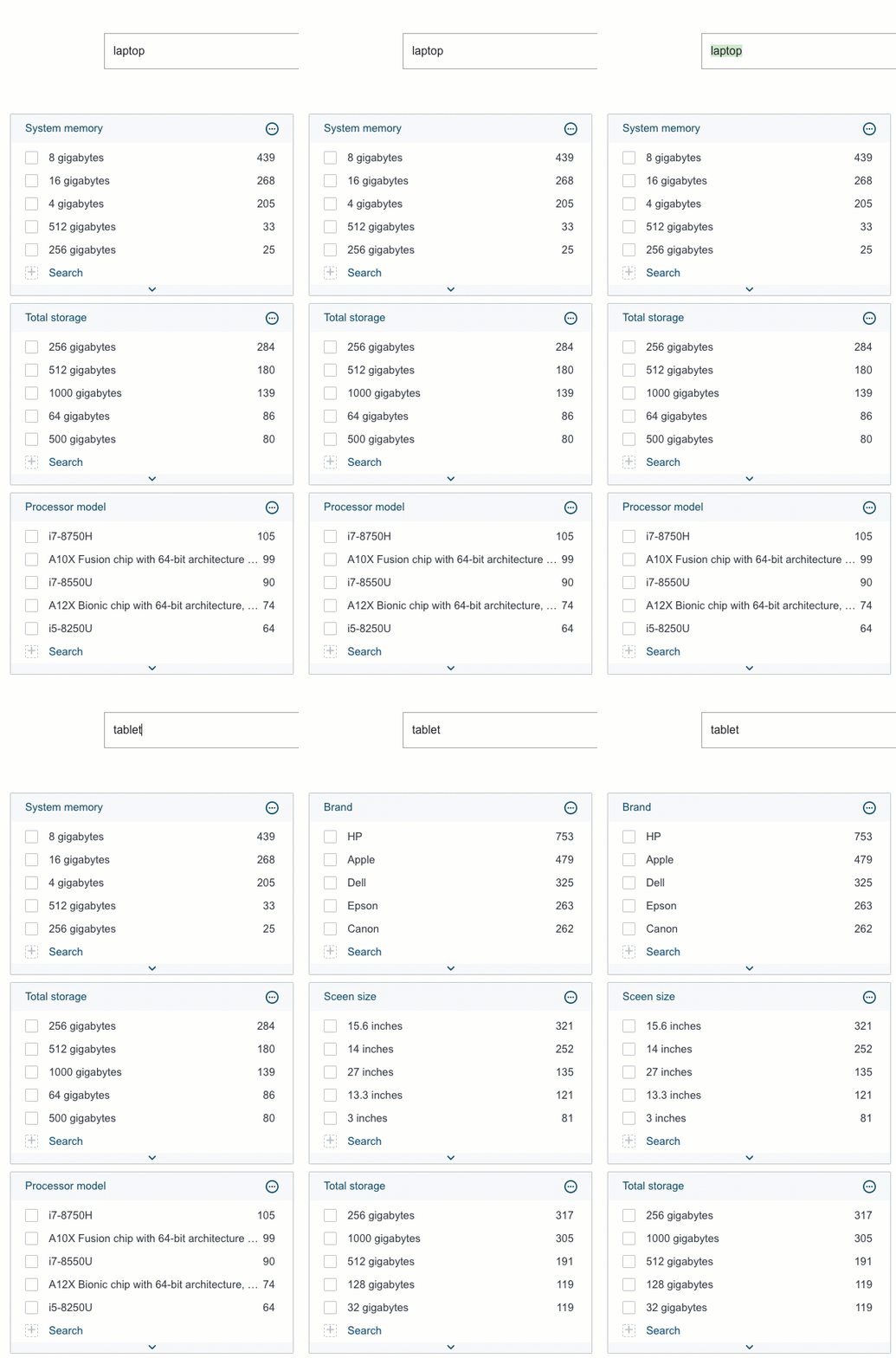
Implements the [Coveo JavaScript Search Framework](https://docs.coveo.com/en/187/) [DynamicFacetManager](https://coveo.github.io/search-ui/components/dynamicfacetmanager.html) component which allows controlling a set of dynamic facets (for example, [Coveo Dynamic Facets](https://docs.coveo.com/en/3206/) and [Coveo Dynamic Numeric Facet Ranges](https://docs.coveo.com/en/3208/)) as a group (see [Dynamic Navigation Experience](https://docs.coveo.com/en/3383/)).
## Usage notes
* Embed dynamic facets (for example, [Coveo Dynamic Facets](https://docs.coveo.com/en/3206/) and [Coveo Dynamic Hierarchical Facets](https://docs.coveo.com/en/3209/)) in the **{doctitle}** rendering `Dynamic Facets` placeholder.
* You can [customize the CSS](https://docs.coveo.com/en/2342/) associated with this rendering.
## Insertion location
Coveo Hive
The Coveo Dynamic Facet Manager rendering is an Allowed Control in the following placeholder(s): Facets
Example insertion sequence for the Coveo Dynamic Facet Manager rendering.
Coveo Hive SXA
Coveo for Sitecore SXA rendering insertion locations aren't limited by placeholder Allowed Controls. The Coveo Dynamic Facet Manager rendering may therefore be inserted throughout the partial design, whether in Coveo for Sitecore or Sitecore placeholders.
Example insertion sequence for the Coveo Dynamic Facet Manager rendering.
## Data source options
The following table lists the available data source options for this rendering.
[%header,cols="33%,66%"]
|===
|Option name
|Description
|Enable facet reorder
|See the [`enableReorder`](https://coveo.github.io/search-ui/components/dynamicfacetmanager.html#options.enablereorder) component option.
|Maximum number of expanded facets
|See the [maximumNumberOfExpandedFacets](https://coveo.github.io/search-ui/components/dynamicfacetmanager.html#options.maximumnumberofexpandedfacets) component option.
|DOM unique ID
a|{empty}
--
Randomly generated HTML element ID.
--
|Additional data attributes
a|{empty}
--
Allows [use of the Coveo JavaScript Search Framework **DynamicFacetManager** component options](https://docs.coveo.com/en/2776/) that aren't directly available in the data source.
--
|===
## Sample generated HTML and corresponding visual output
```html
```