---
title: Coveo Results List
slug: '3036'
canonical_url: https://docs.coveo.com/en/3036/
collection: coveo-for-sitecore-v5
source_format: adoc
---
# Coveo Results List
> **Legacy feature**
>
> The Coveo Hive Framework is now in maintenance mode and is no longer recommended for new implementations.
>
> To build new search experiences, use one of Coveo's more modern, lightweight, and responsive libraries.
> To get started, see the [Build search](https://docs.coveo.com/en/2473/) article.
Implements the [Coveo JavaScript Search Framework](https://docs.coveo.com/en/187/) [CoveoResultList](https://coveo.github.io/search-ui/components/resultlist.html) component, which is responsible for displaying query results.
## Usage notes
* It's possible to include two **{doctitle}** renderings in a search page, one using the `List` results layout, and the other using the `Card` results layout.
You can then add a [Coveo Result Layout](https://docs.coveo.com/en/3022/) rendering to allow users to toggle between both result layouts.
* You can insert multiple result template renderings inside a **{doctitle}** rendering.
By associating conditions to these result templates, you can display result items differently from one another (see [Result template conditions](https://docs.coveo.com/en/2173#result-template-conditions)).
* You can [customize the CSS](https://docs.coveo.com/en/2342/) associated with this rendering.
## Insertion location
Coveo Hive
The Coveo Results List rendering is an Allowed Control in the following placeholder(s): Results List
Example insertion sequence for the Coveo Results List rendering.
Coveo Hive SXA
Coveo for Sitecore SXA rendering insertion locations aren't limited by placeholder Allowed Controls. The Coveo Results List rendering may therefore be inserted throughout the partial design, whether in Coveo for Sitecore or Sitecore placeholders.
Example insertion sequence for the Coveo Results List rendering.
## Data source options
The following table lists the available data source options for this rendering.
[%header,cols="33%,66%"]
|===
|Option name
|Description
|Results layout
|See the [layout](https://coveo.github.io/search-ui/components/resultlist.html#options.layout) component option.
|Enable infinite scroll
|See the [enableInfiniteScroll](https://coveo.github.io/search-ui/components/resultlist.html#options.enableinfinitescroll) component option.
|Infinite scroll page size
|See the [infiniteScrollPageSize](https://coveo.github.io/search-ui/components/resultlist.html#options.infinitescrollpagesize) component option.
|Enable scroll to top
|See the [enableScrollToTop](https://coveo.github.io/search-ui/components/resultlist.html#options.enablescrolltotop) component option.
|Wait animation
|See the [`waitAnimation`](https://coveo.github.io/search-ui/components/resultlist.html#options.waitanimation) component option.
|DOM unique ID
a|{empty}
--
Randomly generated HTML element ID.
--
|Additional data attributes
a|{empty}
--
Allows [use of the Coveo JavaScript Search Framework **CoveoResultList** component options](https://docs.coveo.com/en/2776/) that aren't directly available in the data source.
--
|===
## Sample generated HTML and corresponding visual output
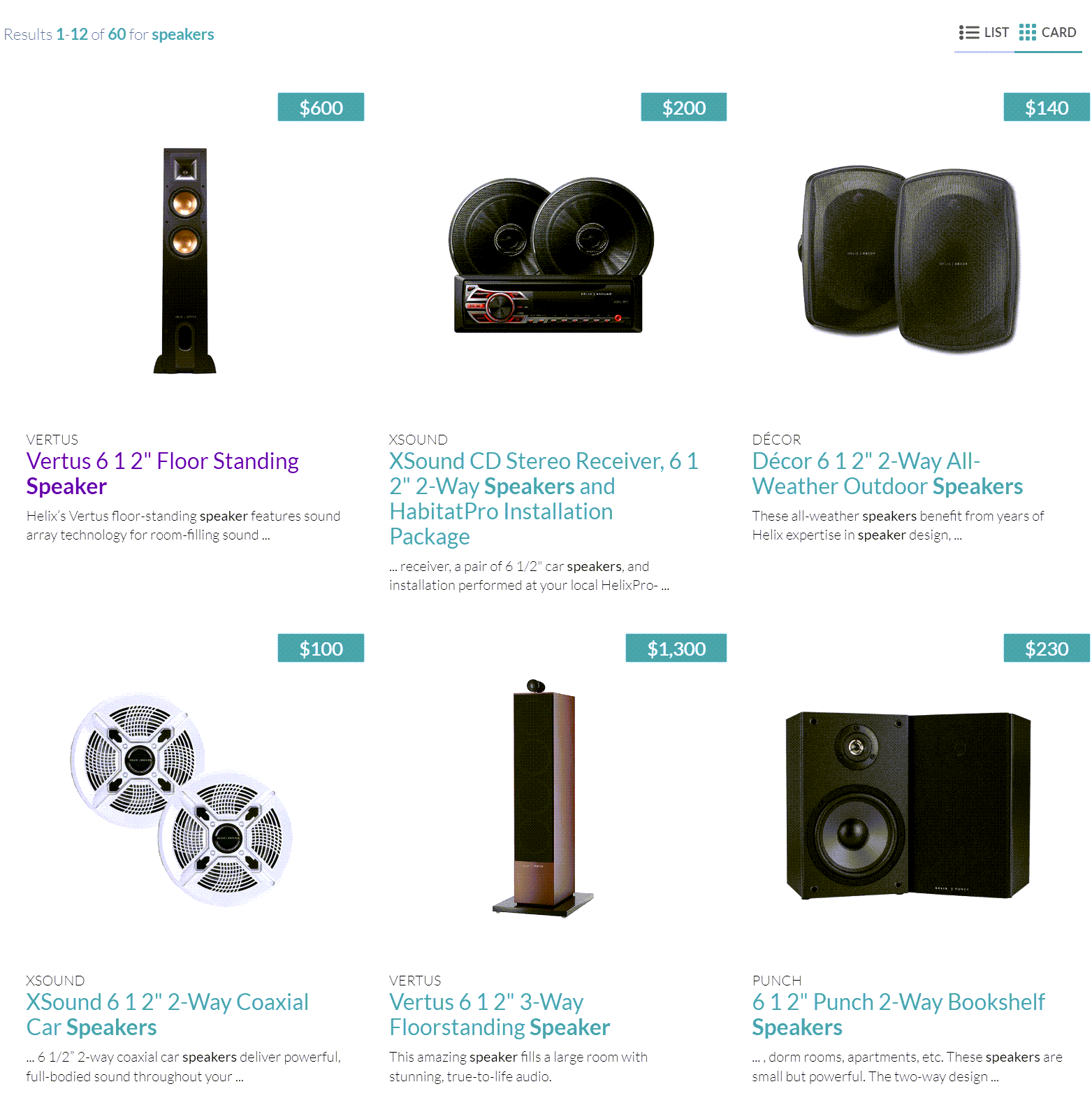
In the following example, two **{doctitle}** renderings have been inserted in the search interface, one using the `Card` results layout, and the other using the `List` results layout.
The website visitor has selected the `Card` results layout on the search page, which adds the `coveo-hidden` value to the `class` attribute of the result list `
` element with the `List` data layout.
```html
```