---
title: April 18, 2019 release (5.0.362.4)
slug: '2847'
canonical_url: https://docs.coveo.com/en/2847/
collection: coveo-for-sitecore-v5
source_format: adoc
---
# April 18, 2019 release (5.0.362.4)
> **Important**
>
> Per the Coveo [Version Support Lifecycle policy](https://docs.coveo.com/en/1485/), this Coveo for Sitecore 5 release has reached end of support.
> See [available Coveo for Sitecore releases](https://docs.coveo.com/en/2274/).
>
> Even if this release is no longer supported, you must still perform some of its [upgrade steps](#upgrade-steps) to [upgrade to a more recent version](https://docs.coveo.com/en/2155#multi-release-upgrade) of Coveo for Sitecore.
> Even if this release is no longer supported, you must still perform some of its upgrade steps to [upgrade to a more recent version](https://docs.coveo.com/en/2155#multi-release-upgrade) of Coveo for Sitecore.
This release includes the 2.5652.7 version of the JavaScript Search Framework (see [March 2019 Release (v2.5652)](https://docs.coveo.com/en/3277#march-2019-release-v25652)).
When using a CDN with the Coveo Hive framework, this release includes the latest 2.5652 version of the JavaScript Search Framework (see [Choosing between local and CDN Coveo JavaScript resource files](https://docs.coveo.com/en/2629/)).
> **Warning**
>
> There's an issue with the **Coveo Facet Value Suggestions** component when using regular Coveo Hive search pages and Coveo for Sitecore SXA search interfaces simultaneously.
> If you're using the **Coveo Facet Value Suggestions** component, see [SXA Coveo Facet Value Suggestions Rendering Item Overwriting Hive Item at Installation](https://docs.coveo.com/en/2882/).
Release Notes
This section summarizes the new features and fixed support cases introduced in the Coveo for Sitecore April 18, 2019 release (5.0.362.4).
## Upgrade steps
> **Important**
>
> Per the Coveo [Version Support Lifecycle policy](https://docs.coveo.com/en/1485/), this Coveo for Sitecore 5 release has reached end of support.
> See [available Coveo for Sitecore releases](https://docs.coveo.com/en/2274/).
>
> Even if this release is no longer supported, you must still perform some of its [upgrade steps](#upgrade-steps) to [upgrade to a more recent version](https://docs.coveo.com/en/2155#multi-release-upgrade) of Coveo for Sitecore.
> Even if this release is no longer supported, you must still perform some of its upgrade steps to [upgrade to a more recent version](https://docs.coveo.com/en/2155#multi-release-upgrade) of Coveo for Sitecore.
This section describes how to upgrade Coveo for Sitecore from March 25, 2019 (5.0.301.4) to April 18, 2019 (5.0.362.4).
If you're upgrading over multiple versions, Coveo has a [procedure](https://docs.coveo.com/en/2155#multi-release-upgrade) to streamline the process.
> **Important**
>
> For the best Coveo for Sitecore experience, always follow the [upgrading leading practices](https://docs.coveo.com/en/2155/).
### Step 1: Upgrade Coveo for Sitecore
> **Important**
>
> Make sure the Microsoft MVC security update [MS14-059](https://docs.microsoft.com/en-us/security-updates/SecurityBulletins/2014/ms14-059) is installed on every Sitecore host in your environment.
. Log in to the Sitecore Desktop.
. Access the Installation Wizard (**Sitecore Start Menu** > **Development Tools** > **Installation Wizard**).
. Upload and install the `Coveo for Sitecore XX 5.0.362.4` package.
. When prompted to overwrite files, click **Yes to all**.
. When prompted to overwrite items, select **Overwrite**, then click **Apply to all**.
> **Note**
>
> You might be prompted twice with this question.
> Select the **Overwrite** option and click **Apply to all** both times.
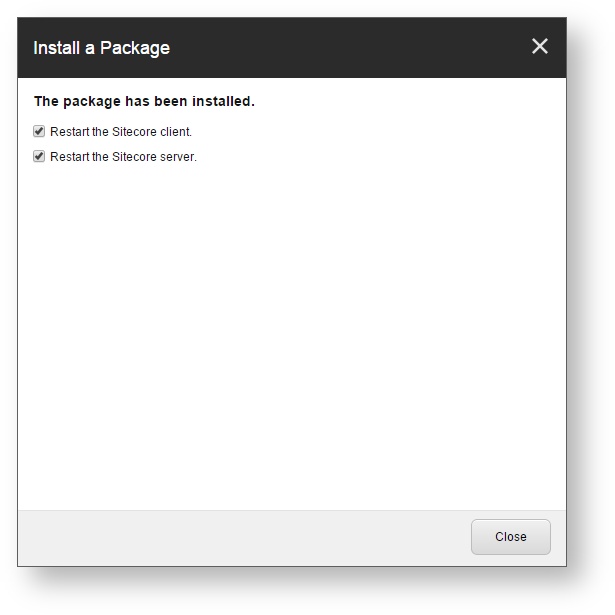
. Once the installation is completed, make sure that you restart both the Sitecore client and server.
### Step 2: Manually Update the Coveo Configuration Files
The Coveo configuration files are located in the `Website\App_Config\Include\Coveo` folder.
Compare the changes to the `.example` files from your current Coveo for Sitecore version with the ones in the build you're upgrading to.
Then, merge these changes into your current configuration files.
This method allows you to keep your own customization intact, while still benefiting from the latest enhancements brought in the product.
Use a merge tool such as [WinMerge](http://winmerge.org/) to accomplish this.
In further detail, here are the modifications that you must perform to the configuration files resulting from the feature changes between the previous and current Coveo for Sitecore releases:
#### Coveo.SearchProvider.Custom.config
A `` element below has been added as a child of the `` element.
It's a blueprint for patching the `` element of your `ContentCrawler` crawlers, or to add a new crawler, whether on your `master` or `web` database.
The `` element contents differ, depending on your version of Sitecore (see the [For Sitecore Versions 7.2, 7.5, and 8.0](#for-sitecore-versions-7-2-7-5-and-8-0) section, the [For Sitecore Versions 8.1 and 8.2](#for-sitecore-versions-8-1-and-8-2) section, or the [For Sitecore Versions 9.0 and 9.1](#for-sitecore-versions-9-0-and-9-1) section).
##### For Sitecore Versions 7.2, 7.5, and 8.0
```xml
```
##### For Sitecore Versions 8.1 and 8.2
```xml
```
##### For Sitecore Versions 9.0 and 9.1
In the April 18, 2019 release of Coveo for Sitecore 5, the `Coveo.SearchProvider.Custom.config.example` file contains the following `contentSearch/configuration/indexes/` child element:
```xml
```
> **Important**
>
> This is an error and the root cause of a known issue (see [Sitecore 9 Content Delivery Instance Crashes at Index Initialization](https://docs.coveo.com/en/2894/)).
Instead, the `` element should include a `role:require` attribute, as follows:
```xml
```
Hence, the block to add inside the `` element, in your `Coveo.SearchProvider.Custom.config` file, is the following.
```xml
```
Additionally, in your `Coveo.SearchProvider.Custom.config` file, change the following line:
```xml
```
to
```xml
```
### Step 3: Publish your site
In the Sitecore **Content Editor**, perform a publish site action.
This ensures any changes related to Coveo components in the upgrade are published to the `web` database.
---
[〈{nbsp}{nbsp}Previous version upgrade steps,role="float-start btn home-outline-btn d-inline-flex px-150 mt-100"](https://docs.coveo.com/en/2800#step-2-publish-your-site)
[Next version upgrade steps{nbsp}{nbsp}〉,role="float-end btn home-outline-btn d-inline-flex px-150 mt-100"](https://docs.coveo.com/en/2875#step-2-manually-update-the-coveo-configuration-files)
{nbsp}
{nbsp}
{nbsp}